

Training Form curve (Coach screen)
A free on-device chart of your fitness, fatigue, and form. Pro adds forecast tails and a plain-language read.
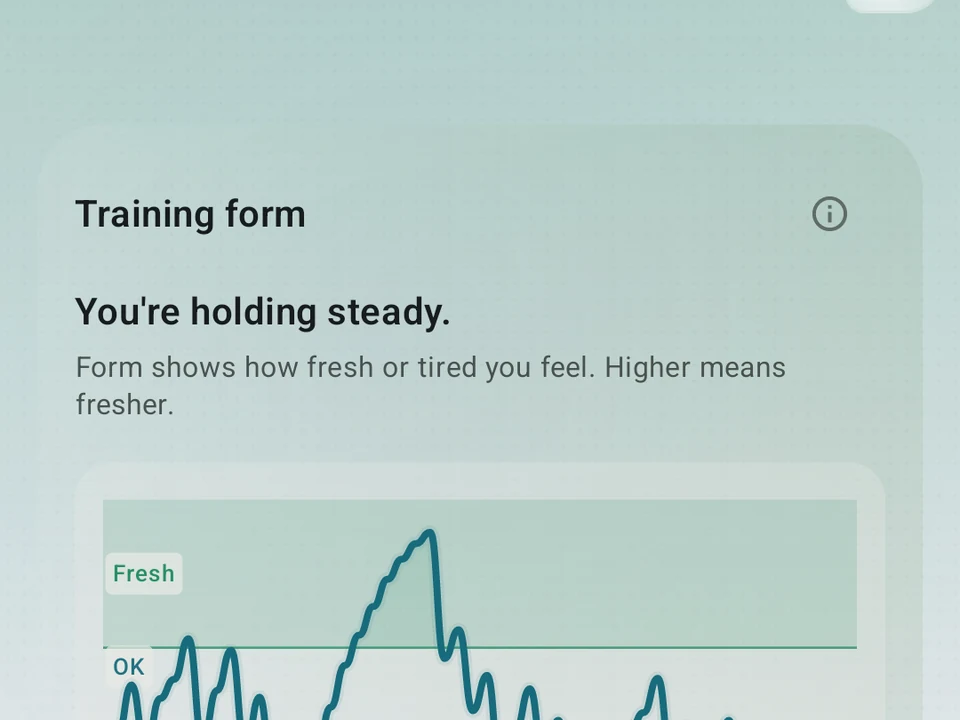
Real app capture
What this feature looks like with data
 Open full-size image ↗
The curve on the free tier
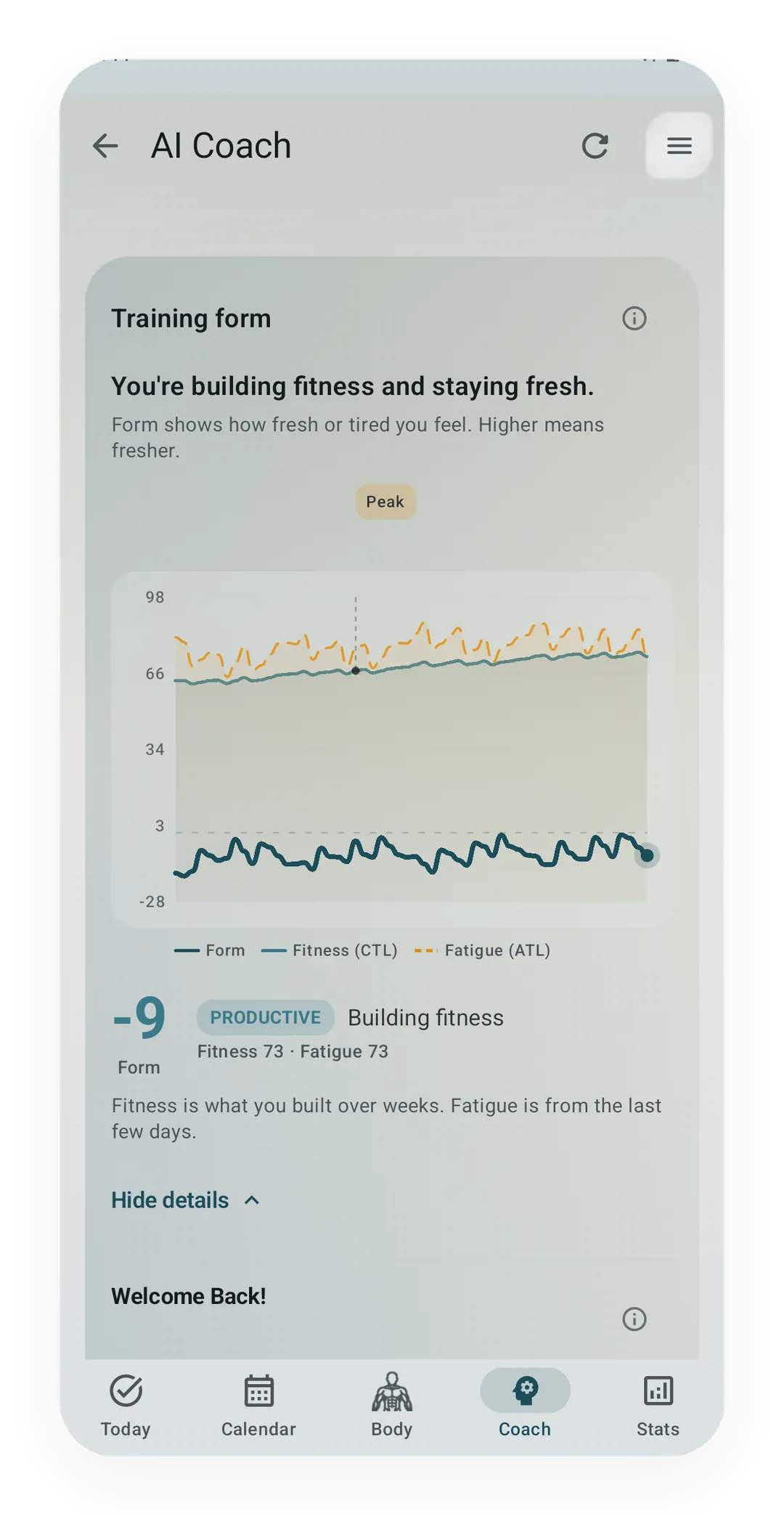
Real capture, free tier. Form, Fitness (CTL) and Fatigue (ATL) on one chart, with the current form reading and its band underneath. The forecast tails and the written read are Pro; the chart itself is free.
Tier shape
How access changes by tier
The Form chart, state pill, date marks, and fitness/fatigue detail.
Forward-looking tails against planned workouts and a plain-words note.
What it is
The Training Form curve is the lead card on Kinoku’s Coach screen, and it shows how fresh or tired you are right now. One Form line runs over three soft bands, Fresh, OK, and Tired, with a pill beside it naming your state in plain words. At a glance you can see whether you are ready to perform or could use a lighter week.
Tap Show fitness details to see the fitness and fatigue lines that sit under it:
- Fitness is how much training you have banked over the long run.
- Fatigue is how tired your recent training has left you.
- Form compares the two, and it is the line you see first.
Form reads that pair as they stood when the day began, so it can trail the fitness and fatigue shown for the same day by one day. The lag is on purpose, because Form answers what you woke up with rather than what today has already added.
The calculation runs on your phone from your own training log. There is no mandatory Kinoku account and no Kinoku server stores that history; eligible app data may still be copied by Android system backup to your Google account.
TrainingPeaks and Intervals.icu run the same fitness-fatigue model for runners. Kinoku reads your whole training stack rather than running alone. Lifting, runs, swims, classes and brisk walking all feed the curve, and Kinoku scores each one for you.
The wider stack costs some precision, and that is the limit worth knowing. A run has pace and heart rate to score from, while a swim or a spin class has neither, so Kinoku falls back on how long the session lasted and how hard it felt. Rate the session and it uses your number. Skip the rating and it works the effort out from the activity, which is a fair guess rather than a measurement.
What you see on each tier
The Form curve is a graduated feature, so the chart shows for everyone while the depth grows with your tier.
- FREE: the base chart, a Fresh / OK / Tired band pill, and date marks on the last few weeks. Those band edges are set against your own recent range once you have about a month of history, so Fresh reads as fresh for you rather than for a stranger. Tap any day on the chart and a small row reads back that day’s date, its Form value, and the training load you did.
- PRO: adds forecast tails that project the three lines forward against your planned workouts. Plan an easy week and watch the Form line climb back toward the peaking zone before race week.
- PRO also: adds a plain-words read using the coaching state labels, such as Peaked, Productive, Tapering, or Overreaching. It explains the recent pattern without pretending it can predict how you will feel.
For the full Form Band tab inside the Pro Analytics Hub, a 90-day chart with zone marks and a longer read, see Form Band.
How it computes
The three lines come from the model Banister and colleagues published in 1975, and the math is simpler than it sounds:
- Fitness is a long, slow average of your daily training load, over about 42 days.
- Fatigue is a short, fast average of the same load, over about 7 days.
- Form is the gap between the two, taken from where they stood the day before.
Watch what an easy week does to that pair. Your 7-day fatigue average drops quickly while the 42-day fitness average barely moves, so the gap between them widens and the Form line climbs. A taper can move the pill from Tired to Fresh inside a few days for exactly that reason.
Daily load is one score that puts gym work, cardio and brisk walking on the same scale. A heavy gym day with no run still adds fatigue, and a long walk during an easy lifting week still nudges your fitness up.
The curve rebuilds on its own. A background refresh is scheduled every 24 hours with a flexible execution window, and relevant training updates trigger another refresh, so new sessions can appear the same day. The calculation happens on your phone. No Kinoku server receives the curve or training history; eligible app data can still enter Android system backup to your Google account.
Why it’s free
Showing the base chart to everyone is on purpose. The Banister curve is one of the most useful training tools, and hardly anyone has seen one. Most lifters never meet it, and most runners only find it inside a paid running app. Kinoku would rather the curve became ordinary than kept behind a paywall.
The forecast tails and the plain-words read are where the paid depth sits, and both are PRO. Forecasting leans on the calendar power tools and the readiness layer that PRO adds, while the written read is the heaviest thing the curve computes. The base chart stays free whatever those two grow into.
Try it for yourself.
Available on Google Play. The core here is free. Pro adds optional extras.
Get on Google PlayRelated surfaces
A fitness-and-fatigue curve built from the same published family of impulse-response models made popular by TrainingPeaks, and it works across gym, run, and brisk-step load.
Coaching screens that run on your phone and explain what changed in your training and why it matters.
A 4-phase planning stack. The builder, all 15 templates, named programs with auto-progression, the custom model, and unlimited active programs are free. Pro adds volume targets, readiness tuning, and auto set changes.