

Free Periodization App: 25 Program Templates
Kinoku is a free periodization app: build a program from 25 templates, including 5/3/1, GZCLP and Reddit PPL. Pro adds layers that adjust it for you.
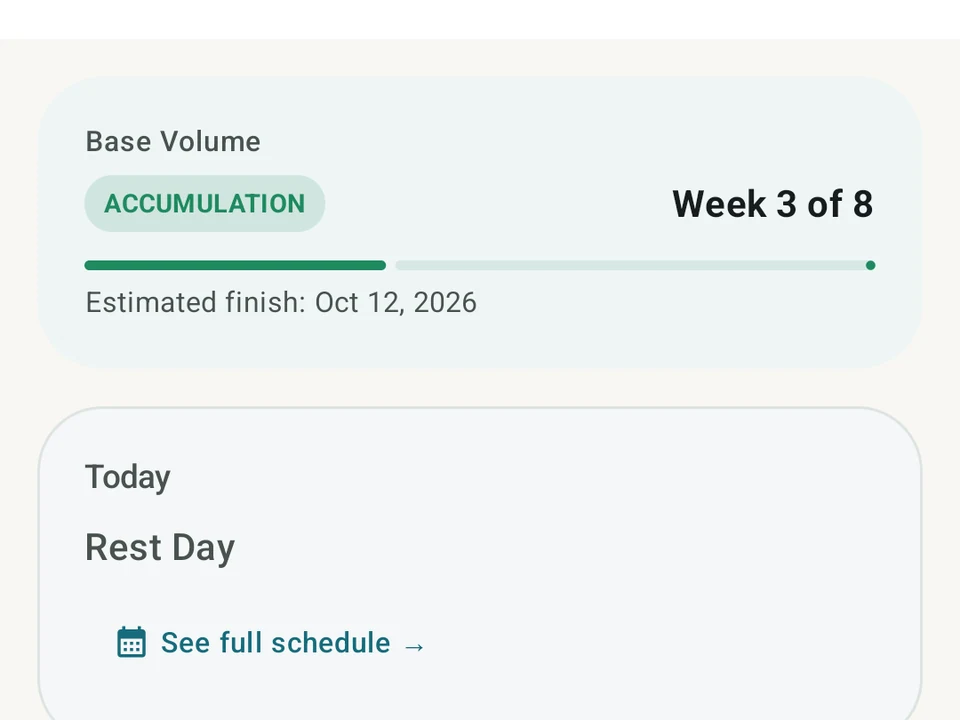
Real app capture
What this feature looks like with data
 Open full-size image ↗
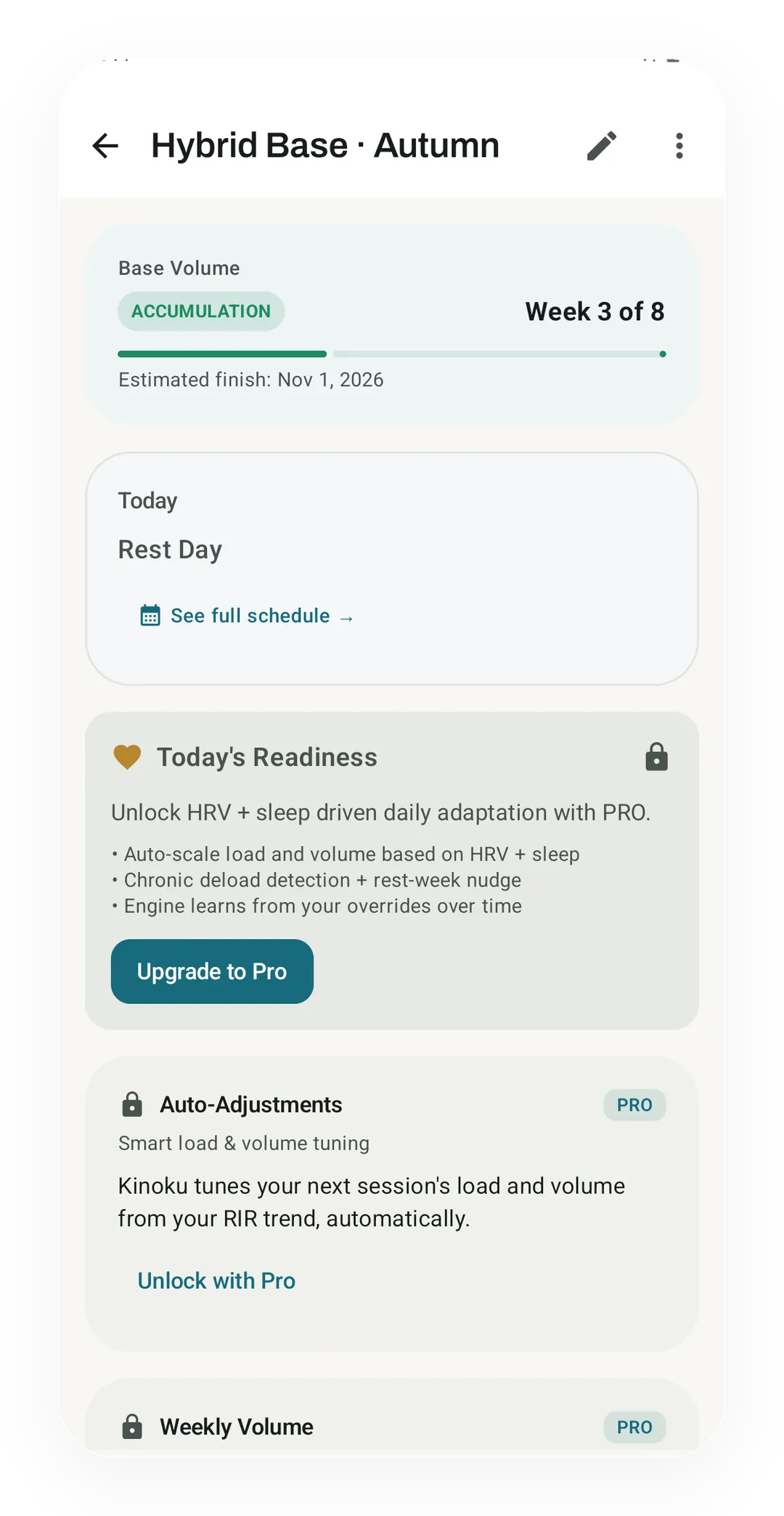
A program, week by week
The Hybrid Base Autumn program is in week 3 of 8 of its Base Volume block, with the Pro layers that tune it shown locked.
 Open full-size image ↗
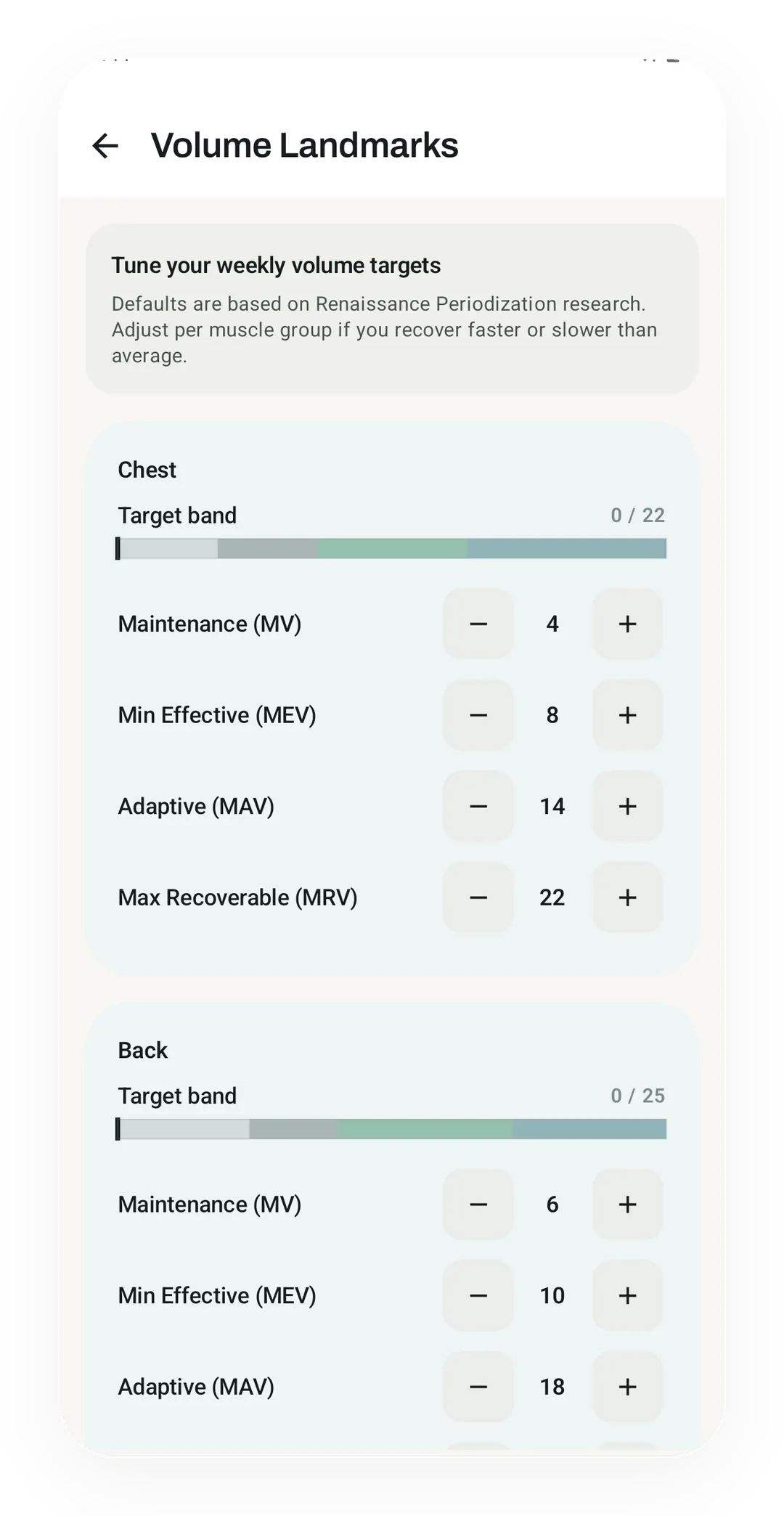
Per-muscle volume landmarks
Volume Landmarks, a Pro layer, sets weekly set targets for each muscle, from 4 sets to maintain your chest up to 22, the most it can recover from.
Tier shape
How access changes by tier
The program builder, all 25 templates, named programs like 5/3/1, GZCLP, and nSuns with auto-progression, the custom model, and no cap on active programs.
Volume targets (MEV / MAV / MRV), readiness tuning, and auto set adjustment from your RIR.
What it is
Kinoku is a free periodization app for Android. You can build a multi-week program from 25 templates, run named programs such as Jim Wendler’s 5/3/1 and GZCLP (Cody Lefever’s program) with their weights worked out for you, or lay out your own routines over weeks, with no account. Pro adds layers that adjust the plan for you.
Periodization in Kinoku is a way to plan training over many weeks rather than one. You map out training blocks, attach routines to set weeks, and add smart layers on top. Those layers cover weekly set-count guides, named lifting programs, and recovery-aware tweaks. The example this page follows is the 12-week hypertrophy (muscle growth) block from the template list below.
The hierarchy
Macrocycle
  -> Mesocycle
     -> Week
        -> Planned day
           -> Routine
A macrocycle is your whole plan, and a mesocycle is a block of weeks inside it. Each week holds planned days, and each day links to a routine. So the 12-week block is one macrocycle whose mesocycles split those weeks into blocks, each week holding the days you will actually train.
25 built-in templates
Twelve of the templates run their own weight rules. Five are named programs that build from your one-rep maxes: 5/3/1 BBB (Boring But Big), GZCLP (a linear-progression program built on tiered lifts), and nSuns 5/3/1 LP (linear progression) in 4-day, 5-day and 6-day versions. The other seven add weight when you hit your reps: Reddit PPL (push, pull, legs), Classic 5x5, a Greyskull-style LP, the r/Fitness Basic Beginner Routine, and the heavy lifts in PHUL (power, hypertrophy, upper, lower). Two dumbbell plans make up the rest, the Dumbbell Stopgap and a dumbbell PPL. When you start one, Kinoku asks for your one-rep maxes and then writes the full plan straight into your training calendar. PHAT (power hypertrophy adaptive training) and the Bodyweight Recommended Routine give you the structure without built-in weight rules. You pick the loads, or the harder version of each move, on your own.
- Beginner Linear 3-Day
- Full Body 3-Day
- Upper / Lower 4-Day
- Push / Pull / Legs 6-Day
- Hypertrophy Block 12-Week
- Strength Peaking 8-Week
- PHUL 4-Day
- Powerbuilding 5-Day
- Undulating 8-Week
- Body Recomp 10-Week
- 5/3/1 BBB
- GZCLP 4-Day
- nSuns 5/3/1 LP 4-Day
- nSuns 5/3/1 LP 5-Day
- nSuns 5/3/1 LP 6-Day
- Reddit PPL
- Classic 5x5 Full Body
- Greyskull-style LP (Phrak’s variant)
- Basic Beginner Routine (r/Fitness)
- Dumbbell Stopgap (r/Fitness)
- Dumbbell PPL
- PHAT
- Bodyweight Recommended Routine
- Balance Flow Foundations
- Longevity Foundations
A program finder
If the list feels long, the program finder starts from your week instead. You tell it your level, how many days you can train, your goal and your gear, and it lays a program out on the days you picked. Each pick comes with its reasons and the one way it fits you least, plus two others you can swap in. You can open the finder from Today or from first-run setup, and like the templates, it is free. To compare program apps, the workout program apps roundup quotes what other apps say they run, and which of them charge for it.
Program settings
Named programs such as 5/3/1 and GZCLP have a Program settings screen, where you can change the training days, each lift’s max and the size of each weight jump. The jump can be the standard step or a smaller one, though Classic 5x5, the two dumbbell programs and the bench press in Reddit PPL keep the fixed steps they ship with. The start date can move until the program begins, and after that it stays fixed. A new max restarts that lift’s cycle from the next day, while the sessions you already trained stay as they were. A program you built by hand is changed in the builder instead.
Four planning layers
Kinoku’s planner has four layers you can stack, and the reasons to reach for each one differ.
- Volume Landmarks: weekly set-count guides per muscle, from minimum effective volume (MEV) through maximum adaptive volume (MAV) to maximum recoverable volume (MRV). The weekly set counts trace back to the Schoenfeld review cited on this page.
- Named Programs: built-in progress rules for 5/3/1, GZCLP, nSuns, and the programs that add weight when you hit your reps.
- Autoregulation by reps in reserve (RIR): tweaks your sets based on how hard they felt, using the Zourdos RIR scale cited on this page. The page on rate of perceived exertion versus reps in reserve shows the exact rules it follows.
- Readiness Adaptation: scales the plan around how recovered you are.
Plans sit next to your real workouts, so Kinoku can show what you planned against what you did, which is a lot deeper than a plain week builder. In the 12-week block that means the weekly volume you logged is drawn next to the target the block set. A week that fell short is then visible before the block ends rather than after.
Tier limits
- Free: the plan builder, all 25 templates, named programs, the custom model, and no cap on active programs
- Pro: the adaptive layers on top, like volume landmarks, autoregulation, and readiness tuning
Kinoku is Android only and has no cloud sync between devices, so a plan reaches a new phone only through a backup file you move or through Android’s own backup. What holds is that building and running a program stays free at any tier. The three paid layers are the ones that adjust a program for you, and how well they adjust depends on how honestly you log the sets underneath.
Questions people ask
Is Kinoku's periodization free?
Yes. The program builder, all 25 templates and the named programs are free, and so are the programs you build, with no cap on how many you keep. Pro adds three layers that adjust a plan for you: weekly set guides, set changes based on how hard a set felt, and a readiness check.
Which named programs does Kinoku run?
Jim Wendler's 5/3/1 Boring But Big, Cody Lefever's GZCLP and the r/nSuns community's nSuns set your next weights from your own results. Reddit PPL (push pull legs), Classic 5x5, the Basic Beginner Routine and two dumbbell programs add weight in simple steps.
Can I build a program from my own routines?
Yes. The builder sets your own routines out week by week, so a plan you already use gets real dates. Custom programs are free, the same as the templates.
Try it for yourself.
Available on Google Play. The core here is free. Pro adds optional extras.
Get on Google PlayRelated surfaces
Plan workouts on one calendar, with no limit on how many plans you keep or how far ahead you plan. Pro adds repeating schedules (weekly, custom days, or every few weeks), drag-to-move, bring-to-today, repeat-day, and day copy.
A Pro hub with five core tabs, plus a Cycle tab when cycle tracking is on. Its 20+ features include strength scores like DOTS, IPF GL, Wilks, and FFMI, the Banister Form Band, plateau alerts, ACWR, muscle balance, and cycle links.
Warmup sets built from your working weight, bar weight, and unit system.