

Training Calendar
One calendar to plan your workouts. Planning is free, with no cap on plans or how far ahead you go. PRO adds repeating schedules, drag-to-move, and day copy.
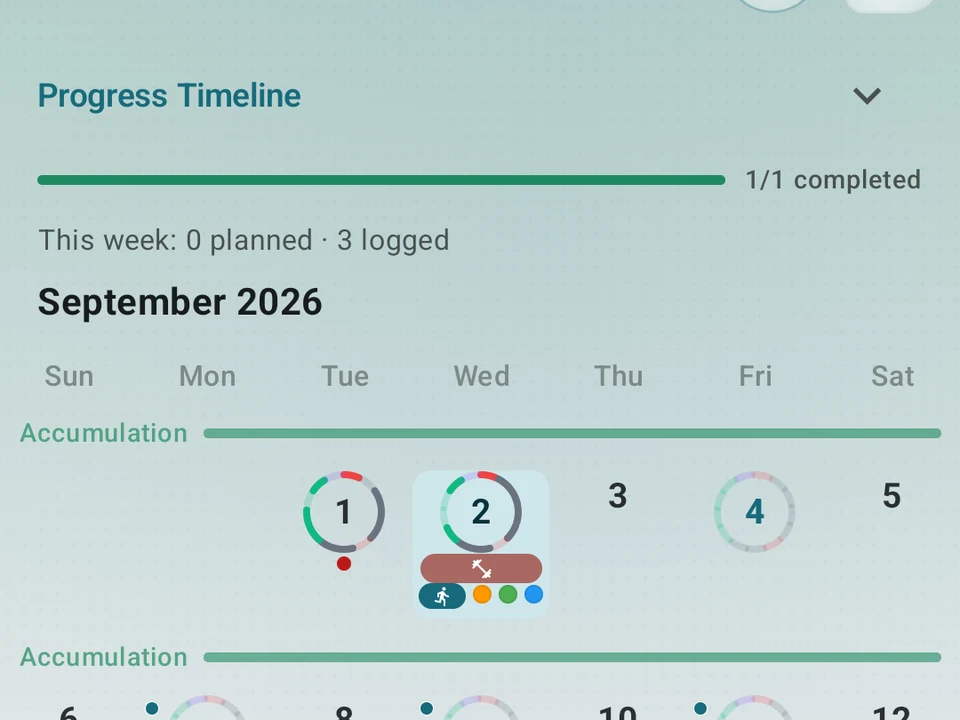
Real app capture
What this feature looks like with data
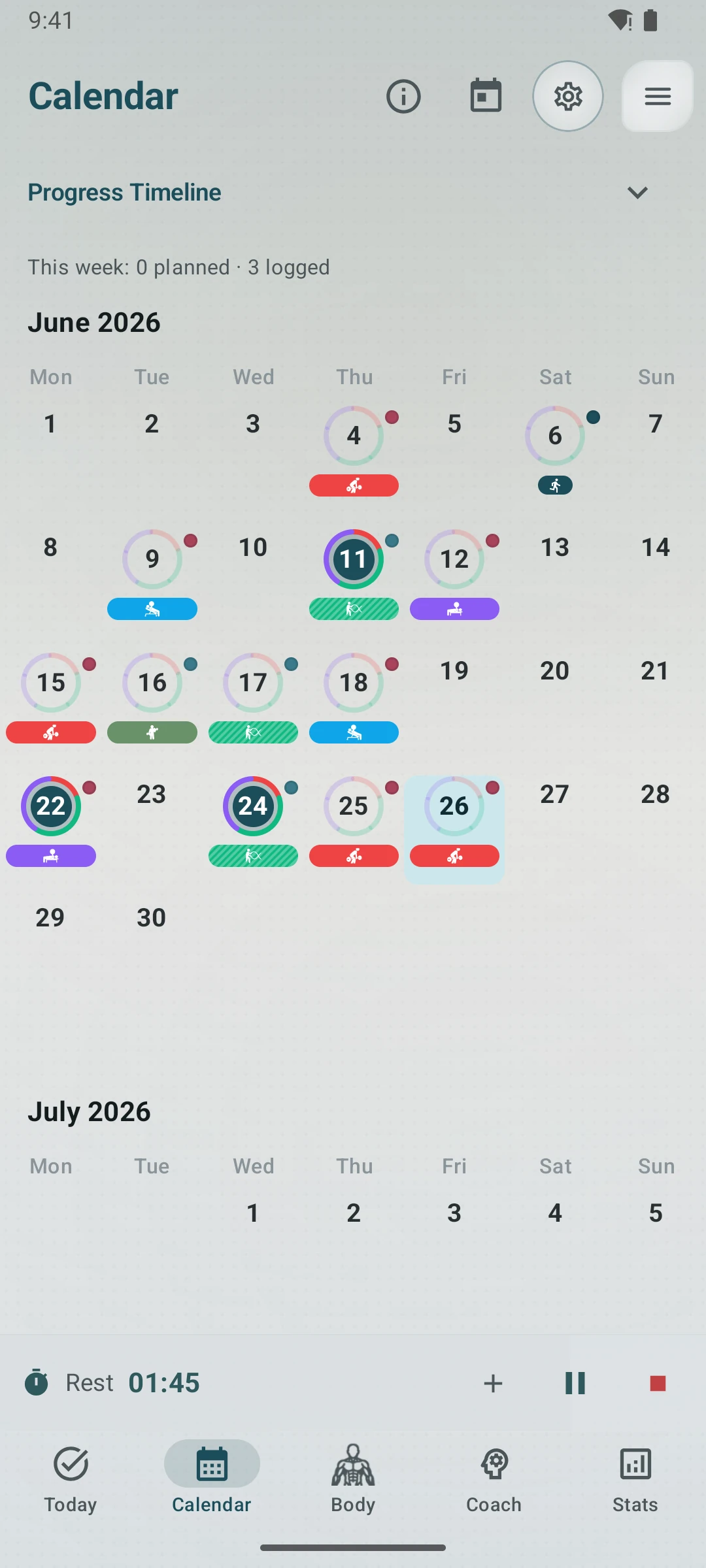 Open full-size image ↗
Plans and completed work together
The current calendar shows scheduled training and recorded sessions in one populated month view.
Training week view
Plan any day for free. Pro adds drag-to-reschedule, while a pattern-based tip can suggest what fits your rotation.
What it is
One calendar, in its own tab. Here is what you can do on it:
- Plan a workout on any day.
- Drag a busy day’s plans to another date. (PRO)
- Set up a workout that repeats each week. (PRO)
- See where each day came from: a program, a repeat, an automatic pattern suggestion, or you.
- Match a logged workout to the plan you meant to start from.
When you edit a repeating workout, Kinoku asks how far the change should reach: only this day, this day and the ones after, or every day in the series. This is the same prompt you get in a phone calendar app.
What’s free
- Plan a workout on any day, as far ahead as you want.
- Keep as many plans going as you want.
- Program plans. A long training program fills in its planned days for you.
- Edit and delete plans you made.
- Program-linked edit-scope prompts when a structural change could detach or rewrite a program day.
- A pattern-based suggestion can appear as a faint “ghost” tip in the day sheet. Tap “Plan this” to keep it.
- An “Off plan” chip, with a Revert button, when you change a program day.
- A weekly progress note above the grid.
What PRO adds
Planning is free. PRO adds five shortcuts that make a full week faster to move around:
- Repeating schedules. Set a workout to come back each week, on the days you pick, or every few weeks. It can run until a date you choose, or with no end.
- Drag to move. Slide any plan to a new date.
- Bring to today. Pull a plan you missed onto today in one tap.
- Repeat a day. Put yesterday’s plan on another date without building it again.
- Copy or move a day. Take a busy day’s whole set of plans to another date.
What it changes
- One screen, one idea. The old split between “calendar” and “planning” is gone.
- A first plan is easy to find and quick to make for free users.
- Pro users get repeating schedules, recurring-series scope prompts, drag to move, bring-to-today, repeat-day, and day copy. Program-linked edit-scope prompts remain part of Free planning.
Why it matters
For real training, logging yesterday is only half the story. The other half is knowing what is next, what slipped, and what this week is meant to look like.
Try it for yourself.
Available on Google Play. The core here is free. Pro adds optional extras.
Get on Google PlayRelated surfaces
Unlimited routines, Smart Sync, Starter Packs, and follow-along links are free. Pro adds managed Rotation Groups that cycle through several routines.
A 4-phase planning stack. The builder, all 15 templates, named programs with auto-progression, the custom model, and unlimited active programs are free. Pro adds volume targets, readiness tuning, and auto set changes.
Pool workouts with stroke types, lap tracking, and swim achievements. Swim volume rolls into your weekly load and Kinoku score next to your lifts and runs.