

Best Workout Program Apps for Periodization (2026)
Looking for structured lifting progression? Compare the best workout program apps for 5/3/1, GZCLP, and periodization, from Boostcamp and KeyLifts to Kinoku.
Boostcamp, KeyLifts and Kinoku run percentage-based programs with the weights computed for you; Hevy and Strong are loggers where you do that math yourself.
At a glance
| App | Best for | Better at | Main trade-off |
|---|---|---|---|
| Boostcamp | Lifters who want to pick a coach-written program from a free library | A free library of 11,000+ programs, including nSuns, GZCLP and 5/3/1 | An account to start, and Strength Score and the volume heatmap sit in Pro |
| Hevy | Lifters who compute their own program weights and want a social log | A friends feed, a desktop view and iOS | No program engine on its pages, four free routines, and an account before use |
| KeyLifts | Lifters who run 5/3/1 or another percentage-based program and want the numbers ready | Over 170 verified templates for 5/3/1, GZCL, nSuns and Tactical Barbell | Built for percentage-based programs; its pages describe no run log or muscle map |
| Kinoku | Android lifters who want 5/3/1, GZCLP and nSuns free, offline and with no account | Named programs with auto-progression, a builder and unlimited active programs, free | Android only for now, and volume targets and readiness tuning sit in Pro |
| Strong | iPhone and Apple Watch lifters who plan their own cycles and log quietly | An Apple Watch app and Strong Cloud sync between devices | No program engine on its pages, three free templates, and charts under PRO |
Publisher disclosure
Kinoku, made by Dreamsoft Works, writes and publishes this page, and Kinoku is one of the apps on it. Every fact about another app is quoted from a page that app publishes, opened on September 20, 2026, or observed in our own emulator tests. We give no score. Where the list is ordered, the caption names the measure, and every label points at a quoted sentence.
Quickstart
Boostcamp, KeyLifts and Kinoku run percentage-based programs with the weights computed for you, while Hevy and Strong are loggers where you do that math yourself. The apps are grouped by what their own pages say a program does, alphabetical inside a group, and every label comes from a sentence the app publishes or from a dated emulator test, so no score is given.
Why lifters want the program in the app
Adding weight every week stops working after the first months, and the programs that come next, such as 5/3/1 and GZCLP (a linear progression by coach Cody Lefever), run on percentages of a training max.
- Every set is a percentage. A wave program sets each working weight from a training max, not from last week’s number.
- A missed rep changes the plan. GZCLP moves a failed lift from five sets of three to six sets of two, then to ten singles, before the weight comes down.
- Deloads are part of the cycle. A lighter week is scheduled, not improvised.
- A spreadsheet in the gym is where the errors happen. KeyLifts’ homepage puts the fix as “training weights and progression prepared for every session.”
How different apps handle periodization
The five apps here fall into three groups, by what their own pages say.
- A program library you follow. Boostcamp’s homepage describes “11,000+ programs, including coach-designed programs from Geoffrey Schofield, Dr. Eric Helms, and Cody Lefever.” Its Play listing names nSuns, GZCLP and 5/3/1 among the programs you can run, next to “130+ coach programs”.
- A percentage engine. KeyLifts’ homepage says “Build, run, and track percentage-based programs such as 5/3/1 with training weights and progression prepared for every session.” Kinoku ships 5/3/1, GZCLP and nSuns as named programs whose progression runs on the phone, plus a builder.
- A logger. Hevy’s and Strong’s pages describe routines and templates. The percentages, cycle weights and deloads are yours to compute.
Which apps run push pull legs and powerlifting programs?
Several apps run a push pull legs (PPL) split or a powerlifting program with the weights set for you, and their own pages differ on what is free.
- Push pull legs. Boostcamp says “Yes, Reddit PPL is completely free to follow on Boostcamp,” with auto weight progressions. Kinoku runs Reddit PPL as a free named program, six days a week, and works out the weights for its six main lifts. Alpha Progression’s planner adapts to a push pull legs week, and Liftosaur’s program list includes a “6-day Push/Pull/Legs” plan. StrengthLog’s page says “our PPL splits require a premium subscription”, and Hevy’s listing describes tracking a push pull legs routine you set up yourself.
- Powerlifting. Boostcamp’s powerlifting page names Wendler, nSuns, Sheiko and Candito programs, along with the GZCL family (Cody Lefever’s programs), in one place. Intensity, a powerlifting log, lists over 250 programs with Sheiko and Smolov among them, promises “automated percentage calculations”, and calls itself free to use. Liftosaur lists “A 16-week powerlifting peaking program”, and JuggernautAI builds a powerlifting plan by subscription. Kinoku runs Jim Wendler’s 5/3/1, the r/nSuns community’s nSuns and Cody Lefever’s GZCLP for free, plus an eight-week strength peaking template.
- A periodized plan built for you. Alpha Progression says “RIR, periodization and deloads are optional Pro features,” where RIR means reps in reserve. RP Hypertrophy offers a “custom meso builder” through “3 different subscriptions”, and JuggernautAI describes “a strategic phasic periodization plan” sold by subscription. Liftosaur lets you “Build programs spanning 12+ weeks with weekly undulation”, and Kinoku’s builder starts from 25 templates on the free plan.
Side by side
Each cell quotes a page the app publishes or names our emulator test, and “Not stated” marks a feature that no page we could open covers.
| App | 5/3/1 | GZCLP | Weights computed for you | Deloads | Account required |
|---|---|---|---|---|---|
| Boostcamp | Yes (“Run nSuns, GZCLP, 5/3/1”) | Yes | Yes (“progressions, periodization, and deloads”) | Yes, in the plans | Yes (“create an account”) |
| Hevy | Not stated | Not stated | Not stated | Not stated | Yes, sign-up wall in our test |
| KeyLifts | Yes | Yes (GZCL, the family GZCLP belongs to, is in its templates) | Yes (“training weights and progression prepared”) | Not stated | Not stated |
| Kinoku | Yes, free | Yes, free | Yes, on the phone | Yes, in 5/3/1 | No account |
| Strong | Not stated | Not stated | Not stated | Not stated | Yes (“All users will be prompted to sign up”) |
Each app, in its own words
Boostcamp
Best for: Lifters who want to pick a coach-written program from a free library.
Boostcamp began by turning well-known programs into phone routines, and its library is now the product.
- What it does well. Boostcamp sums itself up as “A free workout tracker and program app: 11,000+ programs, including coach-designed programs from Geoffrey Schofield, Dr. Eric Helms, and Cody Lefever.” The Play listing names nSuns, GZCLP and 5/3/1 among the programs you can run, next to “130+ coach programs”.
- What its pages say about limits. “No paywall on programs.” and “The library is free. No ads.” Boostcamp’s Pro page lists “Strength Score, per-muscle volume heatmap, personalized programs, and 20+ exclusive coach programs.”
- Where it is the better pick. Lifters who want to choose a program by coach, goal and days per week and have the app run it.
- Where Boostcamp differs. Its homepage says to “create an account” to get started, and the analytics that show whether a block worked sit in Pro.
Hevy
Best for: Lifters who compute their own program weights and want a social log.
Hevy is a social workout tracker with a clean set table.
- What it does well. Its homepage sums Hevy up as “a free workout tracker for iOS and Android” where you “track progress with friends”, and, on the desktop, “a big screen view of your routines” and your progress.
- What its pages say about limits. Hevy 3.1.12 answered with “Free accounts have a limit of 4 routines.” when we tapped New Routine a fifth time, and its pages describe no program engine, so the percentages are yours.
- Where it is the better pick. Lifters who already have their program on paper and want a modern log with friends in it.
- Where Hevy differs. No program logic on its pages, four free routines, and an account before the first set.
KeyLifts
Best for: Lifters who run 5/3/1 or another percentage-based program and want the numbers ready.
KeyLifts is a percentage-program app that grew out of a 5/3/1 log.
- What it does well. Its homepage says “Build, run, and track percentage-based programs such as 5/3/1 with training weights and progression prepared for every session.” Its library lets you “Browse 5/3/1, GZCL, nSuns, Tactical Barbell, Starting Strength, and other percentage-based programs.”
- What its pages say about limits. “KeyLifts is available for iPhone, iPad, Apple Watch, and Android. It is free to download; the App Store and Google Play show the current subscription and in-app purchase options”. The page prints no price and states no account policy.
- Where it is the better pick. Lifters who live inside 5/3/1, GZCL or nSuns and want every session’s weights laid out before they walk in.
- Where KeyLifts differs. It is built around percentage-based lifting, and its pages describe no run log, no muscle map and no deload rule.
Kinoku
Best for: Android lifters who want 5/3/1, GZCLP and nSuns free, offline and with no account.
Kinoku is a free Android app that pairs open logging with a program layer that runs on the phone.
- What it does well. It ships 5/3/1 Boring But Big, GZCLP, the 4-day nSuns 5/3/1 linear progression, Reddit PPL, PHUL (power hypertrophy upper lower), Classic 5x5 and a Greyskull-style plan as named programs with auto-progression, along with two dumbbell plans. A builder, a template gallery and no cap on active programs come with them. The weights and set targets for the lifts each program tracks are computed on the phone, with a full ZIP backup and Android backup behind them.
- What its pages say about limits. The builder, the templates, the named programs and their progression are free, with no account. Pro adds volume targets, readiness tuning and automatic set changes.
- Where it is the better pick. Lifters on Android who want a percentage program run for them without a server, a sign-up or a spreadsheet.
- What Kinoku does not do: Kinoku runs on Android, and an iPhone version is being built. Its program library is the built-in set plus what you build, not thousands of community plans, and the smart layer that adjusts a session is paid.
Strong
Best for: iPhone and Apple Watch lifters who plan their own cycles and log quietly.
Strong is a plain gym logger with a well-known set table.
- What it does well. On platforms, the help centre says “We offer apps for iPhone (including Apple Watch) and Android.” and “Strong Cloud keeps your workouts automatically synced between devices”.
- What its pages say about limits. Free accounts get “up to 3 Workout Templates with the free version of Strong”, its PRO page lists “Access to all Charts” as paid, and the help centre prompts every user “to sign up for an account before using Strong.”
- Where it is the better pick. Lifters who plan their own cycles and want a quiet log that stays in step with an Apple Watch.
- Where Strong differs: No program logic on its pages, three free templates, and charts behind PRO.
When a plain logger is not enough
A beginner gains for months by adding a little weight each session. Somewhere after six months, the same jump stops landing, and repeating the weight leads to stalls and sore joints.
A wave program answers that by cycling weight and volume across four to eight week blocks, with a training max that moves on evidence. An app that holds the program does that arithmetic before you walk in, so your attention goes to the bar. A logger still records the sets; it just leaves the plan to you.
How this list was checked
Every cell, label and answer traces to a public page or to a dated emulator test.
- Public citations. We read each homepage, help article and store listing quoted here on September 20, 2026.
- Emulator tests. We confirmed the Hevy routine cap and its sign-up wall on an Android 16 emulator, as the dated notes on each observation source describe.
- No paid rankings. No app paid for a spot, and the apps stay alphabetical inside each group.
Frequently asked questions
Which app runs 5/3/1 with the weights worked out for me?
Three on this page. KeyLifts’ homepage says it builds, runs and tracks percentage-based programs such as 5/3/1 with training weights prepared for every session. Boostcamp’s Play listing names 5/3/1 among the programs you can run. Kinoku ships 5/3/1 Boring But Big and the nSuns 5/3/1 variant as named programs with auto-progression, free and offline.
Which app runs GZCLP or nSuns?
Boostcamp’s Play listing names GZCLP among its programs, and KeyLifts’ homepage lists GZCL among its 170-plus verified templates. Kinoku ships GZCLP as a named program whose progression runs on the phone: a failed set moves the lift from five sets of three to six sets of two, then ten singles. Hevy’s and Strong’s pages describe no GZCLP program. Kinoku’s nSuns 5/3/1 variant is a named program too, free like GZCLP.
Can I run a periodized program in Hevy or Strong?
You can log one. Both are loggers whose pages describe routines and templates, so the percentages, cycle weights and deload weeks are yours to work out before each session. Strong’s free version allows three templates, and Hevy’s free accounts stop at four routines, which a multi-week program can outgrow.
Is there an app that builds a periodized program for me?
Several do, and most of them charge for it. Alpha Progression lists periodization and deloads as optional Pro features, RP Hypertrophy sells its mesocycle builder through subscriptions, and JuggernautAI builds a phasic plan by subscription. Kinoku’s program builder and its 25 templates are free, and Pro adds the layers that adjust a program for you.
Which app runs a push pull legs program?
Boostcamp says Reddit PPL is completely free to follow there, and Kinoku runs Reddit PPL as a free named program that sets the weights for its six main lifts. StrengthLog’s page says its PPL splits need a premium subscription. Hevy’s listing describes logging a push pull legs routine that you set up yourself.
Which app runs a powerlifting program?
Boostcamp lists Wendler, nSuns, Sheiko and Candito programs among others, and Intensity lists over 250, Sheiko and Smolov among them, with the percentages worked out for you. Liftosaur has a 16-week peaking program, and JuggernautAI builds a plan by subscription. Kinoku runs 5/3/1, nSuns and GZCLP on the free plan.
What is the difference between a workout logger and a program app?
A logger stores the sets you type, the way a notebook does. A program app holds the plan and computes each session from it: KeyLifts’ homepage puts it as training weights and progression prepared for every session. The difference shows on week five, when a logger still needs you to know what today’s top set should be.
Does Kinoku need internet to run a program?
No. The builder, the templates, the named programs and their progression all run on the phone, with no account and no Kinoku server. A program needs no network at all. Kinoku itself connects for Google Play billing, map tiles on a run, a gifted-Pro check at most twice a day, and features you turn on, such as weather.
Is Boostcamp’s program library free?
Its homepage says there is no paywall on programs, and its Play listing says the library is free, with no ads. The Pro page lists Strength Score, a per-muscle volume heatmap, personalized programs and 20+ exclusive coach programs as paid. Its homepage also tells you to create an account to get started.
Is KeyLifts only for 5/3/1?
Its name once was, and its homepage now says more. It builds, runs and tracks percentage-based programs such as 5/3/1, and its template library covers 5/3/1, GZCL, nSuns, Tactical Barbell, Starting Strength and other percentage-based programs. It is available for iPhone, iPad, Apple Watch and Android, free to download, with subscription options shown in the stores.
Which of these apps work without an account?
Of the five apps compared here, Kinoku is the one with no account at all. Boostcamp’s homepage says to create an account to get started, Strong’s help centre prompts every user to sign up first, and Hevy’s first screen offered no skip path in our test. KeyLifts’ homepage does not state its account policy, and Intensity, from the powerlifting list above, says no account is required.
Is there an app that plans deload weeks for me?
Kinoku’s 5/3/1 program sets the wave sets and the deload week from your training max, and the readiness layer that adjusts a session sits in Pro. Boostcamp’s Play listing describes coach-designed plans with progressions, periodization and deloads. KeyLifts’ homepage speaks of progression prepared for every session and does not name deloads. Hevy’s and Strong’s pages describe no deload logic.
Which app should a beginner start with?
The one whose program you already trust. A beginner on Starting Strength finds it in KeyLifts’ template list; a beginner who wants a coach’s plan finds 130-plus of them in Boostcamp’s free library; a beginner on Android who wants 5/3/1 with no account finds it in Kinoku. A plain logger asks you to bring the plan yourself.
What does Kinoku not do?
Kinoku runs on Android only for now, with no iPhone app yet and no desktop site. Its program library is the built-in set of templates and named programs plus what you build, not a marketplace of thousands. Volume targets, readiness tuning and automatic set changes sit in Pro, and there is no social feed.
Related pages
- Best powerlifting apps for Android: Meet-prep planners such as JuggernautAI and Sheiko Gold next to the program runners on this page.
- Best workout apps for beginners on Android: The step before these programs, for someone in their first months of lifting.
- Periodization feature guide: How Kinoku runs multi-phase training cycles on the phone.
- Routine progress feature guide: Weight and volume trends across a routine.
- Best Strong alternatives: Loggers that lift Strong’s three-template cap.
- Best Hevy alternatives: Loggers that lift Hevy’s four-routine cap.
- Best workout apps without a subscription: Free plans compared by what they cap.
- Best 5/3/1 apps for Android: Seven apps compared on how each one sets and raises the 5/3/1 training max.
- Is there an app that plans deload weeks for me?: Nine apps grouped by whether the deload week is planned on a free plan, a paid plan, or not at all.
- Which free app runs GZCLP or nSuns on Android?: The GZCLP stages, the nSuns layouts and the stall rules of five apps, side by side.
- Best StrongLifts alternatives: Apps for a 5x5 now that StrongLifts needs a subscription, and what each does after a missed session.
- Best Fitbod alternatives: Apps that build a plan for you, next to apps that run a named program for free.
- Best Gymshark Training app alternatives: Trainer-led and app-built sessions for people who used Gymshark’s guided workouts.
- Best free apps to build your own workout routines: For writing your own plan, eight apps grouped by what the free plan caps when you build.
Which one fits you
- Choose Boostcamp if you want to browse a free library of 11,000+ programs, pick one from a named coach, and follow it set by set with an account.
- Choose Hevy if you already work out your own percentages and want a log with a friends feed and a desktop view on iOS or Android.
- Choose KeyLifts if you run 5/3/1, GZCL, nSuns or another percentage-based program and want the training weights prepared for every session.
- Choose Kinoku if you train on Android and want 5/3/1, GZCLP and nSuns with the progression computed on your phone, free, offline and with no account.
- Choose Strong if you plan your own cycles, train on an iPhone and an Apple Watch, and three free templates cover your week.
Test record
Tested September 11, 2026
- Environment
- Android Studio Pixel phone emulator Kinoku_Phone_Play, API 36, Android 16
- Kinoku
- Version 1.2.0 (version code 30), a test build installed outside Google Play. Official listing
- Strong
- Version 6.2.4 (version code 602006), installed from Google Play. Official listing
- Hevy
- Version 3.1.12 (version code 3289233), installed from Google Play. Official listing
How this page is checked. Every fact about another app on this page comes from a page that app publishes, which we could open and quote on October 4, 2026, or from a dated emulator test named in that source's note. The sources, with the exact sentence each fact rests on, are listed just above. Every Kinoku fact is tied to the shipping app's code. The page carries no score; the apps are grouped by what their own pages say. If a fact here has gone stale, the support page is the fastest way to tell us.
Test evidence
What the tested builds showed
 Open full-size image ↗
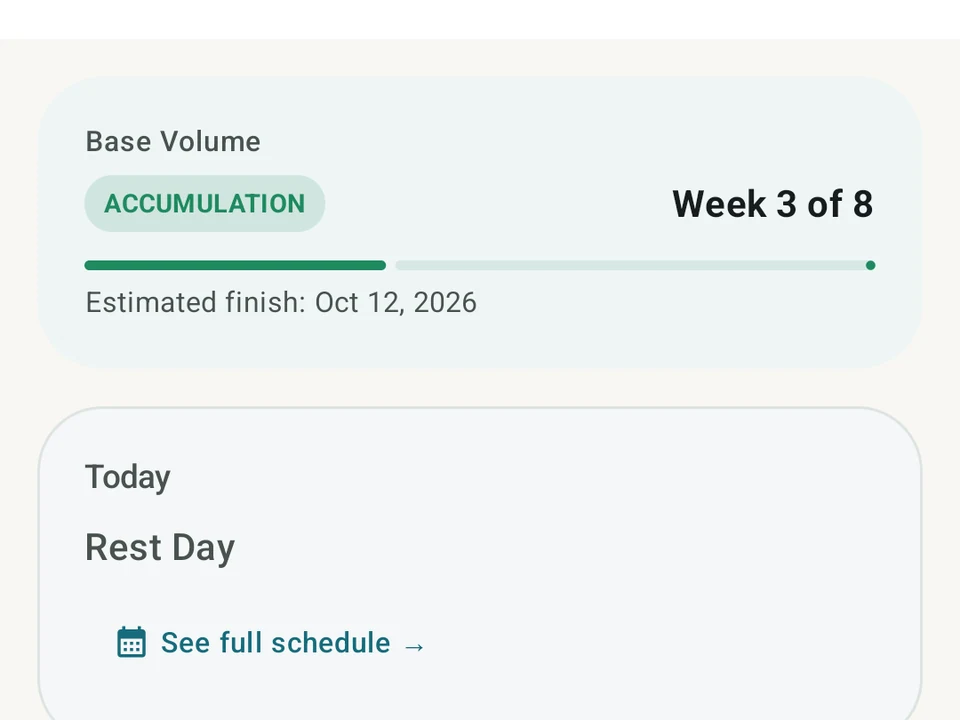
Structured program cycles and volume tracking
Real app capture. Kinoku tracks multi-week program progression, calculating cycle weights and set targets directly on your phone.
One of the apps on this page
Kinoku is free to install
Core tracking works offline, with no account. An export from the app you use today can come along.
Android only for now, with an iPhone version in the works. Some depth is paid, and the pricing page says which parts.
Related features
A 4-phase planning stack. The builder, all 25 templates, named programs with auto-progression, the custom model, and unlimited active programs are free. Pro adds volume targets, readiness tuning, and auto set changes.
Unlimited routines, Smart Sync, Starter Packs, and follow-along links are free, and so are Rotation Groups that cycle through several routines for you.
Charts per exercise, PRs, your best one-rep estimate, volume trends, and date filters. Every exercise type gets a chart that fits it: Best, Total, and Avg Time for holds, Best and Total Reps for rep work, and Best and Total Distance for distance work, not just weight charts.