

Routine Progress
See how a whole routine trends over time, not just one lift. A work chart and a strength trend, plus a look-back after big sessions. Free.
The Momentum page puts this next to the other ways Kinoku shows your training adding up.
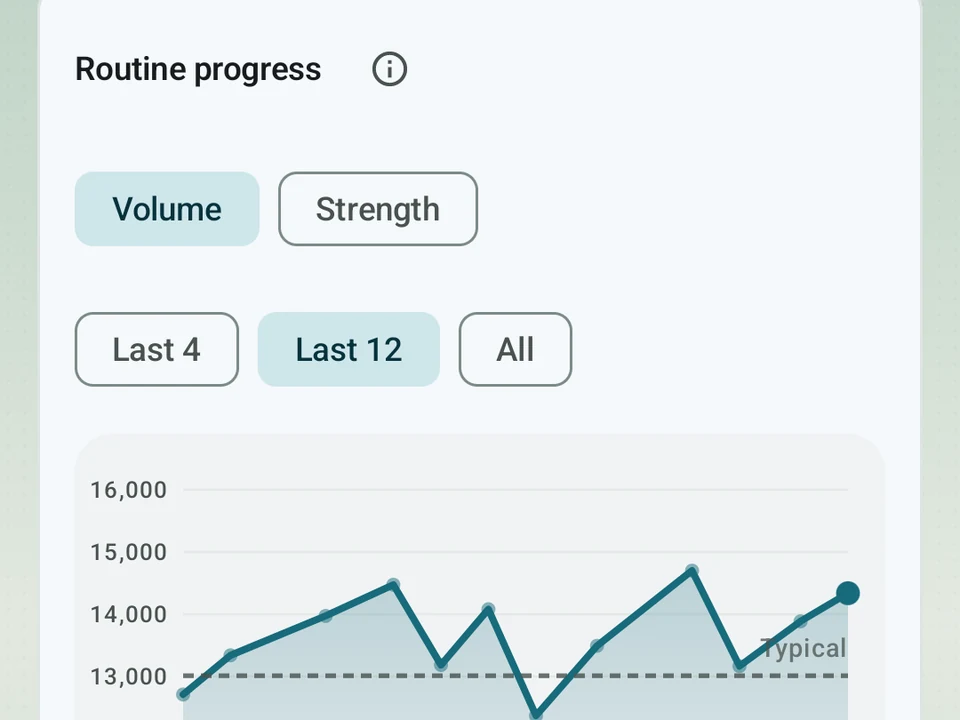
Real app capture
What this feature looks like with data
 Open full-size image ↗
A routine's volume over time
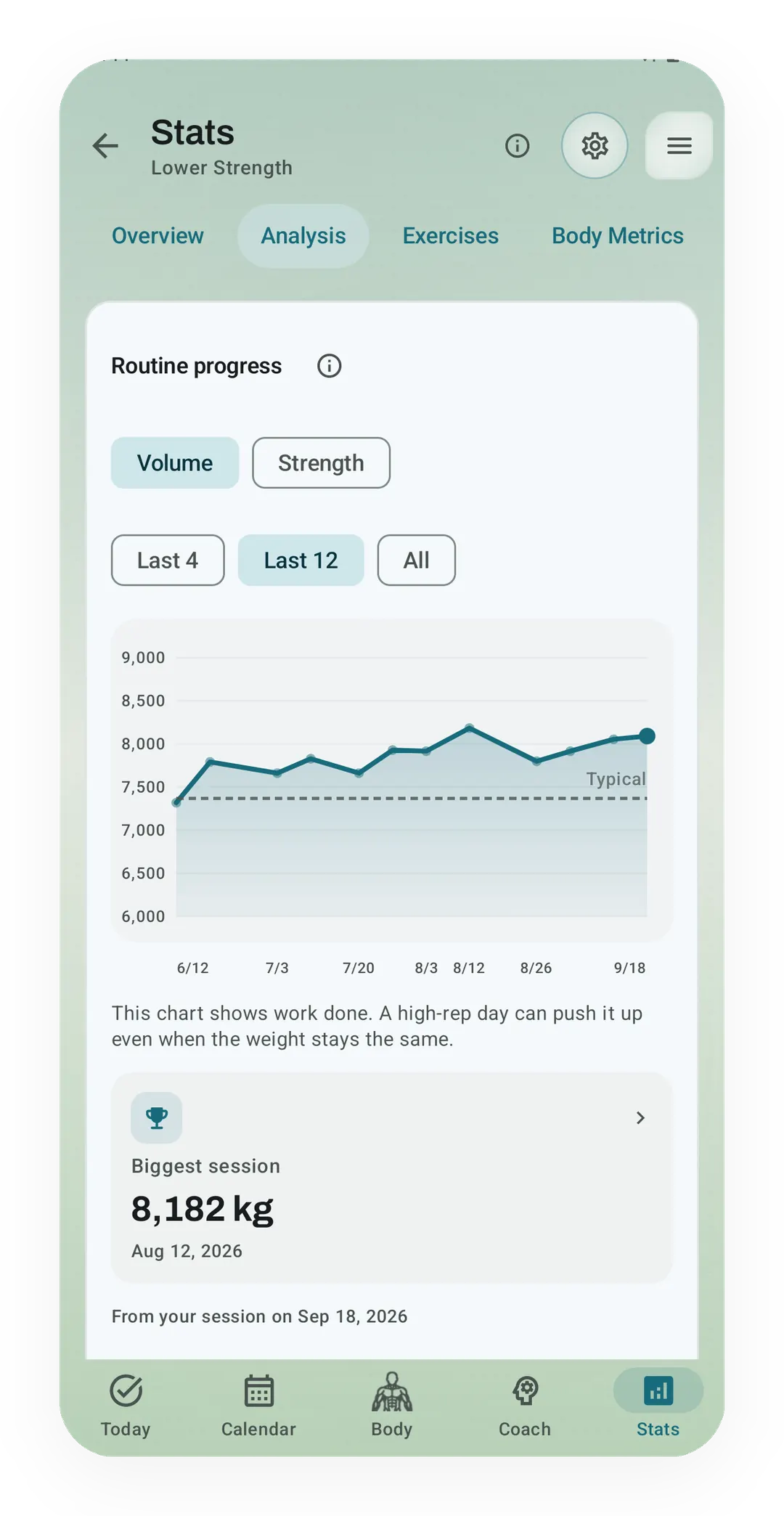
The Lower Strength routine's volume over its last 12 sessions runs against a dashed typical line, and its biggest session was 8,182 kg on Aug 12.
What it is
Routine Progress is a trend for a whole routine instead of a single lift. Open a routine’s stats and Kinoku looks back across every session you have run of it, then says whether the routine is moving up, holding, or slipping. All of it is free.
Two trends
Work done charts total work per session, meaning weight times reps added together. A high-rep day lifts the line and a light day drops it, which makes the chart a fair way to compare sessions rather than a verdict.
Strength trend asks the harder question of whether the routine is making you stronger. Each lift is measured against its own starting point, so a 20% gain on a small accessory and a 20% gain on a heavy compound each count as one equal step up. Treating them the same is what keeps one heavy lift from drowning out the rest of the routine.
Why the whole routine, not one lift
A per-lift read answers a narrow question, since a bench press can climb while the day it lives in stays flat. Routine Progress is the level where you find out whether the plan itself is working.
Routines also change slowly and on purpose. Swapping an accessory or adding a set is a decision you made about the whole routine, and a routine-level trend is the only place you can watch what that decision did.
A look-back after a session
Picture your tenth time through a push day. Finishing it puts a short look-back on the recap. You may get a “today vs your usual” line for the routine, or a count like “3 of 6 lifts at a new best”, and a tap opens the full trend. Milestones land on your 5th, 10th, 25th, 50th, and 100th run of a routine.
For your first couple of sessions the recap stays a quiet baseline line, because a record built on one or two sessions is noise rather than a trend.
What the trends cannot tell you
Both charts read the sets you saved and nothing else, so a session you ran without logging leaves no mark. Editing a routine heavily also changes what the trend is measuring, since the sessions before and after the edit are not the same workout.
Free, forever
Both trends and the post-session look-back cost nothing. You already did the sessions, so seeing whether the routine as a whole worked is only your own log, added up. The math behind the strength trend may keep changing as we tune it, and the two charts stay free either way.
Try it for yourself.
Available on Google Play. Core access starts on the free tier.
Get on Google PlayRelated surfaces
Charts per exercise, PRs, your best one-rep estimate, volume trends, and date filters. Every exercise type gets a chart that fits it: Best, Total, and Avg Time for holds, Best and Total Reps for rep work, and Best and Total Distance for distance work, not just weight charts.
Open a lift in Stats and a plain label says if it is progressing, holding steady, or slipping, with a flat-zone band on the chart. The label is free. Pro adds ideas for a stuck lift (options, never orders), an all-lifts dashboard, and a Coach card. It stays quiet when the data is thin.
Unlimited routines, Smart Sync, Starter Packs, and follow-along links are free, and so are Rotation Groups that cycle through several routines for you.