

Running Progress
See your run records and whether you are getting faster. Free, on your phone. It only claims progress when the data is sure.
The Momentum page puts this next to the other ways Kinoku shows your training adding up.
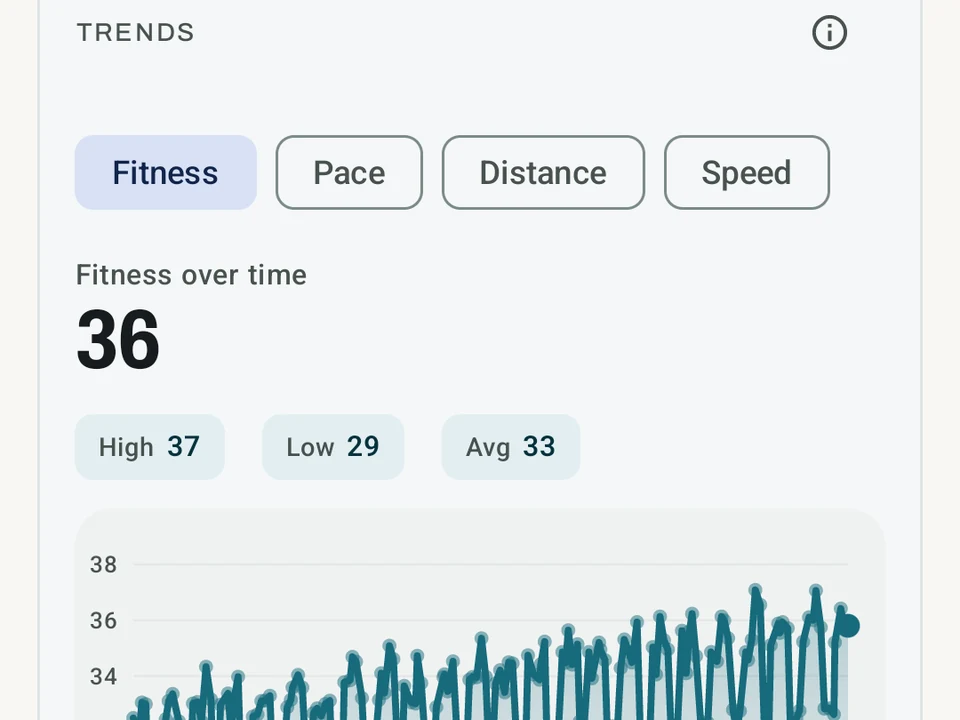
Real app capture
What this feature looks like with data
 Open full-size image ↗
Pace over time and personal bests
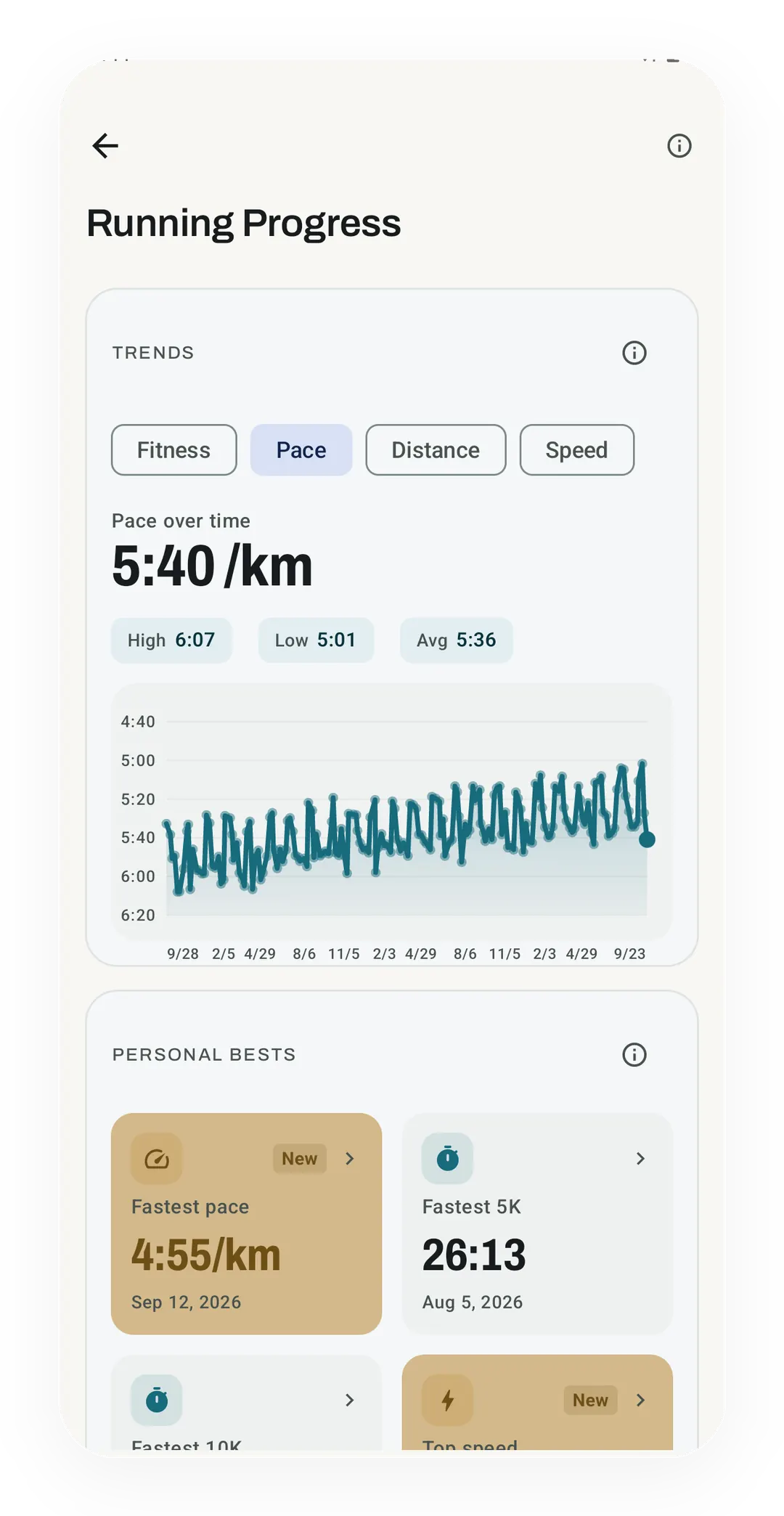
The Pace chart reads 5:40 /km for the latest run, between a high of 6:07 and a low of 5:01. Below it, the personal bests include a 26:13 fastest 5K.
What it is
Running Progress is the free screen that answers one question, which is whether your running is getting better. It reads the run history already stored on your phone and lays your records out next to a few trends. No Kinoku server holds that history, though eligible records can still reach your Google account through Android backup. You open the screen from the running page.
Say you ran a 5K three weeks ago and it felt quick, and now you want to know whether it really was. That run is the example this page follows.
Your personal bests
A records board lists your bests, each one stamped with the day you set it:
- Fastest pace.
- Fastest 5K and fastest 10K.
- Top speed.
- Longest run.
- Biggest climb.
Anything set in the last four weeks carries a “New” badge, so your quick 5K sits near the top of the board with its date attached. Tap any record and Kinoku opens the run that set it.
Charts over time
Four charts show your runs from four sides: your pace, a fitness estimate, your weekly distance, and your top speed. The fitness estimate comes from the pace and length of each run, so it goes up when you run the same distance in less time. If you set a max heart rate, Kinoku uses a heart rate formula for any run that has heart rate data. The result then only moves when your resting or max heart rate changes, so on those runs the line stays flat.
Why the screen stays quiet
Kinoku says you are getting faster only when the history supports it, which means the screen sometimes has less to report than you were hoping for.
- It waits until you have logged enough runs to read a trend at all, and stays quiet until then.
- It never uses your plain average pace, because that number blends easy days with hard ones and drifts with your training mix rather than your fitness. Your best efforts and the fitness estimate carry the read instead.
- A tie or a flat week shows as “same” rather than a small invented win.
What it cannot tell you
The screen reads pace, distance, climb and heart rate, so it has no way of knowing that your quick 5K came on fresh legs after a week off. Nor can it know that the seven days before it were your heaviest in the gym. A record is a fact about one run, and the reason behind it stays your call.
Free, forever
The running pace calculator works out a pace or finish time from two numbers, with even splits beside the result. The race pace explainer shows where a simple conversion ends and a less certain race forecast begins.
The records board, the four charts, and the quiet stretch while the data is too thin all cost nothing. An app that told you the truth only after you paid would be hard to trust on the days it says nothing at all. Whether that quick 5K was fitness or one good day is a question your next few weeks answer, not this screen.
Try it for yourself.
Available on Google Play. Core access starts on the free tier.
Get on Google PlayRelated surfaces
Offline run breakdown with splits, a fitness score from your runs, a pacing score, best efforts, race forecasts, and a compare card that stacks each run against your similar past runs.
Live pace, splits, a route map, and audio cues. Your run record is not uploaded to Kinoku; map tiles load when you view maps, and weather is a clear opt-in.
A deep look at one run. Pace, heart rate, and climb on linked charts you can pinch to zoom. Tap the route to jump to that moment, and read marks for your peaks, fastest splits, and fatigue points. The whole screen is free. Pro adds replay, ghost-compare against another run, your own notes, and still-frame MP4 export.