

Run Studio
A deep look at one run. Pace, heart rate, and elevation on linked charts. Pinch to zoom, drag a map marker.
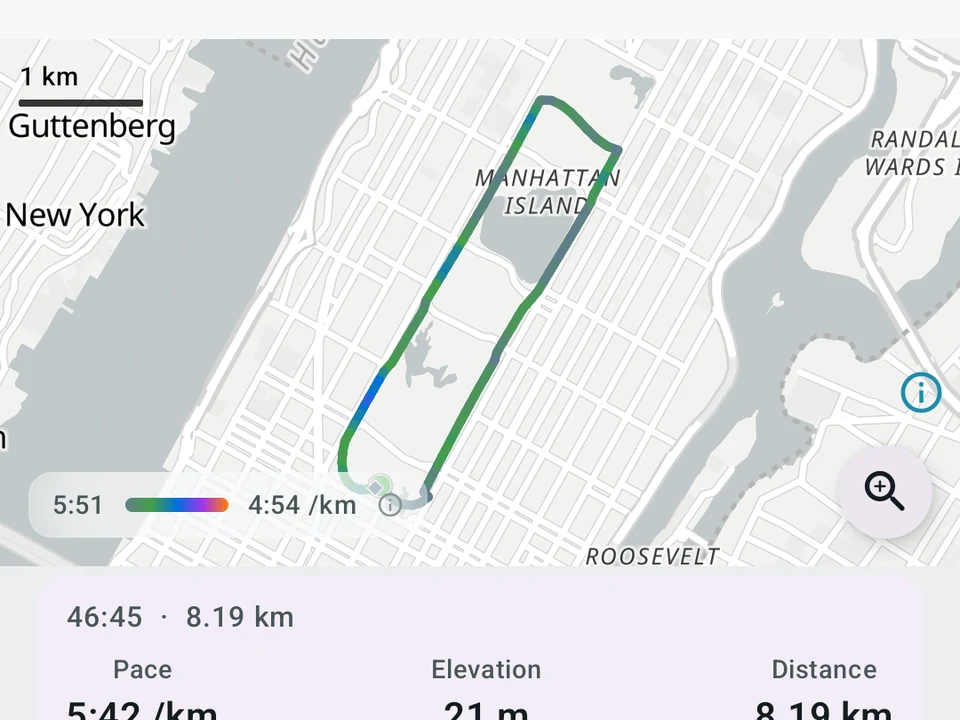
Real app capture
What this feature looks like with data
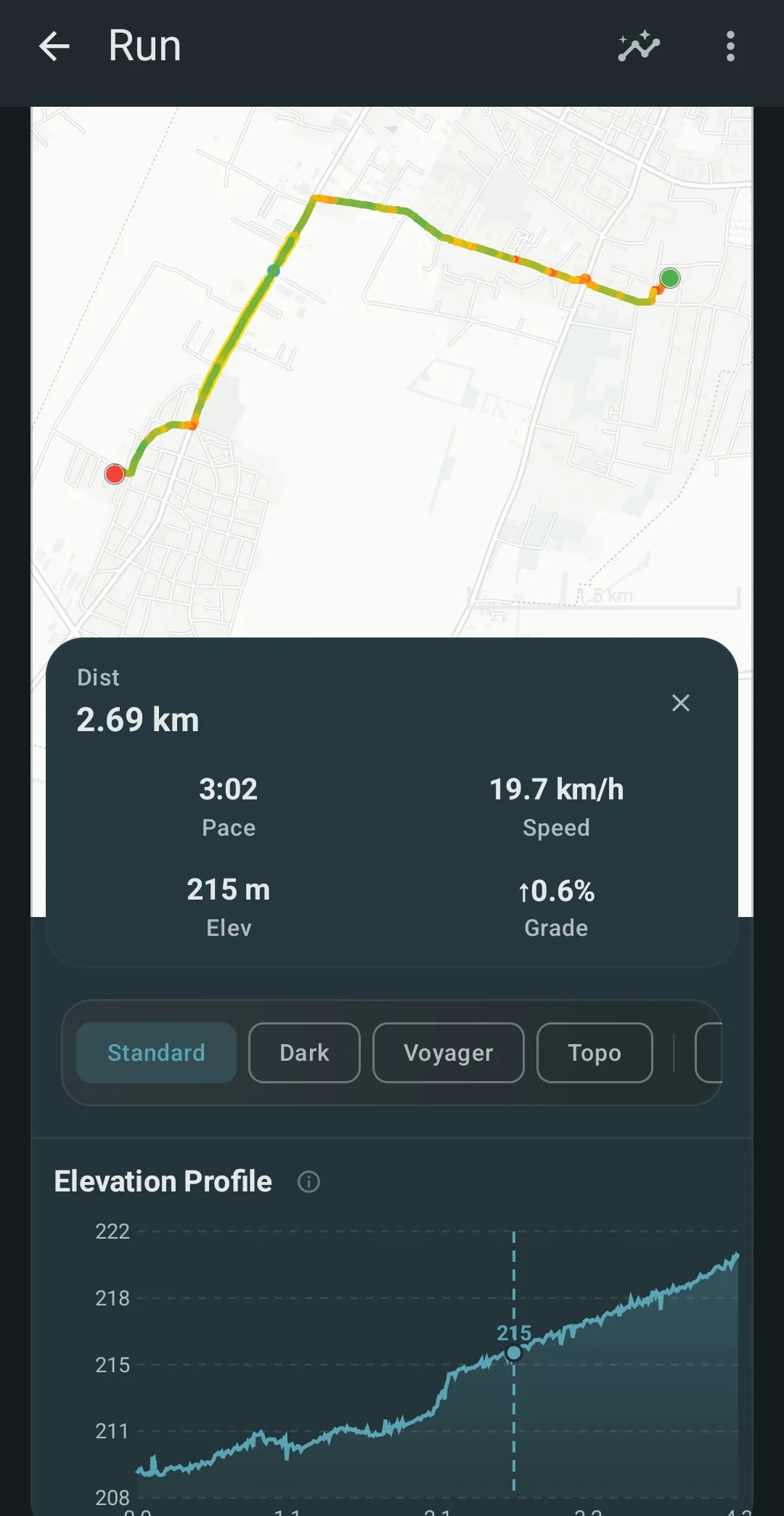 Open full-size image ↗
Tap any point on the run
Real capture. Tap the route to read your pace, speed, and elevation at that spot.
Tier shape
How access changes by tier
Every chart, every card, and the marks come free.
Watch the run play back across every chart at quarter to eight times speed, compare two runs, pin your own notes, and export a still-frame MP4 clip.
What it is
Run Studio is a single-run screen that reads one run the way a coach would, stacking pace, heart rate, and elevation on charts that share one zoom and one moving cursor. Pinch any chart and they all zoom together, and drag your finger to slide a marker along the route on the map. A press and hold picks out a slice of the run. The stats for that slice appear on top, covering average pace, average heart rate, elevation gain, distance, and time.
Tap a spot on the route line and the cursor jumps to that exact moment. That holds even where your route crosses itself on an out-and-back or a loop, which is the case simpler apps tend to get wrong.
One run carries this page: a hilly 10 km that turned into a headwind on the way home.
The nine charts
Below the linked charts sit nine cards, each reading the run from a different angle:
- Peak pace curve. Your fastest steady pace for every length, from one second up to the whole run, which is the chart racers use to read their race shape.
- Pace against heart rate. A dot for each moment, colored by time, so a drift in one direction means your body worked harder for the same speed as the run went on.
- Lap grid. One box per 100 metres, colored by how far it sat from your average pace, with cool colors where you held the pace and warm colors where you drifted off it.
- Hill chart. Your climbs colored by how steep they were, with the steep parts glowing, so you can tell afterwards which hill was which.
- Form ring. A round chart of how steady your steps stayed, where a tight ring means steady form and a wide one means fatigue changed your stride.
- Fade chart. Your heart-rate-to-pace ratio over time against a band taken from your first quarter, so drift past the band means your easy pace turned hard.
- Wind compass. Your average pace in each direction, which shows where a headwind slowed you on a loop.
- Pace lane. A target band around your average pace, showing how often you held it and how often you slid outside it.
- Wind chart. The head- or tailwind over time, which needs the Open-Meteo weather opt-in.
Marks worth noticing
Kinoku scans each run as you open it and pins marks on the charts. The list covers your peak heart rate, your fastest 1 km, 5 km, and 10 km, and any big pace jumps. It also flags the point where fatigue set in, hills you held for 30 seconds or more, fast recoveries where your heart rate dropped a lot, drops in step rate, and long head- or tailwind sections. On the hilly 10 km that leaves a cluster of marks in the closing kilometres, where the wind mark and the fade mark land in the same stretch.
Pro users can pin their own notes at the cursor, choosing the text and the color, and those save alongside Kinoku’s marks. Yours render as solid pins, so the two kinds stay easy to tell apart.
Comparing two runs (Pro)
Tap Compare and pick another run, and its line appears as a faint ghost on every chart with its route drawn as a second line on the map. The chart edges grow to fit both runs so neither one gets cut off.
A card at the top sums the two runs up in plain words, showing pace, heart rate, and climb side by side. It also gives you the gist in one line, such as “This run was quicker, mostly in the back half.” You read the result rather than every squiggle.
The pick list sorts itself, putting runs on the same route first, then runs of a close distance, then your recent runs. The one you want is usually near the top.
You can line two runs up by time, which puts the same moment beside itself, or by distance. Lining them up by distance matches the same point on the course, so a hill at the 2 km mark sits in the same place on both lines.
Open a run you have done before and Kinoku can offer to compare it against your last run on that route. Tap Compare to see them together, or tap the X to hide the offer.
Replay and still-frame export (Pro)
Replay plays the run back from a quarter speed up to eight times speed, sliding the cursor across every chart while the map marker moves along the route in step. Pinch or drag at any point and the replay pauses, so you can look closely at that stretch.
Pro users tap share as video to make a 1280×720 clip. For now that clip is a still frame carrying the run’s distance, pace, time, and a small route map, with full moving playback on the roadmap.
Smooth, fast interaction
The gestures stay the same wherever you are on the screen, so a pinch always zooms and a press and hold always picks a range. Scrolling up or down on a chart scrolls the page with it, and changing gesture mid-drag never makes the view jump.
Your pinch stops at the basemap’s own zoom limit, which is level 19 on the four vector styles and level 17 on the raster Topo style. Past that point a style redraws the same shape at a larger size, so the cap costs you nothing. A small button in the bottom right corner switches the map for a tile-free route view that keeps on zooming, which helps when a tight turn or a short loop is the thing you want to study. That button steps aside during a ghost compare, because the tile-free view draws one route rather than two.
Privacy and offline
The charts, route geometry, marks, replay controls, and export rendering all work offline. The standard basemap needs network access or tiles already cached on the device, while the tile-free route view draws your route with no tiles at all. There is no mandatory Kinoku account and no Kinoku-hosted training-history cloud. Your run history and your pinned notes live in Kinoku’s private app storage, while eligible main-app data and files may enter Android system backup in your Google account. Automatic marks are worked out fresh each time you open a run, so they always read the latest data. Heart rate from Health Connect can arrive a few minutes after a run ends.
Tier matrix
| Feature | FREE | PRO |
|---|---|---|
| All chart panes (pace, heart rate, elevation) | ✓ | ✓ |
| Pinch-zoom, range-select, linked crosshair | ✓ | ✓ |
| All 9 unique visualizations | ✓ | ✓ |
| Automatic chart marks (view) | ✓ | ✓ |
| Replay playback | - | ✓ |
| Ghost-runner comparison | - | ✓ |
| User-pinned annotations | - | ✓ |
| Still-frame MP4 clip | - | ✓ |
The free layer
The whole interactive screen is free, which covers every chart, every card, and the marks, so the hilly 10 km reads the same on either tier. Pro adds replay, the ghost compare, your own pinned notes, and the still-frame MP4 clip. The free half is not a trial and it stays free, while which half you lean on is likely to shift with how closely you read a given run.
Try it for yourself.
Available on Google Play. The core here is free. Pro adds optional extras.
Get on Google PlayRelated surfaces
Offline run breakdown with splits, a fitness score from your runs, a pacing score, best efforts, race forecasts, and a compare card that stacks each run against your similar past runs.
Live pace, splits, a route map, and audio cues. Your run record is not uploaded to Kinoku; map tiles load when you view maps, and weather is a clear opt-in.
Tracks the life of your running shoes, with wear-out targets and data that survives a new phone.