

Free GPS Run Tracker for Android: Pace, Splits & Map
Real-time pace, splits, route map, and audio cues. Core tracking works offline; maps and opt-in weather can use network services.
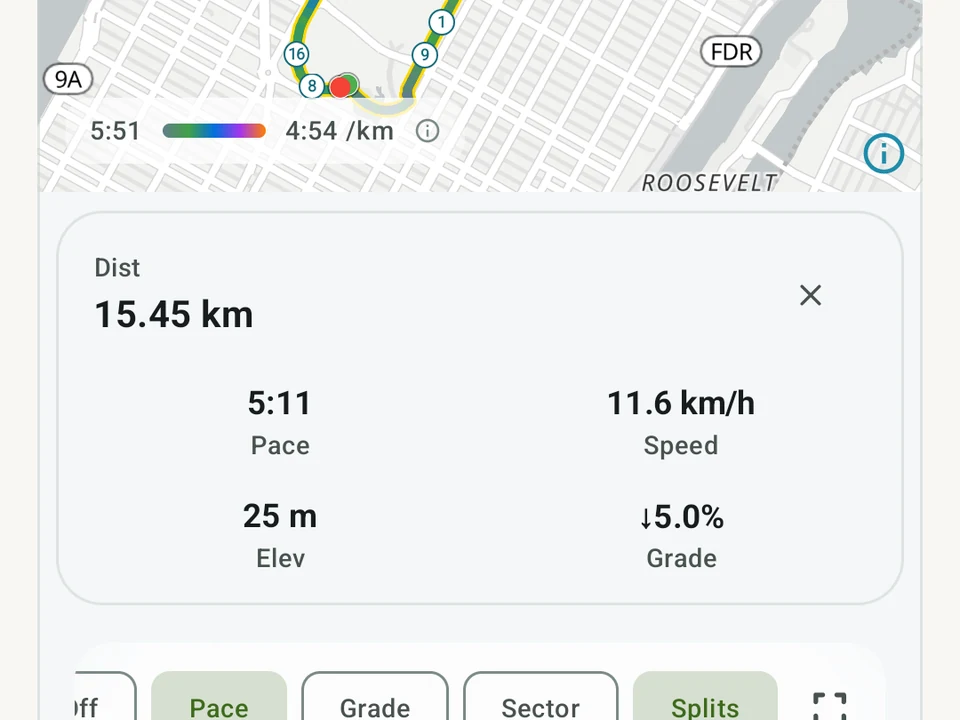
Real app capture
What this feature looks like with data
 Open full-size image ↗
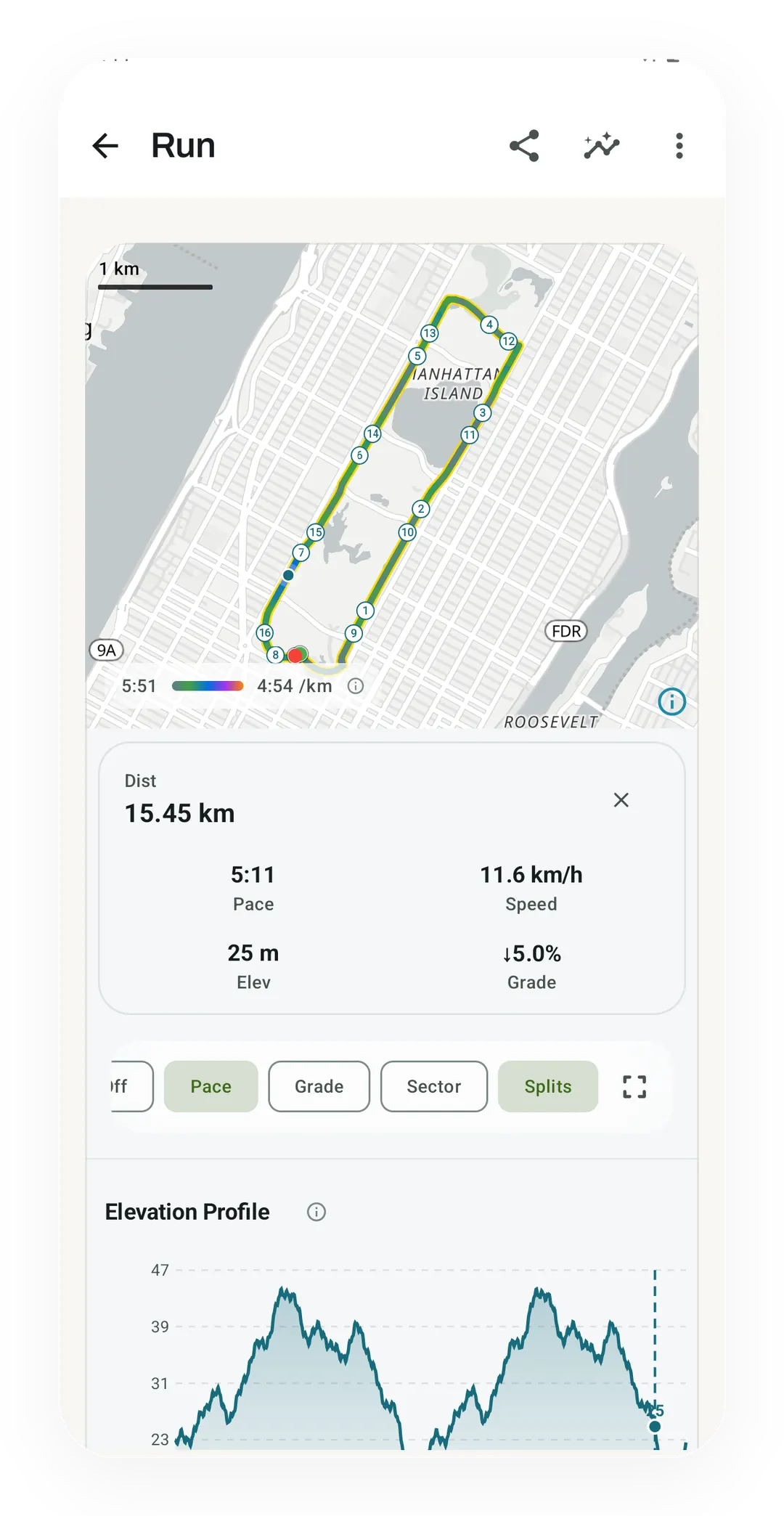
Your route, colored by pace
The run map colors the route by pace, from 5:51 to 4:54 per km, and numbers each split. A tap on the line reads out one point, here 15.45 km in at a 5:11 pace.
 Open full-size image ↗
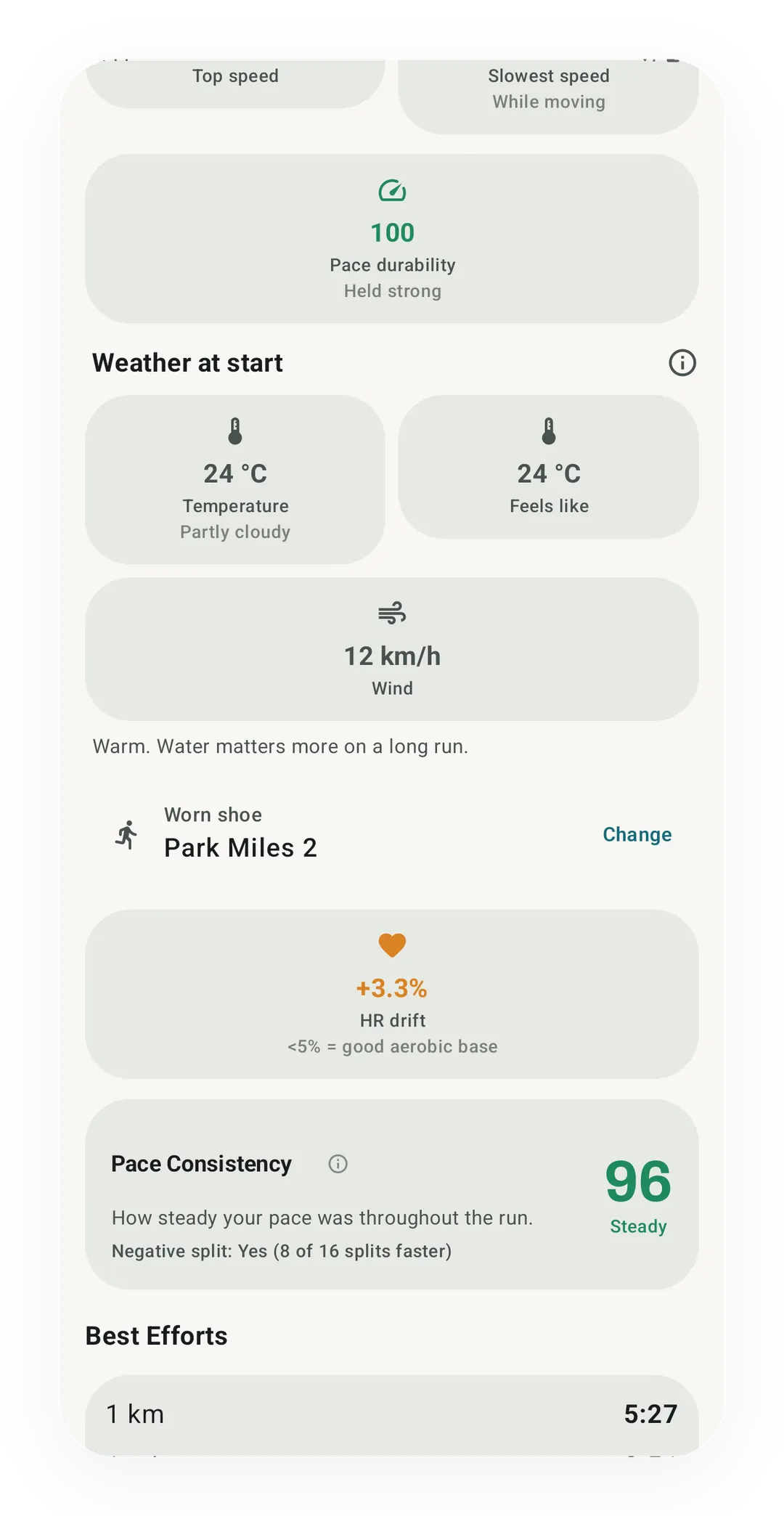
Weather saved with the run
With the weather option on, the run summary keeps the conditions at the start, here 24 °C and partly cloudy with a 12 km/h wind. Kinoku records the day rather than changing your pace targets.
What it is
GPS Run Tracking is a full run tracker built into Kinoku rather than a teaser for Pro. Tap start, go for your run, then tap stop, and your route, splits, pace, and heart rate all save to your phone. The example carried through this page is a run on a hot morning with the weather option switched on, since that is where the tracker’s privacy choices show most clearly.
What you get on every run
- Live pace and distance. Big, easy-to-read numbers that update as you run.
- Audio cues. Your headphones give you a quick voice note if your cadence drops, if you’ve been climbing a hill, or if it’s hot out. You can turn each one on or off in Settings.
- Weather context (opt-in). Add the temperature, wind, air quality, pollen, and UV (ultraviolet) level to each run. The data comes from Open-Meteo. Your spot on the map is rounded to about 1.1 km before each request, so your exact location stays private.
- Shoe mileage. Runs add up against your default pair of shoes, so you can see when it’s time for new ones.
- Wear OS. You can start a run from your watch. Track heart rate and see your splits as you go.
- Room for the map. The map takes most of the screen, and the stats sit in a strip you can pull up for more numbers and your splits. Pausing leaves the map where it was. My location brings the map back to you, and the route button fits the whole run on screen.
What’s in the free run summary
After each run you get the route on a map, along with a splits table, your average pace, total distance, total time, and elevation gain. When a run paused for a minute or more, the elapsed clock sits under your moving time, and the cadence card gives about how many steps you took. Kinoku does not upload that history to a Kinoku server; routes are eligible main-app data, so Android system backup may copy them to your Google account. You can look back at any past run, view its route, and share it as a card.
Turn a run into a print
Any GPS run can become a run print, a woodblock-style poster of the route with its climbs and the water and buildings around it. It has a day or night sky, with the run’s number in the corner. Print sits next to Share Run and in the run’s share screen. You can share, copy or save the print as a poster, a 4:5 post or a story.
The print draws its water and buildings from OpenFreeMap map data while those switches are on. So the first print of a run needs a connection, and Kinoku keeps that map for later prints of the same run. A wide route asks before it downloads its buildings. Run prints are free, and so is the setting under Import & Export that hides where a run starts and finishes on the images you share.
Free progress versus Pro run depth
Free includes Running Progress: best-effort records, a fitness estimate, and pace, fitness, distance, and speed trends. Pro adds the six-tab Run Analytics dashboard, race-time forecasts, pacing scores, weekly training load, and zone analysis, which is the one part of running in Kinoku that costs money.
Running in the heat
Back to that hot morning. Kinoku saves the conditions with the run, and the request that fetched them carried a location rounded to about 1.1 km rather than your doorstep. What it does not do is change your pace targets or rewrite your plan, because that call stays with you.
If you want a number before you head out, the heat and dew point pace calculator turns today’s temperature and dew point into a pace band. The full explainer covers why dew point beats humidity and what changes once your body gets used to hot weather.
The privacy story
Strava, Garmin Connect, and Nike Run Club center their own account-backed clouds, while Kinoku does not require a Kinoku account and does not upload your run history to a Kinoku server. Your run record lives in the app’s private storage, and eligible main-app data may enter Android system backup in your Google account. There are no friends to add, no public profile to fill in, and no leaderboard to climb.
Two edges are worth naming plainly. Map tiles, the opt-in weather request and the place name some share images print are the parts of a run that reach the network, and Kinoku runs on Android phones and Wear OS watches only. The place name comes from your phone’s own lookup service, which gets one point of the route rounded to about 1 km, where Kinoku 1.4.1 and earlier sent it the route’s exact first point. What stays fixed is that the run record itself has no Kinoku server to go to, while the list of network edges can change as the app grows, and we name each one when it does. The free run tracker apps with no account page sets Kinoku beside FitoTrack, OpenTracks, RunnerUp and Strava on this point. Runs share one history with your gym sets, swims and steps, which the all-in-one fitness tracker apps list compares across ten apps.
Follow a road between runs
Your finished run can also move you toward the next stop on a Journey. Choose an illustrated road, then let runs, walks, classes and everyday steps add to the same trip. The Running screen keeps a link to your active road and its next stop.
Questions people ask
Does GPS run tracking work offline and without an account?
Yes, recording a GPS run with live pace, distance, splits, and voice cues works offline with no account needed, and your run history stays on your phone. Network calls only happen when loading map tiles or when you turn on weather.
Can I record a run from a Wear OS watch?
Yes. The free Wear OS app lets you start and record a run from your wrist with live heart rate and splits, and syncs the finished run to your phone.
How does Kinoku keep my home address private when sharing a run map?
Under Import & Export settings, you can turn on route privacy so shared run cards and run prints hide where your run started and ended. Any weather or place-name check also rounds your spot on the map to about one kilometer.
Try it for yourself.
Available on Google Play. Core access starts on the free tier.
Get on Google PlayRelated surfaces
Offline run breakdown with splits, a fitness score from your runs, a pacing score, best efforts, race forecasts, and a compare card that stacks each run against your similar past runs.
Pace zones, easy-versus-hard balance, and a training effect score built into your runs.
Your run records and whether you are getting faster, over time. It reads your best efforts and a fitness estimate, never plain average pace, and only claims progress when the trend is sure.