

Pro Analytics
Five core analytics tabs plus a Cycle tab when cycle tracking is enabled, with 20+ tools for strength, load, recovery, running, and patterns.
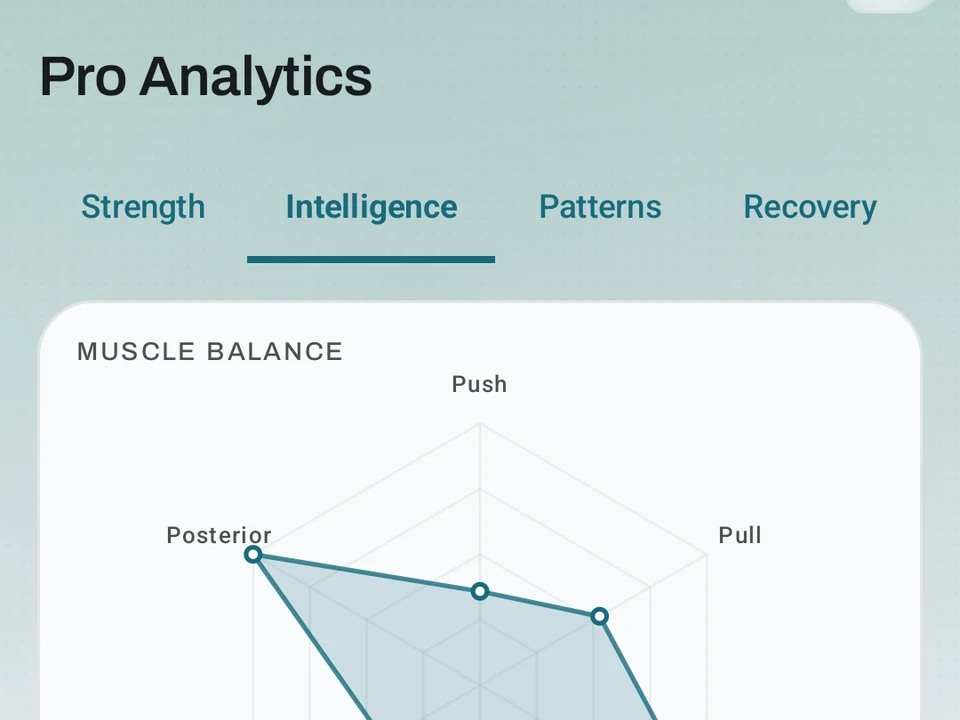
Real app capture
What this feature looks like with data
 Open full-size image ↗
Balance and frequency, together
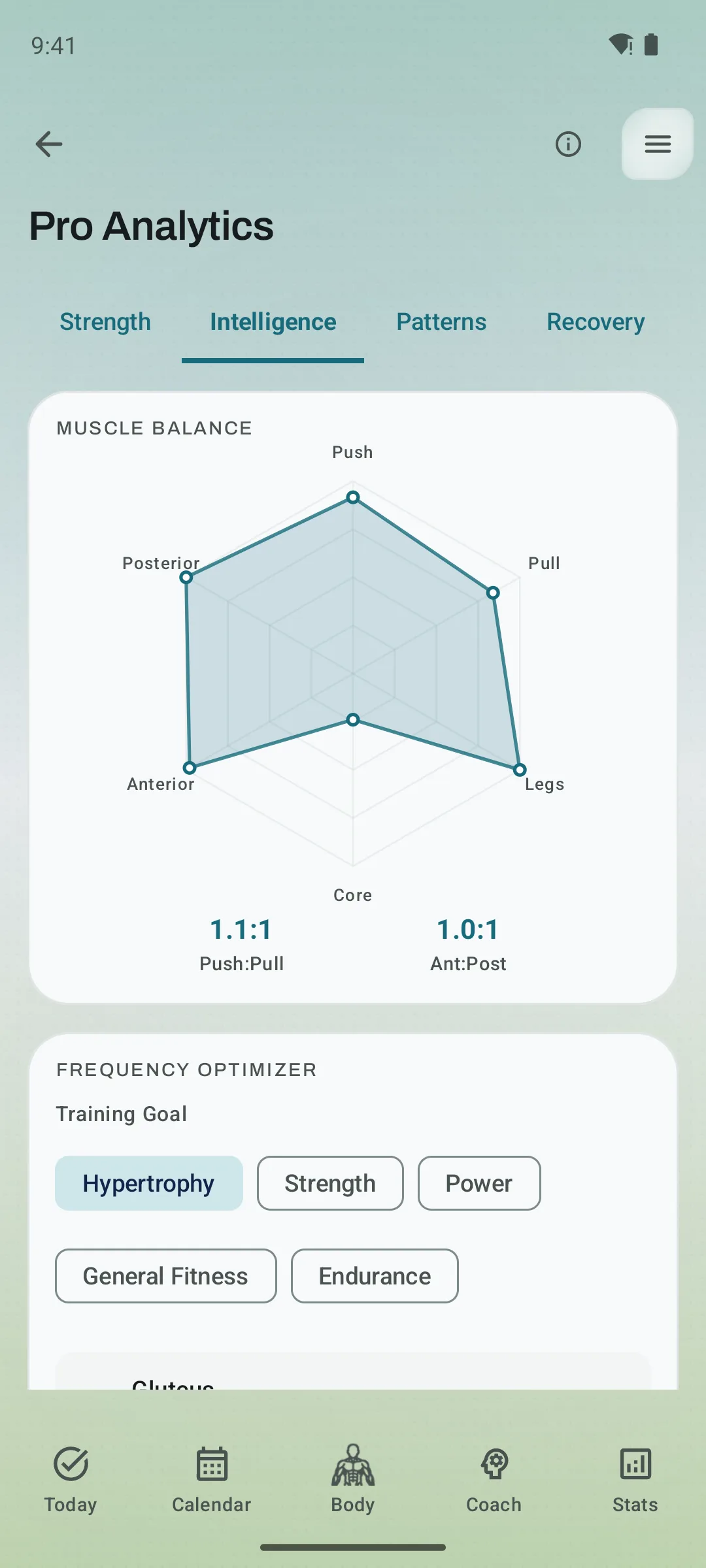
Real capture. The current Intelligence tab puts muscle balance and your best-performing training frequency in one view.
What it is
Pro Analytics is a screen for athletes who want to read their training the way a sport scientist would. Five tabs are always present, namely Strength, Intelligence, Patterns, Recovery, and Running, and Cycle appears as a sixth tab when cycle tracking is enabled, once three completed cycles exist for its correlations. Across them are over 20 tools, and every number is worked out on your phone from the data you already logged. Kinoku does not operate a training-history cloud, though eligible app data may still enter Android system backup in your Google account.
Every number can be traced, because a tap on the Why? panel of any card shows you the inputs, the math, and how sure Kinoku is, and you still make the call.
The example this page follows is a lifter about two years in whose bench press has gone flat for three training cycles, because that is where the tabs earn their keep together.
Tab 1: Strength
Your lifts, your progress, and the scores that compare you to other lifters.
- Strength Standards. These compare your total to four lifting scores. Three of them, DOTS (a body-weight-adjusted lifting score), IPF (International Powerlifting Federation) GoodLift, and Wilks 2, rank lifters fairly across body weights. The fourth, the fat-free mass index (FFMI), looks at how much muscle you carry for your height. The score tables ship inside the app, so there is no network call and no account.
- PR timeline and strength-progress velocity. See personal records over time and the slope of estimated one-rep max, shown as kilograms or pounds per week. This is progress velocity, not camera-measured bar speed.
- Strength trend. Kinoku draws a line through your last 12 weeks of estimated one-rep max per lift. It adds a range to show how sure it is, plus a guess at how many days until your next goal.
- Lift ratios. Compare squat to bench, bench to deadlift, press to bench, hamstring to quad, and push to pull. Target ranges show you when one side is falling behind.
- RPE drift. When your top sets start feeling harder at the same weight, Kinoku spots it through your rate of perceived exertion (RPE). It shows up as an alert on the Coach screen.
- Form Band. This curve tracks your fitness and your fatigue. As fitness goes up and fatigue comes down, your form rises. It runs over gym, run, and brisk-step load across 90 days.
Tab 2: Intelligence
- Muscle balance radar. A spider chart of your weekly volume per muscle group, set next to balanced ratios and counting run days, so you spot a weak side at a glance.
- Frequency tuner. Kinoku looks at how often you train each muscle and how it grows, then shows the hit rate where you make the most progress.
- Frequency overlay. Lift days, run days, and brisk-step days on one calendar, so you see what your real week looks like.
- Exercise efficiency. Which moves give you the most progress per unit of work.
- Volume landmarks. For each muscle, Kinoku tracks three weekly set counts, namely the least that helps, the most you can grow from, and the most you can recover from, and it adjusts them as you train.
- Effective volume. What share of your sets land in the rep range that fits your goal.
Tab 3: Patterns
- Best windows. Which time of day, day of week, and part of your training cycle you tend to lift best. You can plan hard days around it.
- Consistency heatmap. A calendar of how closely you hit your planned sessions, with a week-by-week trend.
- Session makeup. What your average session really looks like, split by exercise type and set type.
- Plateau alerts. When a lift has been flat for three cycles, Kinoku flags it. It then suggests moves that hit the same muscles a different way. Three flat cycles is the exact line where the alert fires, so the bench in the example surfaces here.
Tab 4: Recovery
- Readiness score. A 0 to 100 score that blends sleep, heart-rate variability, muscle recovery, and your training load. It can feed the optional layer that pre-adjusts tomorrow’s weights and reps.
- Training Load. Daily readings for fitness, fatigue, and form, from the same fitness-and-fatigue model. Your own notes and any readiness changes show up next to them.
- Fatigue and output curve. How your piled-up load lines up with what you can do, with warnings when you push too far.
- Workload ratio (ACWR). The Recovery gauge compares the last 7 days of lifting tonnage with the weekly average from the last 28 days. It is a load-spike heuristic, not an injury prediction; the app shows the ratio as context alongside other signals.
For the example lifter, a 7-day tonnage well above the 28-day average next to a flat bench points at too much load rather than too little, which is a different fix from the one the Patterns tab suggests.
Tab 5: Running
- Race Predictions. Kinoku blends two trusted models, VDOT (a running fitness score) and Riegel. It predicts your 5K, 10K, half, and full marathon times. The range widens when the two models do not agree.
- Pace progress. Your rolling pace trend over the last 8 to 26 weeks, split by run type: easy, tempo, threshold, and race.
- Split breakdown. Every run cut into kilometer or mile splits, with a score for how steady your pace was.
- Elevation. Climb per run, an effort bump for the hills, and a way to compare hilly and flat routes fairly.
- Run PR timeline. Your best 1K, 5K, 10K, half, and full efforts. Old records still show, but a fresh one stands out.
Tab 6: Cycle
Cycle-phase analytics, open to anyone who has logged three or more full cycles.
- Phase patterns. How your volume, RPE, and PR rate compare across the four cycle phases, using your own data. No one-size advice.
- Per-exercise sensitivity. Which of your moves show a real pattern across phases, and which do not. It is honest when the data is thin and never oversells.
- Symptom overlay. Lay your energy, mood, and cramps over your training output. You see the link instead of guessing at it.
Readiness and automation
Beyond the analytics tabs, Pro turns on three tools that run on the same engine.
- Autoregulation. After each workout, Kinoku adjusts next session’s weights and reps from your reps in reserve and your fatigue, so it pushes when you feel strong and backs off when you feel spent.
- Weight suggestions. Kinoku suggests a load for your next set, reading your last 8 sessions, your program, and your readiness.
- Auto rest days. Pro can mark a detected rest day automatically and gives you 24 hours to undo it, and the state carries across streaks, Pulse, achievements, and Coach.
How the numbers are computed
Every engine here is written up, and the methodology page walks through the exact math: the fitness-and-fatigue averages, the lifting score formulas, the workload ratio, and how the Kinoku Score is split. Articles in /learn cover the why, from how the fitness-and-fatigue model works to what relative strength means for body-weight moves.
Who this is for
Most lifters do not need this, because if you hit PRs every few weeks on a simple plan, the free stats and muscle map already give you plenty.
Pro Analytics fits people who have trained hard for two or more years and hit a real plateau, and it helps you tell apart too much load, too little volume, and a move that is just not working. It also fits coaches, physios, and competitive athletes, who get the same engines the big training apps use in a private offline app.
Part of Pro
The hub is Pro, and every number in it is worked out from data the free app already keeps for you: your sets, your runs, your history. Pro buys the deep read, never the record itself. What is fixed is that the record stays free and on your phone, while the tools inside the hub are the current 20-plus rather than a closed set, and none of them can tell you which fix is right for a flat bench.
Related surfaces
A 4-phase planning stack. The builder, all 15 templates, named programs with auto-progression, the custom model, and unlimited active programs are free. Pro adds volume targets, readiness tuning, and auto set changes.
Coaching screens that run on your phone and explain what changed in your training and why it matters.
Offline run breakdown with splits, a fitness score from your runs, a pacing score, best efforts, race forecasts, and a compare card that stacks each run against your similar past runs.
A fitness-and-fatigue curve built from the same published family of impulse-response models made popular by TrainingPeaks, and it works across gym, run, and brisk-step load.
DOTS, IPF GoodLift, Wilks 2, and FFMI with offline percentile tables. Published tools widely used in strength sport.