

Advice you can disagree with
I wanted the advice in Kinoku to read as a suggestion, and never as something you have to do. My reason is a plain one: software can often be wrong, and it doesn’t have the full picture.
Kinoku knows the sets and runs you log, and it can do a lot with them. It can see that your volume has climbed for weeks, or that the same lift has stalled. But it only sees what reaches it, so a week you didn’t log looks like a week you didn’t train, and a block you planned differently on purpose can look like a problem. The person holding the phone knows things the app never will, so I think the final call belongs to them.
The same idea shapes how the Coach talks. Its lines are meant to describe what it noticed and offer a next step you can take or leave, without telling you that you must rest or should push.
The advice I take
I use the Coach for my own training, and the part I find most useful is the deload. A deload is a lighter week that gives your body time to recover. When my training has been hard for a while, Kinoku points out that a lighter week might help.
The reminder matters to me because I can get sick if I overtrain. So when the Coach suggests easing off, I take it as a cue to go a bit easier.
In Today’s Focus on the Coach screen, that suggestion shows up as a Recovery Window. It appears after a stretch of hard weeks, or when your volume keeps climbing. With Pro, the Coach can also read your sleep and heart rate variability (HRV) through Health Connect, and a low day can lower the load of a planned session. The card tells you when that has happened.
Even here, the wording stays an offer. One of the lines reads, “A planned deload could boost your next training block.” The Recovery Window doesn’t book the week for you or change your program, so you still decide whether this is the week. You might have a good reason to wait, like a competition coming up or a week you’d already planned to keep light.
Showing where a suggestion comes from
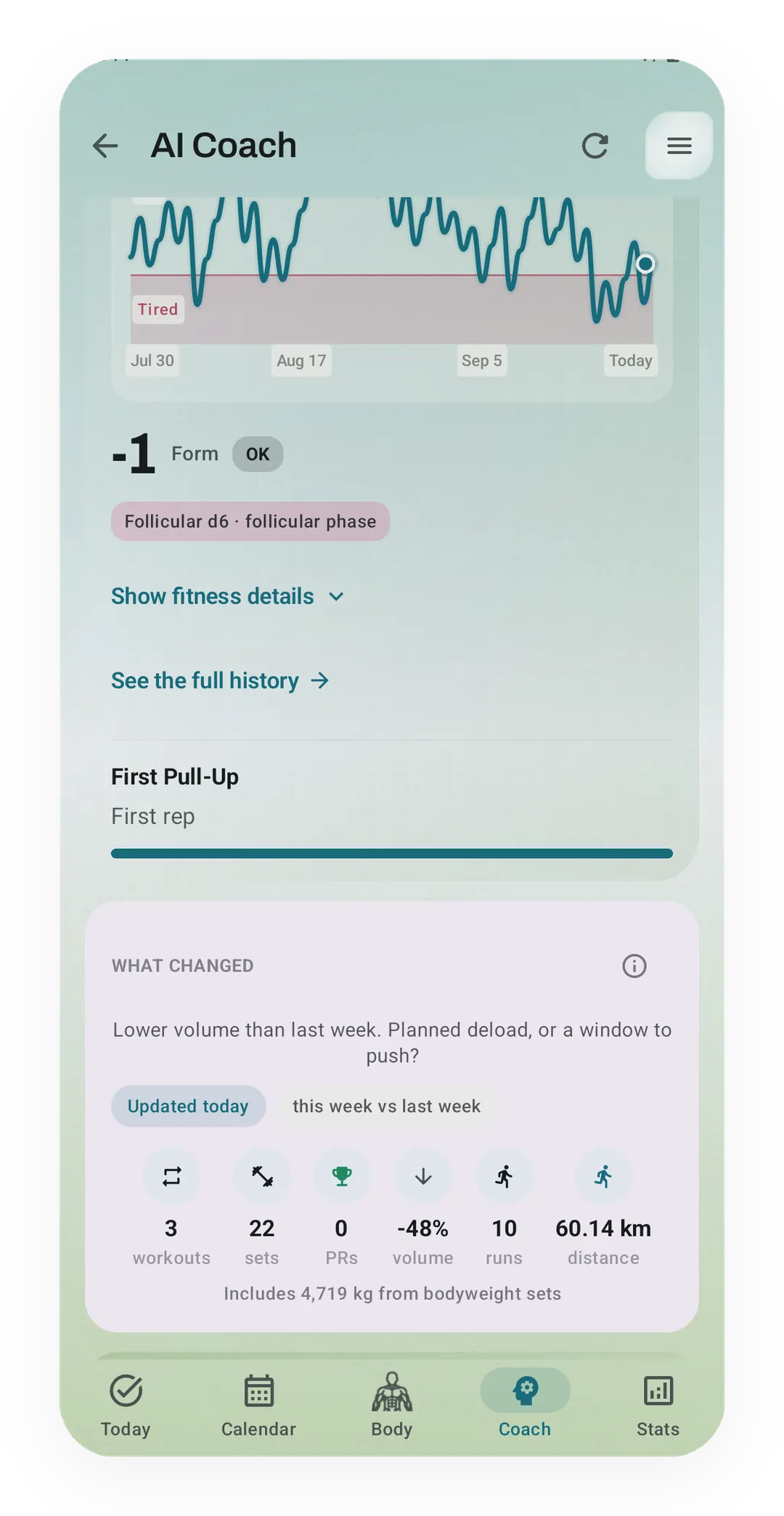
I think a suggestion is easier to weigh when you can see where it came from. Most cards on the Coach screen have an info button, and it opens a short sheet in five parts: What changed, Why this surfaced, Data used, Suggested next step and Limits.
Limits is the part closest to where this piece started. It says the signals are training observations made on your phone, not medical advice, and that missed logs or unusual training can delay or distort them. So the app itself tells you that it can be wrong.
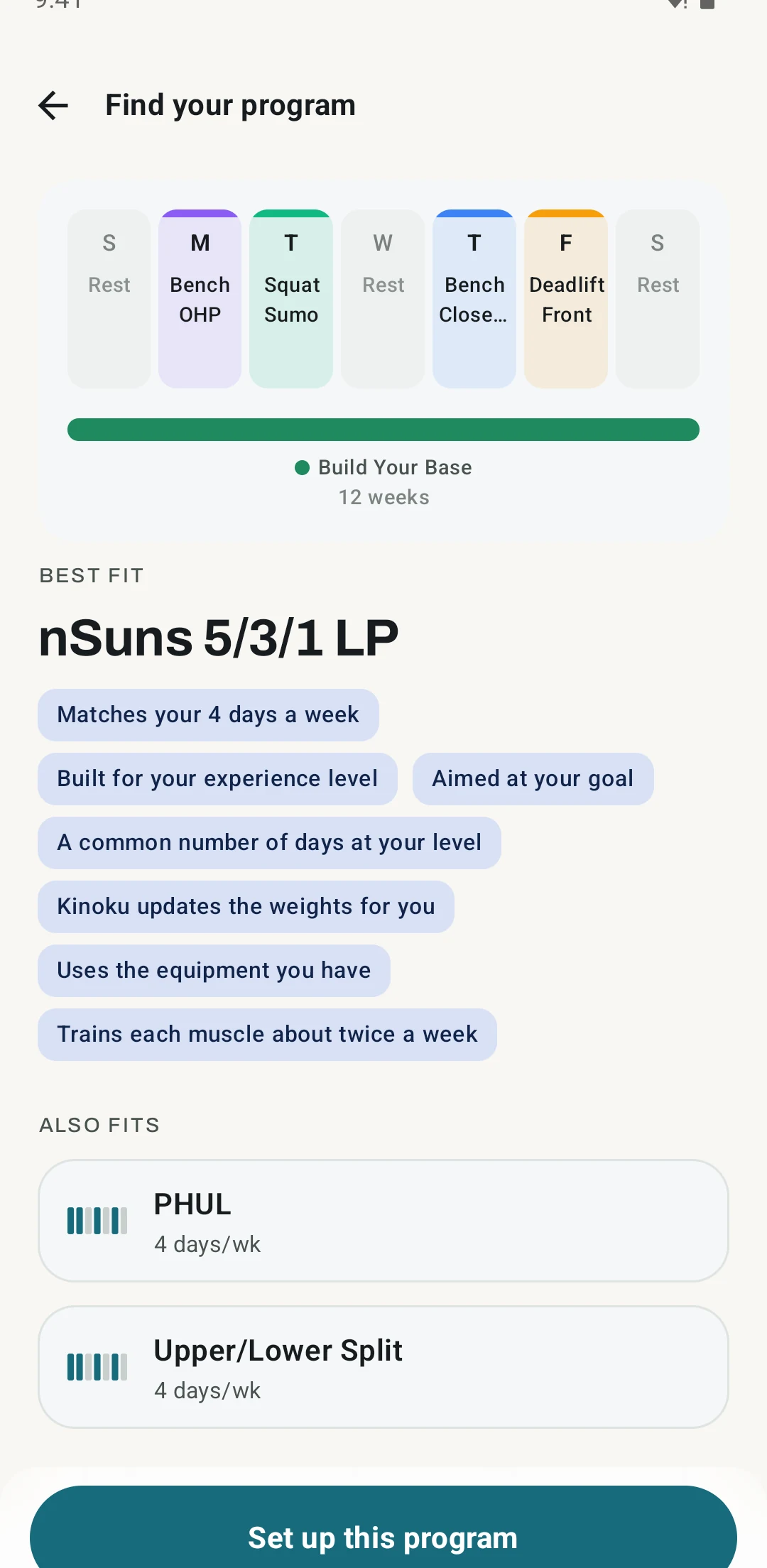
The program finder works in a similar way. You answer four questions about your training, and it shows the program that fits your week. It also lists why that program came up, anything about it that doesn’t match what you told it, and two others you can swap in. A program asks more of you than a single tip, so it helps to see the trade-off first, and nothing starts until you set it up yourself.
If the Coach has nothing useful to say to you, you can turn it down. In Settings, Tips & coaching lets you switch tips off, snooze them for a while or hide whole categories. The finder, its programs and these settings are all part of the free app.
Room to say more
I think the Coach could be better than it is today, and maybe say more. Many of its cards are a line or two long, which is easy to read but can leave out why a signal matters for you.
If it does say more, I’d want it to keep the shape it has now, with what the app saw, what it might mean and what you could try if you agree. More words can start to sound like orders, and a suggestion is what I set out to build.
The Coach page shows what the Coach looks at and which parts are free. If a suggestion ever misses something it should have known, I’d like to hear what it was.
Inside Kinoku
The app surfaces behind this story
 Open full-size image ↗
A question, with its reasons one tap away
The real Coach screen with sample data. The What changed card asks "Planned deload, or a window to push?" and its info button opens the reasons behind it.
 Open full-size image ↗
Why a program came up
The real program finder after its four questions. It lists why nSuns 5/3/1 LP fits this sample week, and two more programs under Also fits.
Related features
Coaching screens that run on your phone and explain what changed in your training and why it matters.
A 4-phase planning stack. The builder, all 25 templates, named programs with auto-progression, the custom model, and unlimited active programs are free. Pro adds volume targets, readiness tuning, and auto set changes.
Try Kinoku
Core tracking works offline. No mandatory account. No Kinoku-hosted training-history cloud.
Get on Google Play →