

Interval Editor
Build your own interval workouts step by step, or copy a built-in one and change it. Full control over every step.
Real app capture
What this feature looks like with data
 Open full-size image ↗
Intervals you can inspect and change
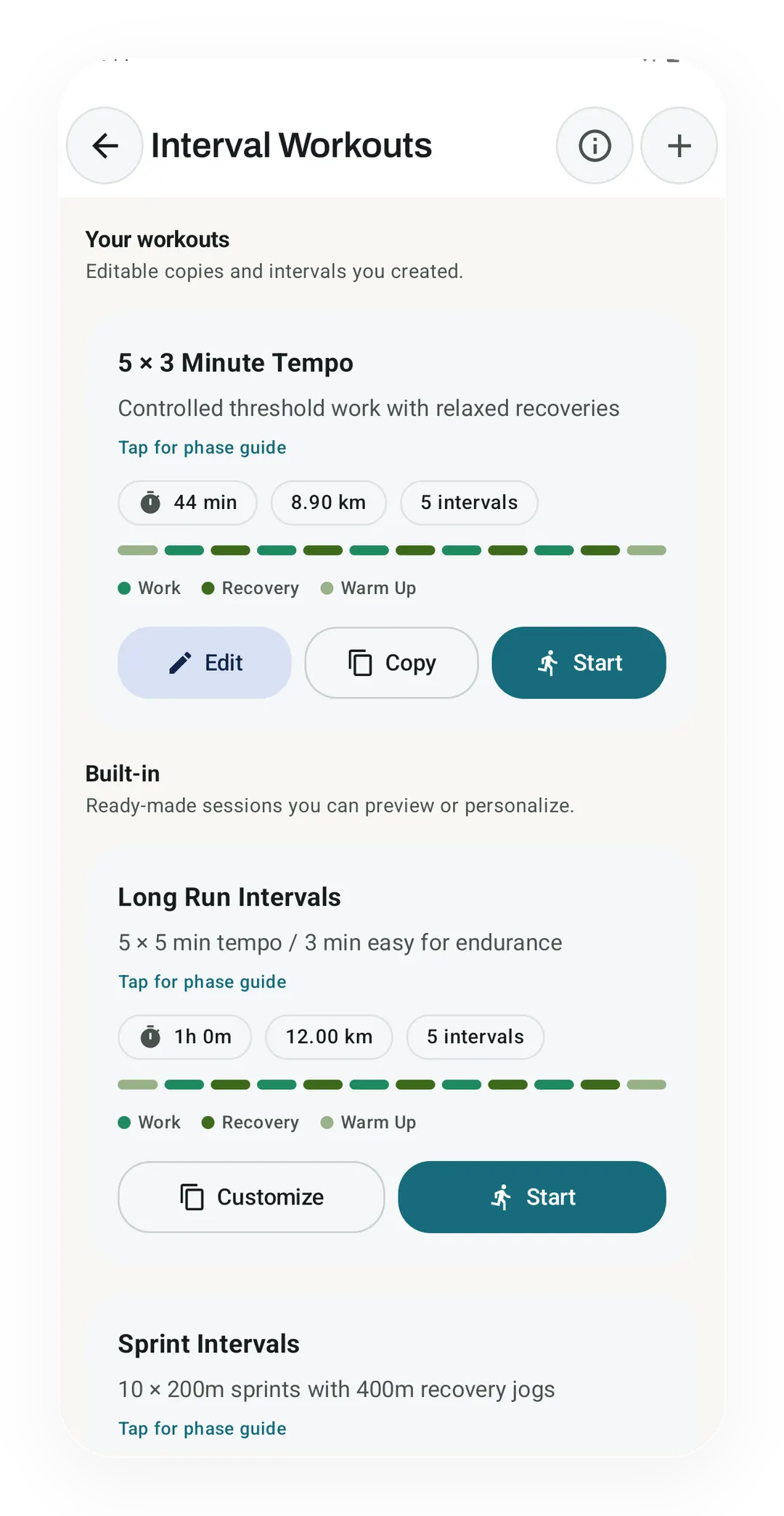
Your own 5 × 3 Minute Tempo, at 44 min and 8.90 km, sits above the built-in plans with Edit, Copy and Start. A built-in plan such as Long Run Intervals offers Customize in place of Edit.
What it is
The Interval Editor builds your own interval workouts one step at a time. An interval workout mixes hard efforts with easy ones, like a fast lap followed by a slow one. You lay out the warm-up, the work, the recovery, the cooldown, and any repeats, then save the plan into your Interval Library, where it can run a live cardio session. Eight 400 metre repeats with 90 seconds of jogging between them will do as a case.
How it works
Open the Interval Library and tap + for a new plan, or long-press one you already have and pick Duplicate to start from a copy.
The editor gives you:
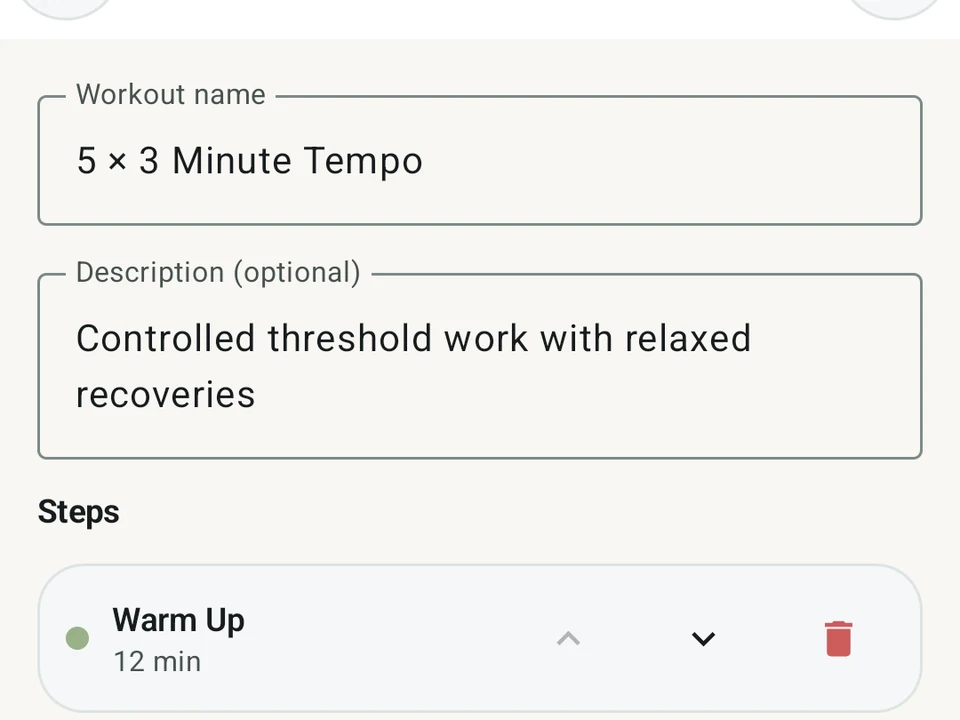
- A name and a description.
- A list of steps in order, from warm-up and work through recovery, cooldown, and rest.
- A target for each step in distance (meters) or in time (seconds).
- A pace target for each step, when you want one.
- A repeat block, which wraps a few steps into a group such as “× 8 rounds”.
Every row carries move up, move down, and delete, while the plan itself has save and delete. Those eight 400s are one work step and one recovery step inside a repeat block, so changing the rest from 90 seconds to 60 is a single edit rather than eight.
Built-in plans copy rather than change
You cannot edit a built-in plan in place, though you can copy it, and the copy arrives with a “Copy” label. The editor then opens on that copy, which is fully yours to change. The original stays where it was, so a plan you have run for months does not shift under you because of one experiment.
Why it’s free
Custom interval workouts are core tracking rather than an extra, so none of this needs a subscription. You can log 400m repeats, fartlek sets, indoor bike efforts, or swim ladders without paying, and a fartlek mixes fast and slow running in no set order.
Two Pro features sit next to the editor and read your interval sessions once you log them. Zone Training reads the pace zones you spent time in, and the AI Coach offers run coaching that adapts to you. The editing itself stays free either way.
Use cases
- 400m × 8 with 90s rest: a classic speed session.
- Fartlek 30s on and 30s off × 20: loose speed play with some shape.
- 5-minute climbs × 4: indoor cycling at a hard, steady effort.
- Pyramid 100/200/400/200/100: a swim ladder with stroke breaks.
- Zone-2 90 minutes: one long, easy effort for recovery days.
What the editor leaves to you
The editor writes the plan down and nothing more, so it has no view on whether eight repeats or six suits your week, or whether today is a day to run them at all. It holds whatever you build, and the judgment about how hard to make it stays with you.
Try it for yourself.
Available on Google Play. Core access starts on the free tier.
Get on Google PlayRelated surfaces
Live pace, splits, a route map, and audio cues. Your run record is not uploaded to Kinoku; map tiles load when you view maps, and weather is a clear opt-in.
Pace zones, easy-versus-hard balance, and a training effect score built into your runs.
Coaching screens that run on your phone and explain what changed in your training and why it matters.