

Quick Log
Long-press to speak or type a set in plain words. Hands-free logging from your phone, lock screen, or watch.
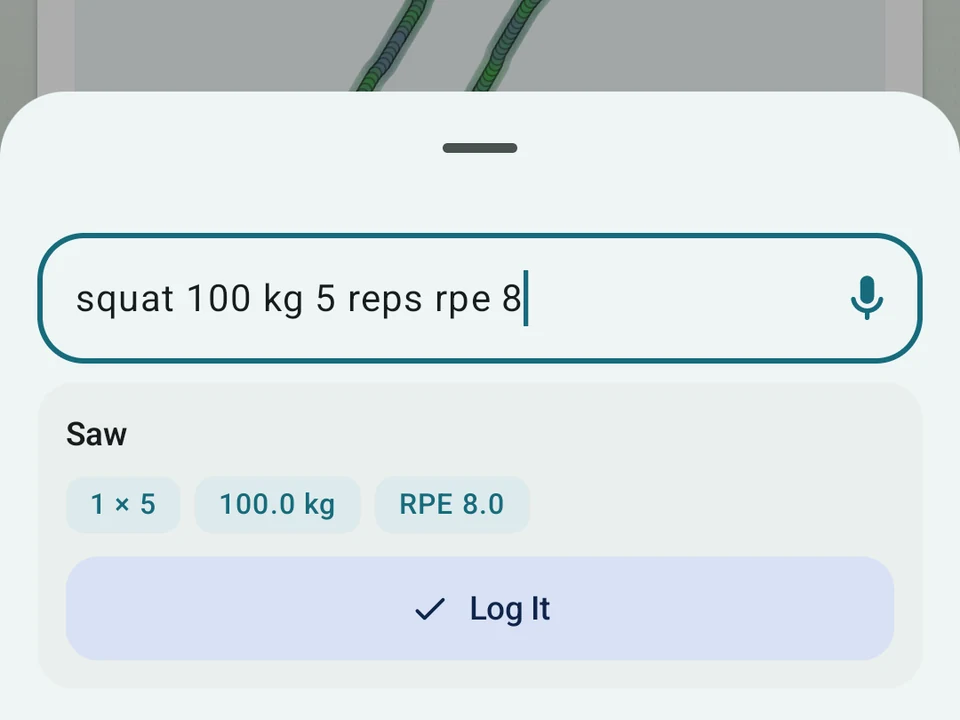
Real app capture
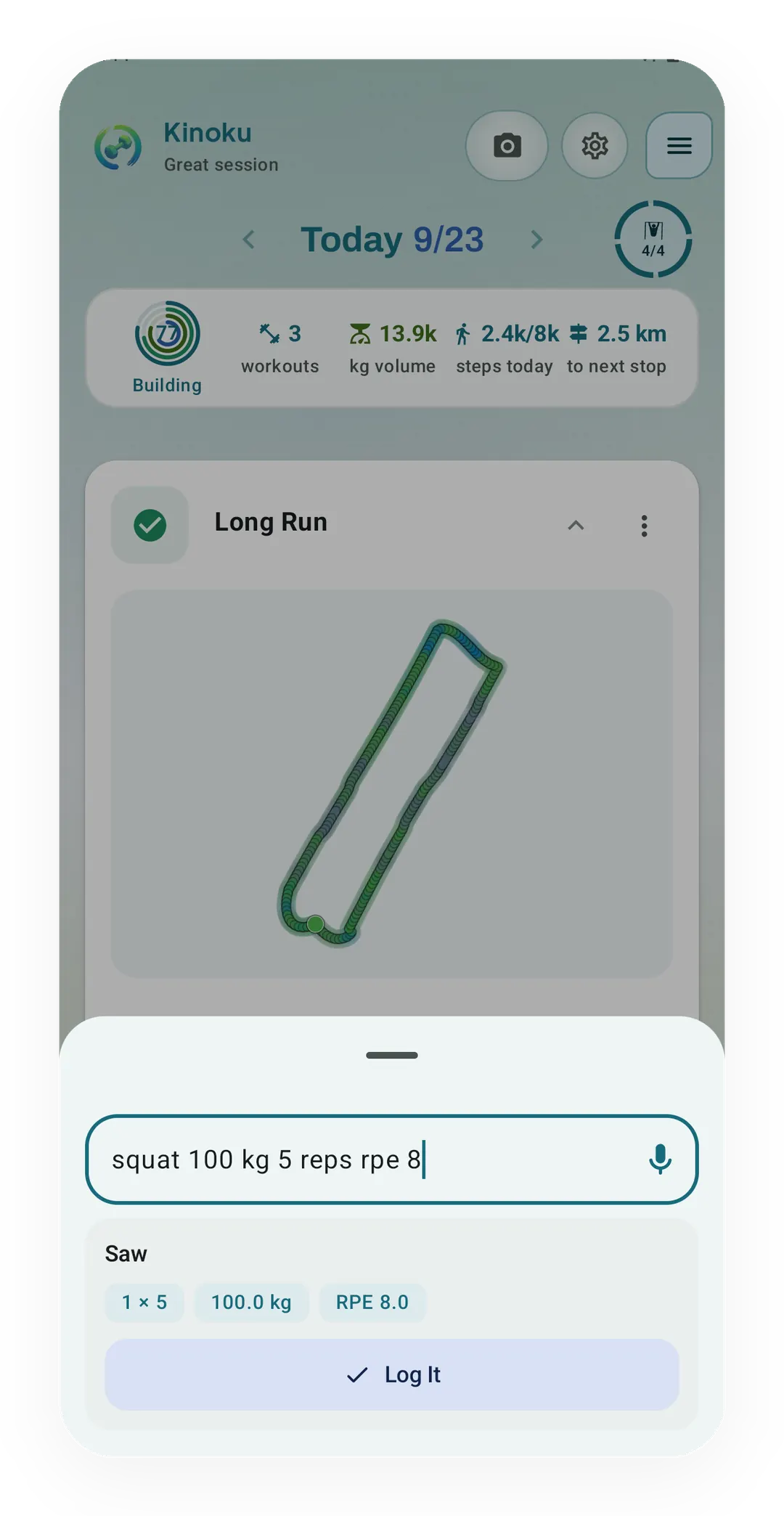
What this feature looks like with data
 Open full-size image ↗
What Quick Log read
Quick Log reads the sentence 'squat 100 kg 5 reps rpe 8' as one set of 5 at 100.0 kg with an effort rating of 8.0, before you log it. Speaking it relies on the phone's own Android speech service.
What it is
Quick Log records a set from a spoken or typed sentence instead of a screen full of fields. Long-press an exercise card or a set row and the Quick Log box opens, ready for either. Kinoku reads the weight, the units in kilograms or pounds, the reps, your rate of perceived exertion (RPE) or reps in reserve (RIR), and any note you added at the end. The exercise name is matched against your own library, so a name said a little wrong still lands on the right lift.
One sentence, taken apart
Take one sentence from the middle of a session: “Log overhead press 60 kilos by 8 RPE 9.” Kinoku reads overhead press as the lift, 60 as kilograms, 8 as the rep count, and 9 as the effort rating. The set lands in your workout exactly as it would if you had tapped every field, because Quick Log feeds the same local exercise and set model as the normal screens.
What it understands
There is no format to learn, so the same set can be said several ways:
- “Squats, 140 kilos, 5”.
- “Add a set of bench press, 200 pounds, 10 reps, felt easy”.
- “Log overhead press 60 kilos by 8 RPE 9”.
- “5 reps, 405”, which keeps whatever exercise you are already on.
You can also add a whole exercise mid-workout rather than only a set. Say “add overhead press” and the lift joins your routine on the spot.
Three ways to reach it
Quick Log opens inside the app, from a lock-screen notice, and on your Wear OS watch. The lock-screen route means the phone can stay face down on the bench between sets, and the watch route means it can stay in your bag.
Why speaking beats tapping
Small targets and heavy sets are a poor match, since chalk, gloves, and a shaking grip all make a text field harder than it looks. A spoken set skips the tapping altogether, and a typed one still beats filling the fields one at a time.
Speed matters most on the sets you care about, because the rest between heavy work is short and any fiddling eats into it. Quick Log turns that into one long press and one sentence.
Not needing your phone in reach changes where you can train. In a busy gym the watch can carry the session while the phone stays out of sight.
How the speech part works
Kinoku hands the audio to Android’s own speech service rather than shipping a recognizer of its own. A newer phone can do that work on the device itself, while an older one may send the audio to the cloud instead, and Android shows a notice when it does. Kinoku stores the text you accept, never the raw audio.
That reliance is the real limit here. Recognition quality and the on-device option both come from your Android version and your phone, so two people on different handsets can get different results from the same sentence.
Part of Pro
Quick Log sits in the Pro tier, alongside the other tools that pay off once you are training several times a week. Every free account still has the full standard logging flow, with every set type, timer, and note it has always had. Speaking a set is a faster road to the same record, not a different record.
Related surfaces
Every set, one tap. Track how hard each set felt, your rest timers, set types, and notes.
Workout contexts with built-in presets, quick-start feel, and custom scenes on Pro.
Search like Spotlight by typing a metric, exercise, routine, or session. You can also run commands like "switch to imperial" or "apply Cyber theme".