

Search Kinoku
One box that searches the whole app. Find a screen, a setting, an exercise, or an old session, and run plain commands like "switch to imperial".
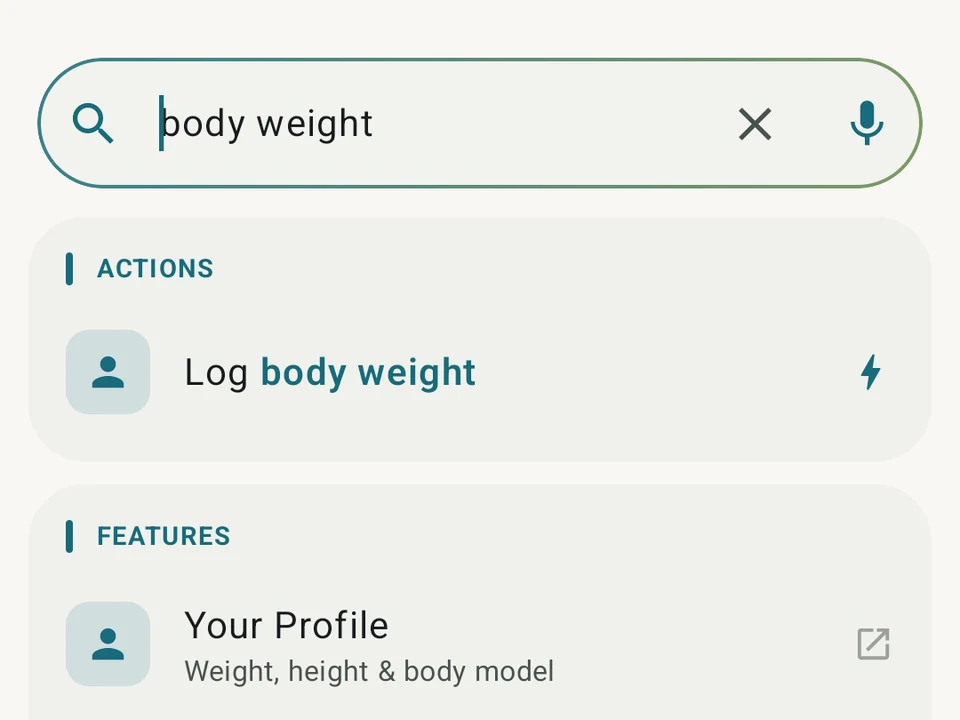
Real app capture
What this feature looks like with data
 Open full-size image ↗
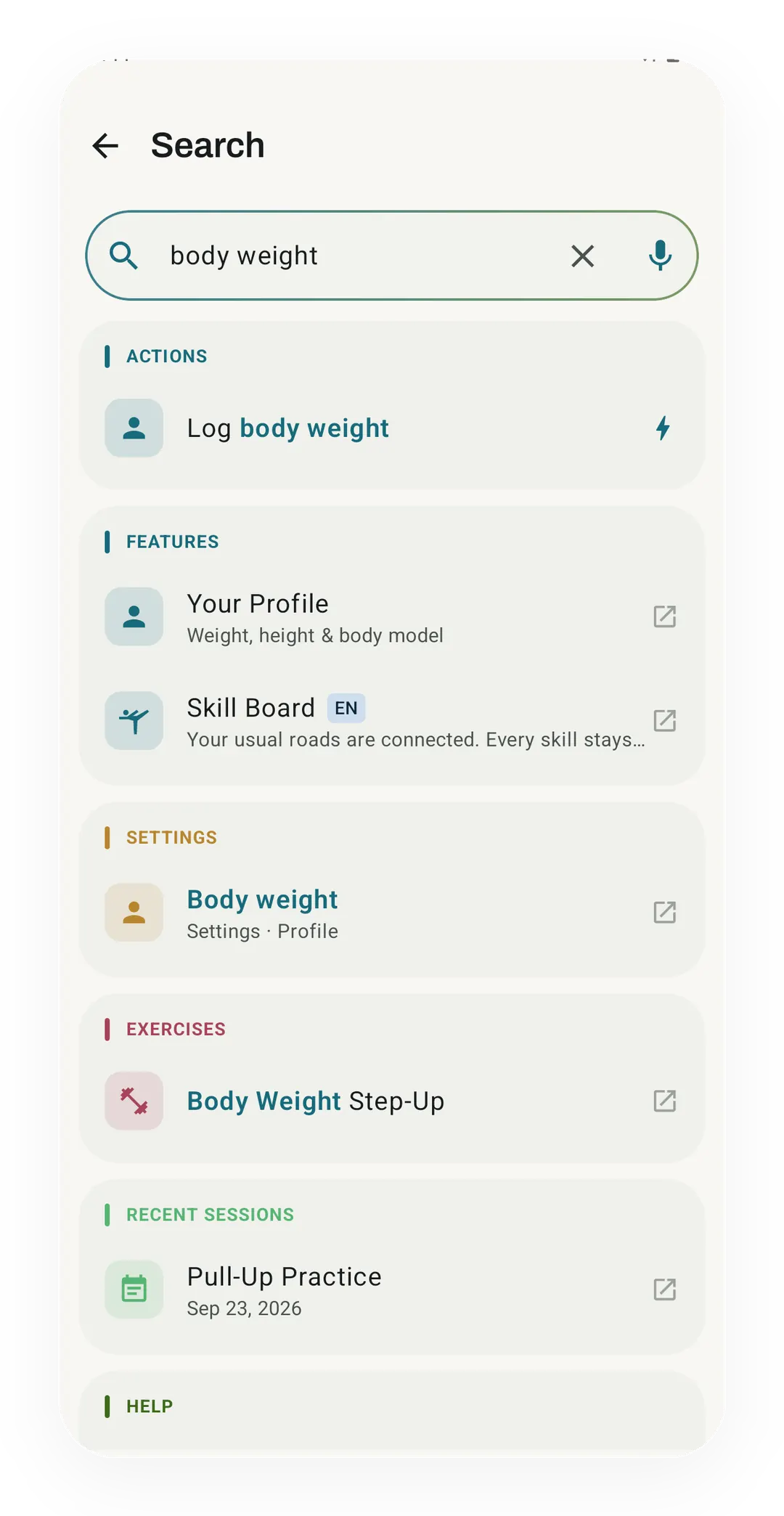
Search across the whole app
A search for body weight returns an action to log it, two features, a setting, an exercise and a recent session, all in one list.
Action verbs, not just navigation
Search is not just a list of screens. Type a plain command and Kinoku runs it right away.
What it is
Search Kinoku is one box that looks across the whole app at once, covering both what Kinoku ships and what you have made yourself. Type a few letters and you get screens, settings rows, themes, scenes, and help answers. Your own exercises, routines, past sessions, personal bests, and achievements come back in the same list. A tracker fills up over a year of use, so this is the way to stop hunting through menus for something you know is in there.
Some results do the thing
Typing imperial into the box is the example worth following, because the top result is not a place to go at all. The row offers to switch your units, and a single tap does it without opening Settings or walking down a menu. The wording tracks where you already are, so once you are on imperial that same row reads “Switch to metric” instead. A small bar then slides up from the bottom of the screen carrying an undo button.
Spelling does not have to be perfect
Type “bech pres” and bench press still comes back. Accents are optional too, so “cafe” and “café” both land on the same result. When nothing matches at all, Kinoku offers its closest guess as a pill under the box, and tapping the pill runs that search instead.
Three ways in
- The search pill at the top of the side menu.
- The magnifier in the Settings top bar.
- A long press on the Kinoku icon on your home screen, then “Search Kinoku”.
Your recent searches sit under the box, and you can pin the ones you open often so they stay on top.
Locked results still show up
Pro screens appear in your results with a small lock tag rather than being filtered out of them. Tapping one opens a short explanation of what the screen does, which is as far as it goes while you are on the free tier. A search box that quietly buries half the app is worse at its one job, so we would rather show you the lock.
Built on your phone
The index is built on your device, and your recent searches, pins, and ranking counters sit in the app database beside everything else. Kinoku does not upload them to its own server. Eligible database content may still ride with Android system backup in your Google account, or with a manual backup you create. The voice button asks Android for on-device speech when your phone can manage it.
Search reaches only what Kinoku holds, and that is the limit worth knowing up front. A program still sitting in your notes app is outside the index until you bring it into Kinoku, which the photo import screen is there to do.
Free, forever
Search costs nothing, including the results that run a command for you rather than opening a screen. This is how people find the rest of the app, so charging for it would mean charging you to discover what you already own. The box keeps working the same way as the catalog behind it grows.
Try it for yourself.
Available on Google Play. Core access starts on the free tier.
Get on Google PlayRelated surfaces
Every set, one tap. Track how hard each set felt, your rest timers, set types, and notes.
Charts per exercise, PRs, your best one-rep estimate, volume trends, and date filters. Every exercise type gets a chart that fits it: Best, Total, and Avg Time for holds, Best and Total Reps for rep work, and Best and Total Distance for distance work, not just weight charts.
Workout contexts with built-in presets, quick-start feel, and custom scenes on Pro.