

Gym Workout Logger: Sets, RPE, RIR & Rest Timer
Every set, one tap. Log reps, RPE, RIR, set types, notes, and photos. The core of every session.
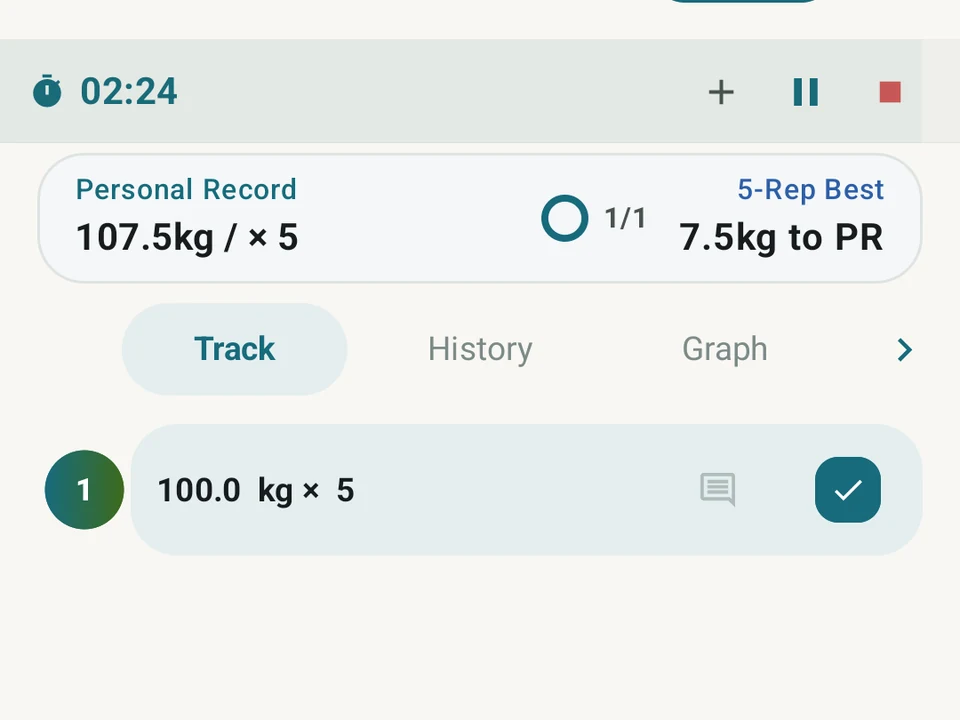
Real app capture
What this feature looks like with data
 Open full-size image ↗
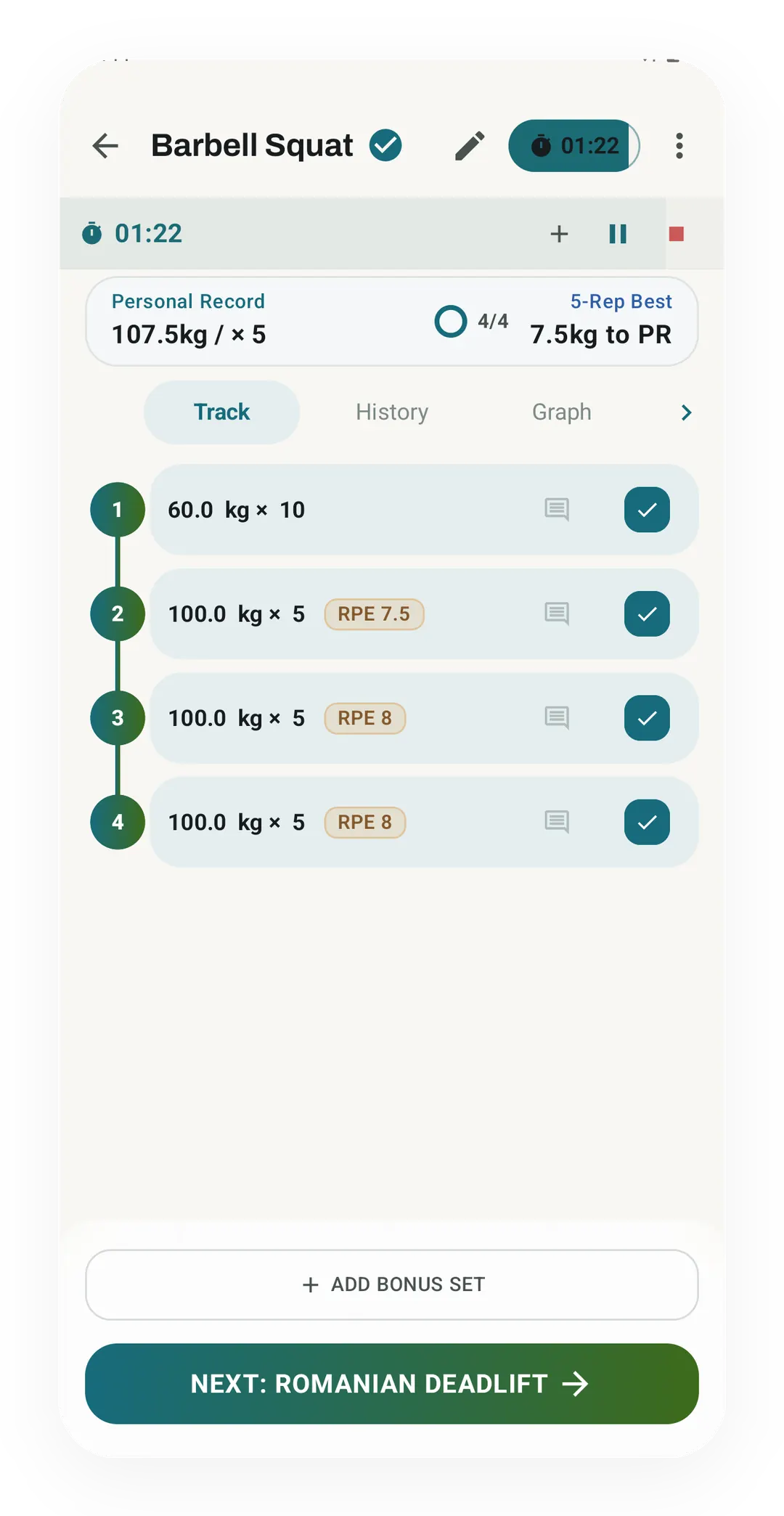
Sets done, rest running
Four Barbell Squat sets are ticked off, 60 kg for 10 and then 100 kg for 5 three times, as the rest timer counts at 01:22. The card on top shows the 107.5 kg record for 5 reps, 7.5 kg away.
 Open full-size image ↗
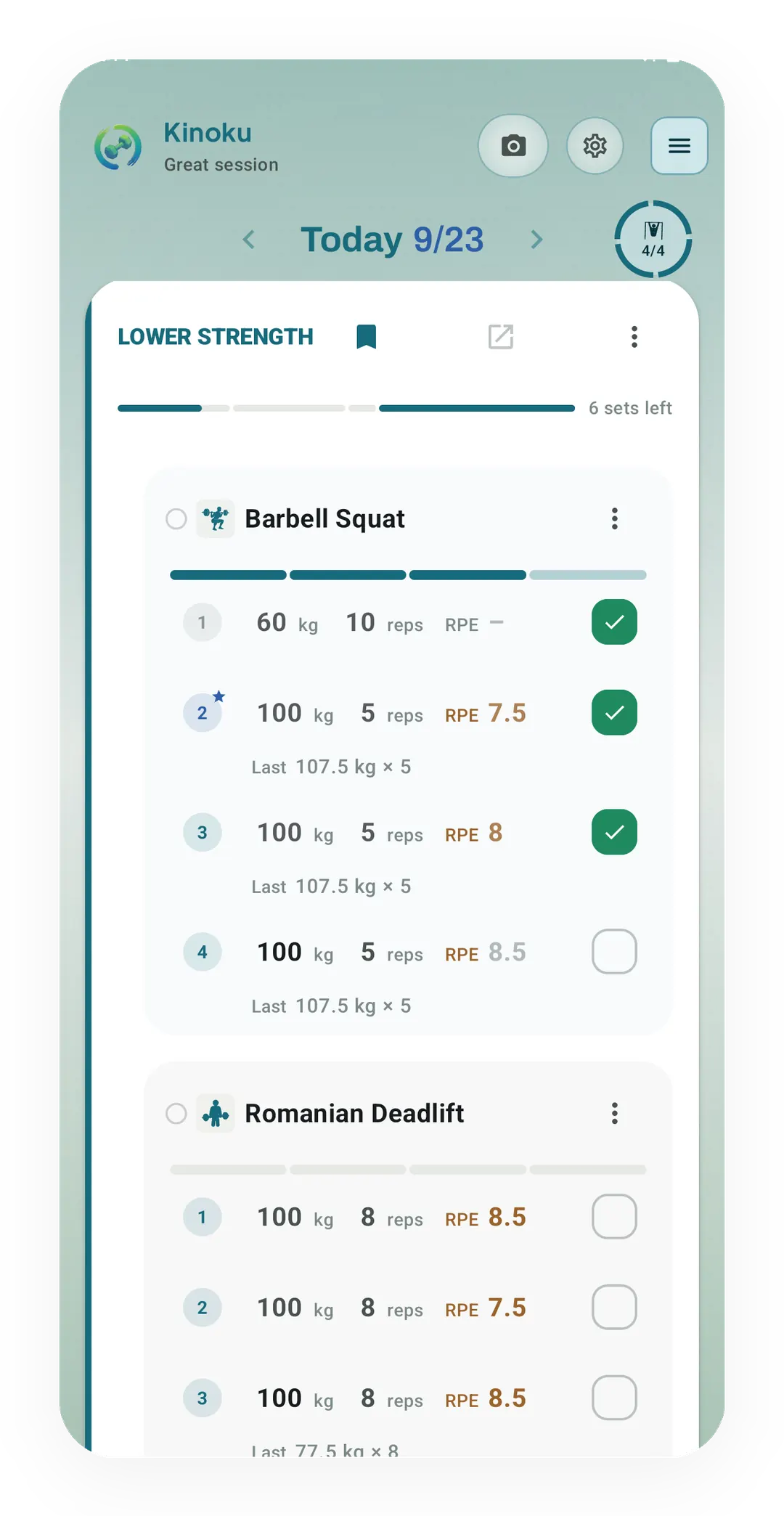
Set rows on Today
On Today, the live Lower Strength session lists each Barbell Squat set as a row with weight, reps and an effort rating. The last result, 107.5 kg for 5, sits under each 100 kg set.
 Open full-size image ↗
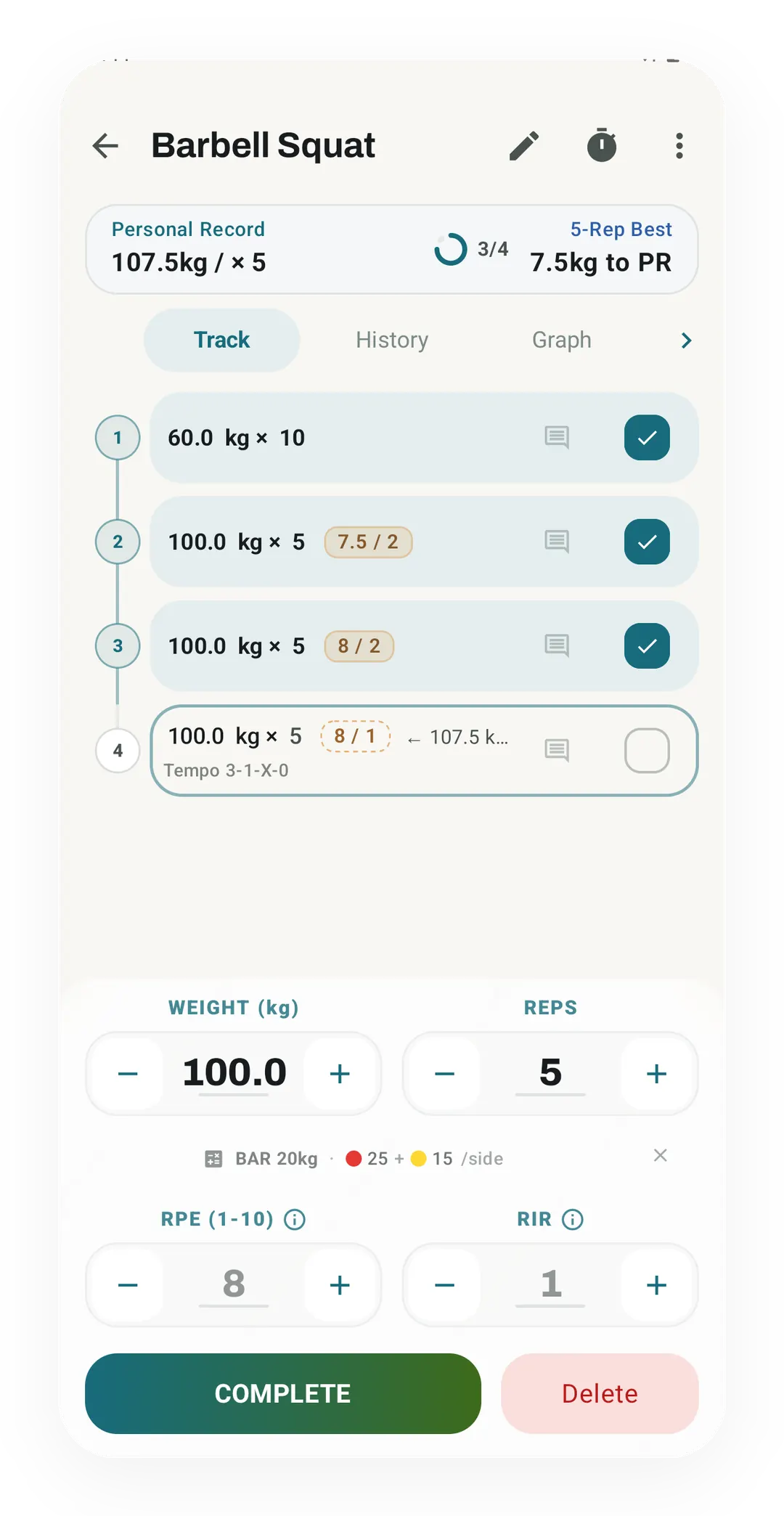
Set entry, mid-workout
With both effort fields on, the set editor takes weight, reps, a rate of perceived exertion (RPE) from 1 to 10 and reps in reserve (RIR). Finished sets show the pair as 7.5 / 2 and 8 / 2.
 Open full-size image ↗
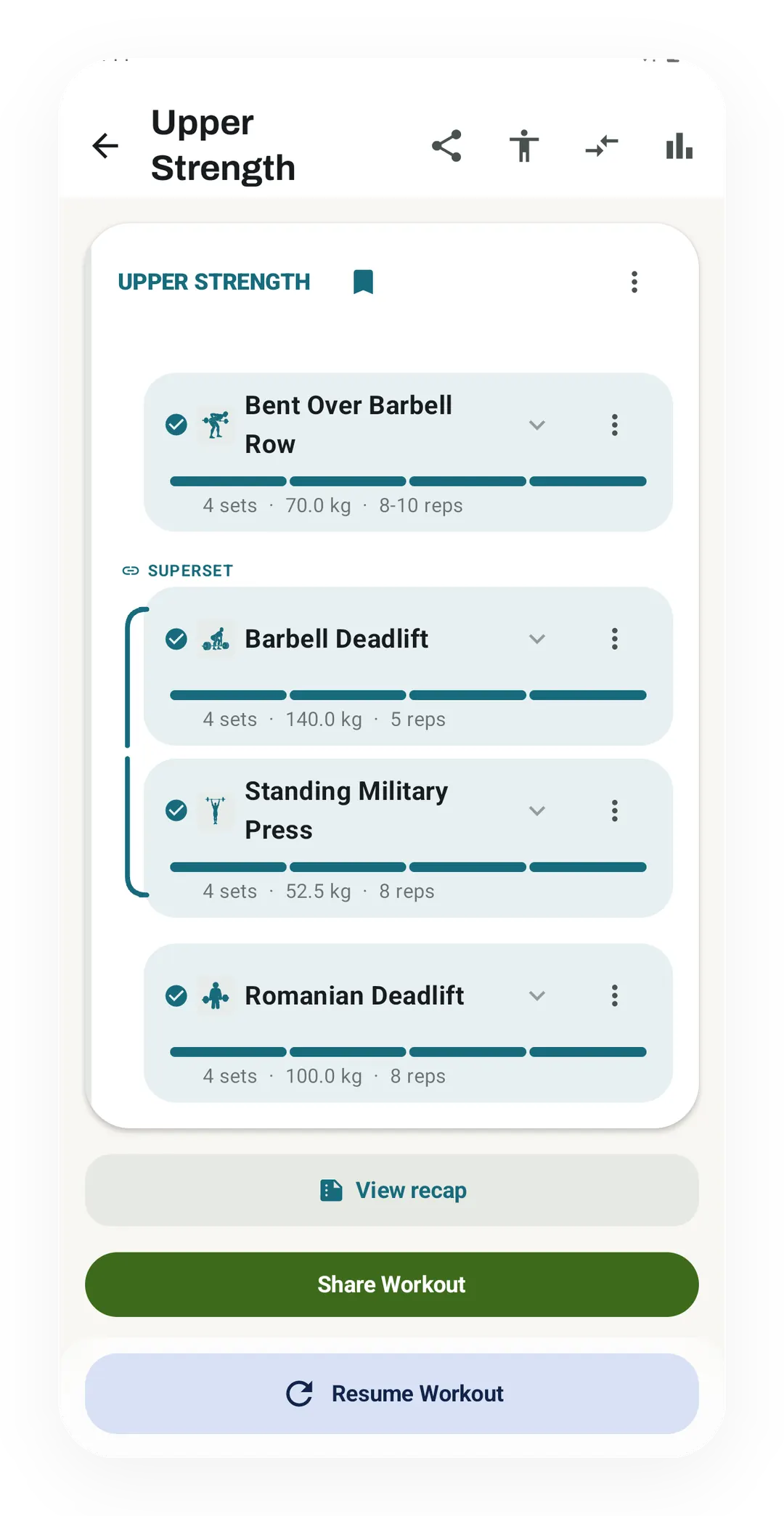
A superset in the session
A Superset bracket joins Barbell Deadlift, 4 sets of 140.0 kg for 5, with Standing Military Press, 4 sets of 52.5 kg for 8.
Tier shape
How access changes by tier
Unlimited workouts and sets, the global rest timer, set types, RPE and reps in reserve (RIR), notes, photos, and rest-pause countdowns.
Save a different rest-time preset for each exercise; the global default stays free.
What it is
Workout Logging is the part of Kinoku you use most, because you write down what you lifted here. The app stays out of your way between sets so you can focus on the work. The reasons it earns that place are speed, the detail it can hold per set, and the fact that a dead phone does not lose your session.
Choose your set layout
In 1.4.0, inline set editing comes in three styles: Clean Inline, Compact Pills and Tabular Grid. Use simple text, rounded fields or aligned columns on Today and in the full session view. Weight, reps and optional effort fields stay editable where you see them.
The familiar FitNotes-style exercise screen is still available, with one exercise and its history in focus, and your first workout or first post-import workout asks which set layout you prefer. Exercise notes, routine notes, and last session’s set notes stay pinned above your sets, and any exercise can switch on “Weight is per hand” for dumbbells or “Both sides” for one-sided timed holds. Compare the layouts and see how to change them.
Guided logging, one set after another
Guided logging is a switch in Workout settings, and it is off by default. With it on, Kinoku picks the next set for you after each one you finish, and a panel at the bottom of Today and the full session view holds − and + buttons and a Complete button for that set. In a superset the lifts take turns, and the rest timer waits until the round ends.
A second switch sits beside it for anyone who ticks sets in Today’s list. A tick saves the faded numbers the row shows, such as last time’s weight and reps, and turning off Tick saves faded numbers makes a tick save only what you type. Both switches are free.
What you can capture per set
- Weight and reps: the basics, with quick-tap values from your last set.
- RPE or RIR: rate of perceived exertion, meaning how hard the set felt (1 to 10), or reps in reserve, meaning how many reps you had left in the tank. Your choice. If you run a program that adjusts itself, the RPE vs RIR page says which one to pick.
- Set type: working, warmup, drop, failure, or rest-pause.
- Notes: anything you want to recall next time, like “felt heavy, slow it down.”
- Photos: form-check shots saved next to the set. Kinoku does not upload them to a Kinoku server; as eligible app files, Android system backup may copy them to your Google account.
What makes it fast
- Auto-fill copies your last set. Most of the time you only change what’s new.
- Rest timer starts on its own when you log a working set. Pro can save a rest time per exercise.
- Voice input for notes. Say “go heavier next time” and get back to your set.
- One-tap drop sets: log the working set, tap drop, log the next. They cluster as one entry.
- Crash-safe: if your phone dies mid-workout, your session comes back on the next launch. The timer too.
Rest-pause, run for you
Rest-pause is a way to get more reps out of one weight, where you push near failure, rest about 15 seconds, then go again. Kinoku runs that clock for you, so when you log a rest-pause set a 15-second countdown starts on its own, and when it hits zero the app adds the next mini-set, ready to log.
Take a set of pull-downs that stalls short of your target as the example. You mark it rest-pause, and the 15-second clock runs while you shake out your arms. The continuation set is waiting when the clock reaches zero, so you skip the timer math and keep moving. None of the big trackers we compared even has a rest-pause set type, and here it is free with the countdown running itself.
Classes, your own included
Not every session is sets and reps, so Log a class saves a class such as yoga or boxing as one entry with its length. New class in that sheet makes a class of your own, with a name, a class type, an icon and color, its usual length and the muscles it works. You can add the studio and the instructor when you log it, and Manage classes edits any class, archives the ones you made and hides built-in classes you never take.
A logged class moves you along a Journeys road by the distance that a walk or run of equal length and effort would cover. It also goes to Health Connect as its own activity, such as yoga, stationary biking or boxing, rather than as strength training, though classes logged before 1.5.0 keep the old type. Making classes and counting them on a road are both free.
What’s tracked across the session
You see it all live: total volume, total reps, working set count, time, and rest time. There’s also a per-muscle breakdown, so you know if you’re hitting things evenly, and the pull-down set above lands in the back and biceps columns the moment you log it. The same history also holds your runs, swims, classes and steps, and the all-in-one fitness tracker apps list compares that breadth across ten Android apps.
Free, forever
Logging is on the free tier, and there is no paid version of the part where you write down what you lifted. The global rest timer is free too. Pro can save a different rest-time preset for each exercise and adds deeper charts and analysis on top of your logged data.
Kinoku is Android only, so the log lives on that phone and moves by a backup file rather than a cloud sync. What is fixed is that the act of logging costs nothing, while the list of things you can capture per set is the current set rather than a final one.
If you log in Hevy or Strong today, the Hevy alternatives and Strong alternatives pages show what each app’s own pages say about free caps and accounts. Every compare page quotes its sources with the date they were opened.
Questions people ask
Can I customize how sets look in the workout logger?
Yes, on your first workout or right after importing a CSV, you can pick between Clean Inline rows, Compact Pills, and a Tabular Grid. You can also hide RPE and RIR fields if you only log weight and reps.
What happens if my phone battery dies in the middle of a workout?
Your live workout and running clock are saved on your phone as you log each set, so your session comes right back when you open the app again.
How does Kinoku handle dumbbell weights and one-sided holds?
You can turn on Weight is per hand for any dumbbell lift so you type one dumbbell's weight while Kinoku doubles the set volume. For one-sided timed holds, turning on Both sides runs the timer for left and right in turn.
Try it for yourself.
Available on Google Play. The core here is free. Pro adds optional extras.
Get on Google PlayRelated surfaces
Warmup sets built from your working weight, bar weight, and unit system.
Load the bar fast with a visual plate layout. The calculator and bar-weight setting are free; Pro adds custom plate inventory settings.
Timer-driven circuits, rounds, rest phases, and safe session handling.