

Barbell Plate Calculator App: Visual Bar Loading
Shows which plates to load on the bar to hit any weight. Visual barbell, your own plate inventory.
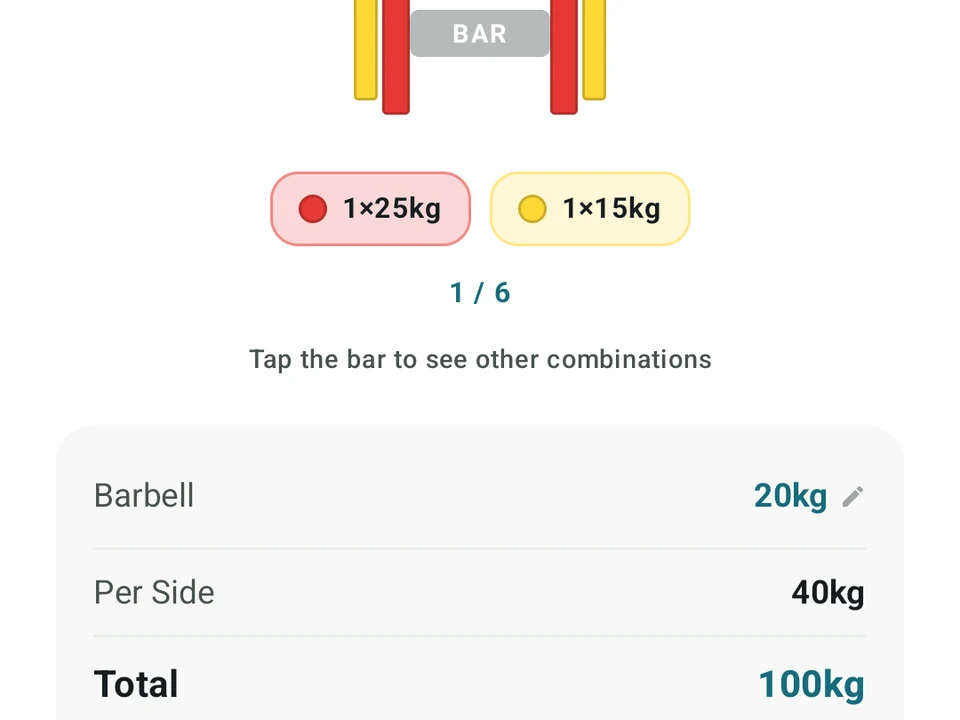
Real app capture
What this feature looks like with data
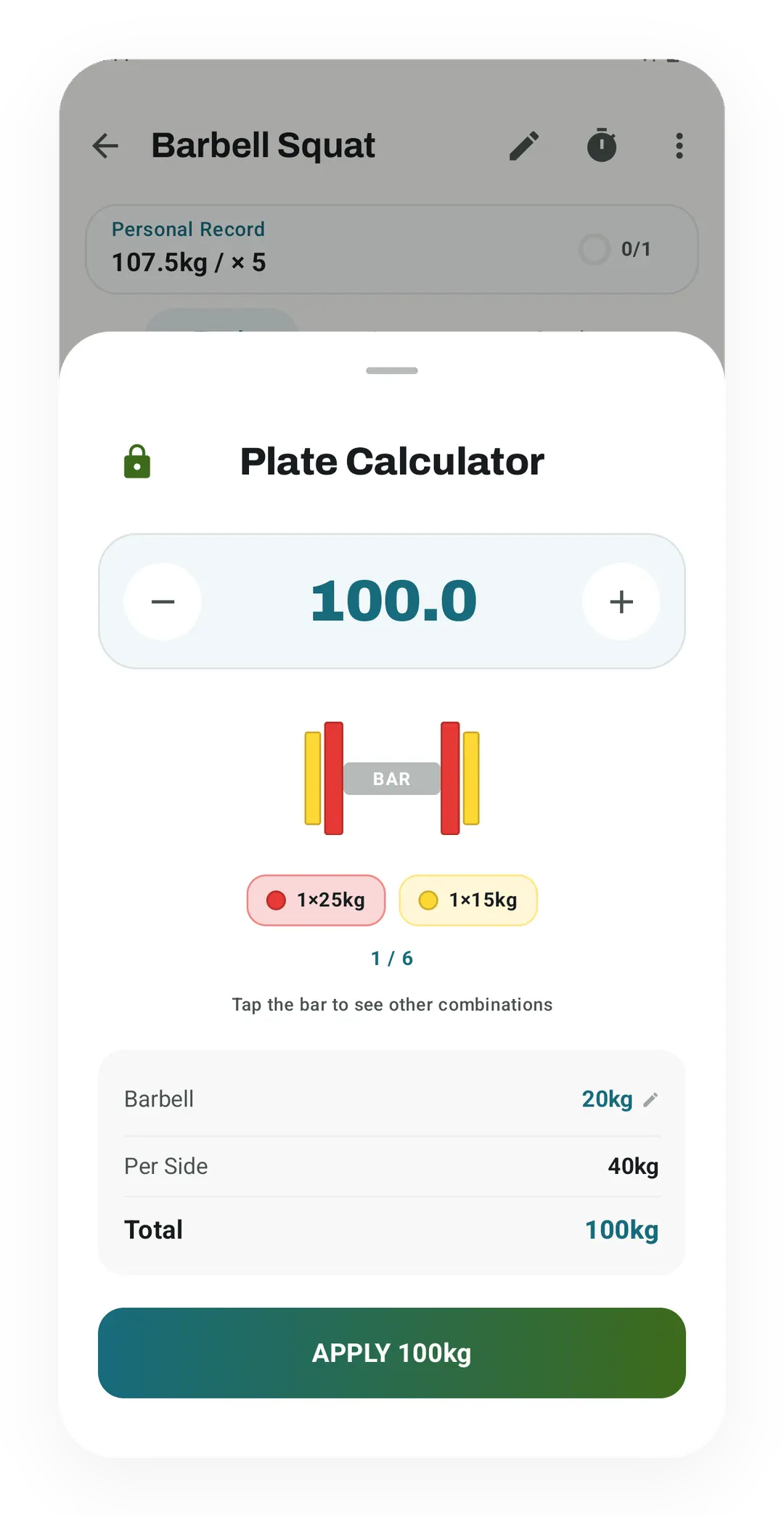 Open full-size image ↗
Exactly what goes on the bar
For 100 kg, the sheet puts a 25 kg and a 15 kg plate on each side of a 20 kg bar, then shows the total.
Tier shape
How access changes by tier
Work out a target weight with the standard kg or lb plates, and set the bar weight you use.
Choose which plates you have, edit their weights and counts, and add your own plate sizes.
What it is
The Plate Calculator lives inside workout logging and shows exactly which plates go on each side of the bar. Tap a set, give it a target weight, and you get a picture of the loaded bar instead of a sum to do in your head.
How it works
- Set your bar weight: a 20 kg bar, a 15 kg bar, an EZ bar (the curved one that eases wrist strain), the fixed bar at home, whatever you lift.
- Use the standard plate inventory for free, with Pro able to change which plates exist, edit weights and counts, and add custom sizes.
- Type a target weight and the sheet draws the stack for one side of the bar.
- The layout uses the fewest plates that reach the number, and loads the heavy ones first.
One number, worked through
Put 142.5 kg on a 20 kg bar and the sheet asks for two 25s, a 10, and a 1.25 on each side, heaviest first. Reading a picture like that against a loaded bar takes a second, while recounting a stack from memory takes longer and still leaves you guessing.
Why a small tool earns its place
Bar math is not hard, but it changes with the room. A 15 kg bar and a missing pair of 20s change every answer, so the number you memorized at your old gym is wrong at the new one.
The timing is also bad. You do this math between sets, breathing hard and watching a rest clock, which is the worst moment to be sure about a decimal.
A miscount stays invisible too. Nothing tells you the bar held 145 instead of 142.5 until the set feels heavier than it should, and by then your log has the wrong number in it.
Custom plate inventory (Pro)
Pro opens the plate-settings sheet, where you choose the plates your gym has, change their counts, edit a plate, or add a custom size. Kinoku keeps one inventory per unit system today, so named gym profiles are the honest gap here for anyone training in two places.
Kilos or pounds
The calculator follows your unit setting, under Settings then Units, and both systems ship with their standard plates ready. Small plates fit as well, down to 0.25 kg or 1.25 kg, for the tiny jumps that keep a lift moving.
Free, forever
The calculator, the standard kilo and pound inventories, and your bar-weight setting cost nothing. Pro adds the custom inventory settings, for gyms with an odd plate rack. What Pro lets you edit may grow, and the arithmetic stays on the free side of the line.
Questions people ask
Is the barbell plate calculator free in Kinoku?
Yes. The visual plate calculator, the standard kilogram and pound plate inventories, and the bar-weight selector are all free inside workout logging. Pro adds custom plate inventory settings for editing plate counts or adding odd sizes.
Can I change the bar weight for an EZ bar or a 15 kg barbell?
Yes, on the free plan. You can set your bar weight to a 20 kg bar, a 15 kg bar, an EZ bar, or a fixed bar at home, and the calculator works out the heaviest plates needed on each side.
Does the plate calculator support fractional plates?
Yes. Both kilogram and pound modes support small fractional plates down to 0.25 kg or 1.25 kg, making it easy to load small weight jumps on overhead press and bench press.
Try it for yourself.
Available on Google Play. The core here is free. Pro adds optional extras.
Get on Google PlayRelated surfaces
Every set, one tap. Track how hard each set felt, your rest timers, set types, and notes.
Warmup sets built from your working weight, bar weight, and unit system.
Set how fast to move each rep of an exercise. Kinoku shows the tempo as a light hint on every set.