

Steps
Daily steps, streaks, and brisk minutes. The dashboard grows as you move up the tiers.
Real app capture
What this feature looks like with data
 Open full-size image ↗
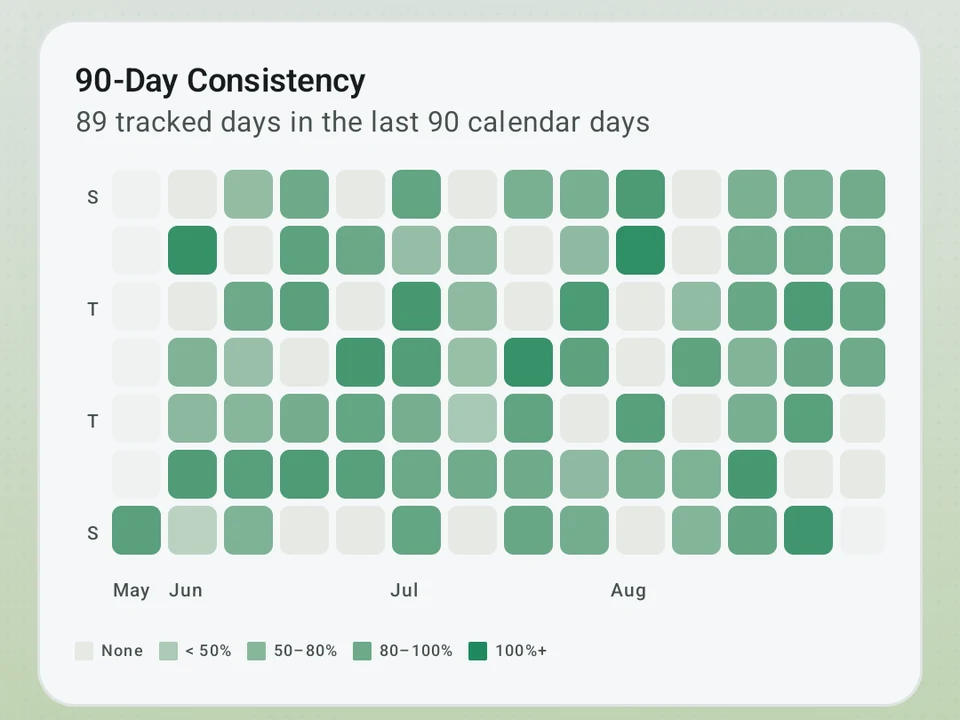
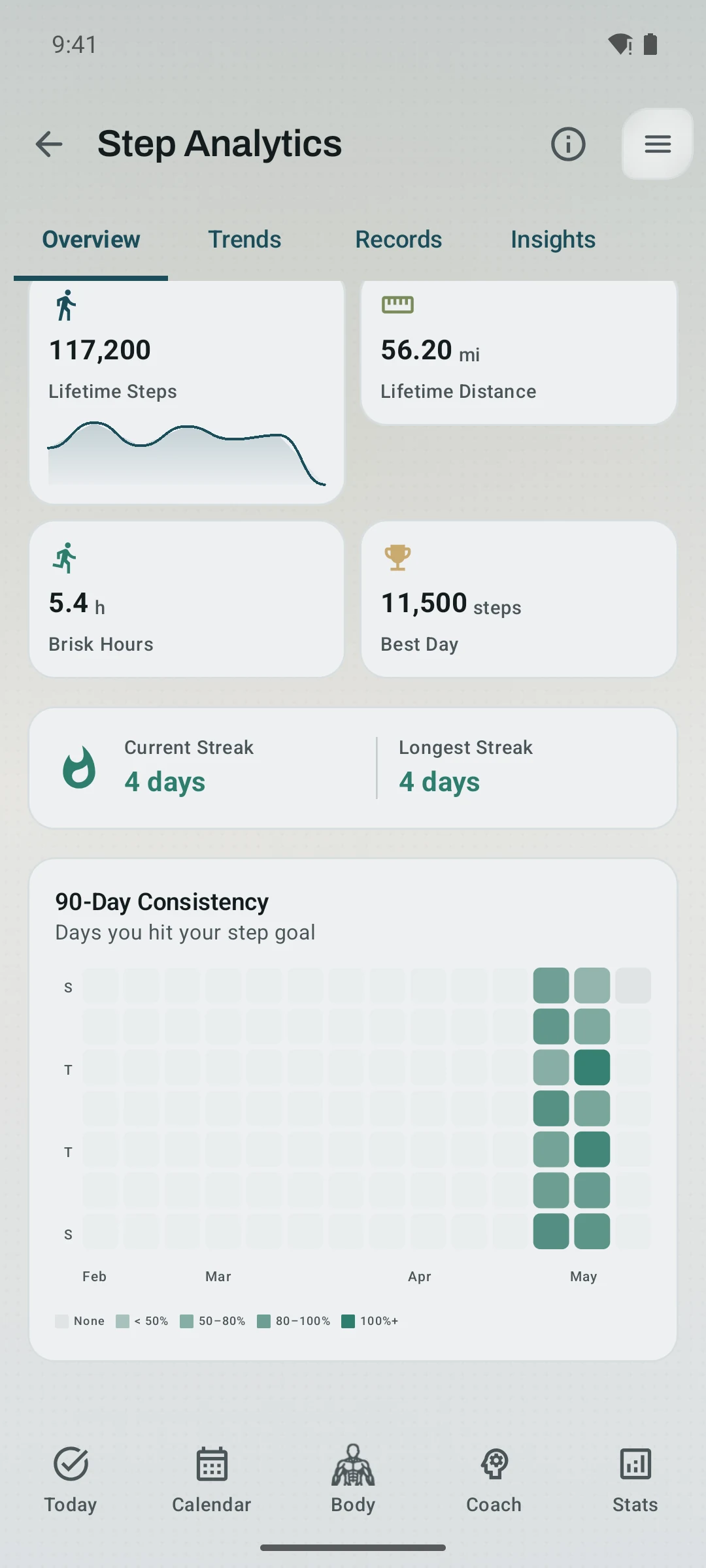
Consistency by day
The heatmap makes repeated movement visible while the summary cards keep lifetime distance and streak context nearby.
 Open full-size image ↗
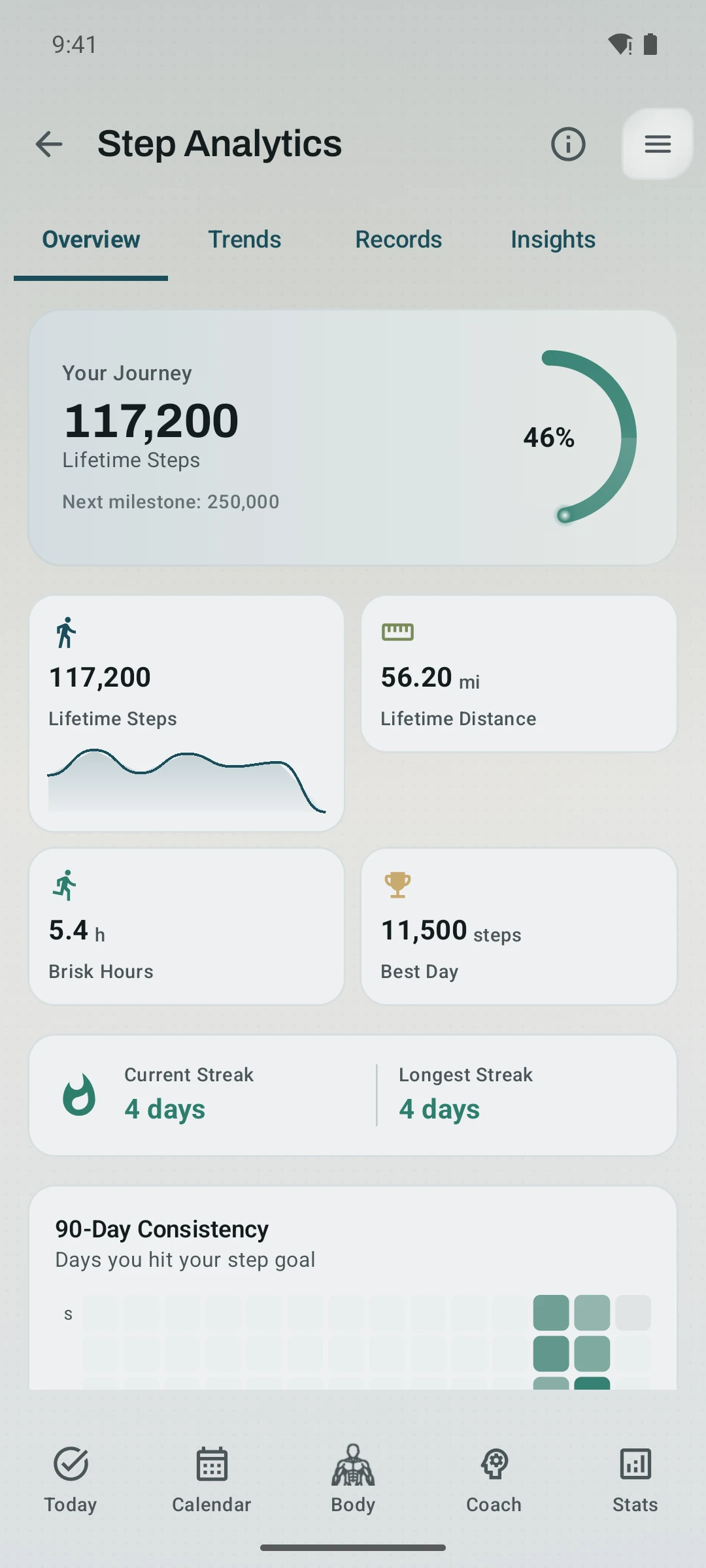
Movement at a glance
The current Step Analytics overview combines lifetime movement, brisk time, a best day, streaks, and recent consistency without leaving the app.
Daily movement context
Steps feed Pulse, achievements, share cards, and watch complications instead of living in a separate lightweight counter.
Tier shape
How access changes by tier
Today's count, the goal ring, this week day by day, where the steps came from, your records, a consistency heatmap, and Health Connect sync.
Hour-by-hour movement with the cadence split, weekly and monthly trends, and step insights.
What it is
Steps in Kinoku is a daily step count that sits in the same private record as your lifts, runs, Pulse, and badges, rather than in a counter app of its own. Living there changes what the number can do, so a step streak can appear on a share card and Pulse can read it as part of your recovery. Your watch can show the same count, and a challenge can count it too.
The live counter
With the notification switched on, open the steps screen and the count ticks up as you walk, with a small spring bounce on each step. The color shifts as you speed up, from gray for a slow walk to blue for brisk, green for a jog, and orange for a run. Your steps per minute and the zone name sit below the count. A buzz lands every 1,000 steps, so you feel the progress without looking at the screen.
The phone can also count quietly, and that is how a new install starts. Without the notification, Kinoku reads the phone’s own step counter about every 15 minutes, so you still get your daily total, your goal ring, and your history. The live count and the pace colors return the moment you switch the notification on.
The screen only reads the sensor closely while it is open, which keeps the battery cost small for the rest of the day. Android’s built-in counter handles the always-on part.
Filtering out car and train motion
Cars, trains, and bikes can fool a step counter by shaking the phone at something close to a walking rate. With the notification switched on, Kinoku checks each batch of steps against three signs of real walking and drops the ones that look like a ride. The check reads the hardware clock rather than the time the steps arrived, so steps your phone saved during deep sleep are still sorted correctly when they surface. Quiet counting reads a running total instead of batches, so it has no per-batch timing to check.
Your history is safe
Losing a year of step history is a real fear in any fitness app. Kinoku guards your data five ways, so no single broken path can take it all:
- On your phone: Turning step tracking off does not erase your steps. It only stops new ones.
- Android system backup: On eligible devices and installs, Android may copy app data to the Google account configured for device backup.
- Manual ZIP backup: Saves to a folder you pick. It survives any reinstall, any way you install.
- Health Connect mirror: Each step Kinoku writes to Health Connect carries a stable ID that lasts across reinstalls. Reinstall on the same phone and the Steps screen offers a one-tap Restore from Health Connect card if it finds your old records. To opt out: Settings, then Run Tracking, then “Mirror estimated steps to Health Connect”.
- CSV/ZIP import: Brings your data back with nothing lost. It skips steps you already have, rebuilds your daily totals, keeps your goal history with the right dates, and re-links steps to the run they came from.
These are separate recovery paths, and not every path is automatic. Manual ZIP and CSV imports only run when you choose them; Health Connect restore appears when Kinoku detects eligible records.
What quiet counting costs you
One limit is worth knowing before you leave the notification off. Quiet counting still records your day, and it gives up the live count, the pace colors, and the per-batch ride filter. All three need the batches that notification mode reads.
Why it matters
Running one app for walking, another for running, and a third for lifting is a lot of work just to see how your week went. Steps give Kinoku a plain daily view of movement that still belongs to the rest of your training.
The free layer
Today’s count, the goal ring, this week day by day, where your steps came from, your records, the consistency heatmap, and Health Connect sync are all free. Pro adds the hour-by-hour movement view with its cadence split, plus weekly and monthly trends and step insights. That free list stays free, and the counting rules above can still change as we tune them.
Try it for yourself.
Available on Google Play. The core here is free. Pro adds optional extras.
Get on Google PlayRelated surfaces
Once Kinoku has enough data, the Kinoku Score sums up your recent training, recovery, and health signals. Until then, it shows a learning state instead of a made-up number.
15 selectable looks plus Sticker export and 22 captions. After a session, Kinoku surfaces up to 6 looks that fit what happened.
A real watch app for workouts, runs, steps, tiles, and watch face data.