

Wear OS Gym Tracker: A Free Watch App for Lifts and Runs
Kinoku's free Wear OS app logs sets, shows your heart rate live and records runs from your wrist, then syncs to your phone once the two are near.
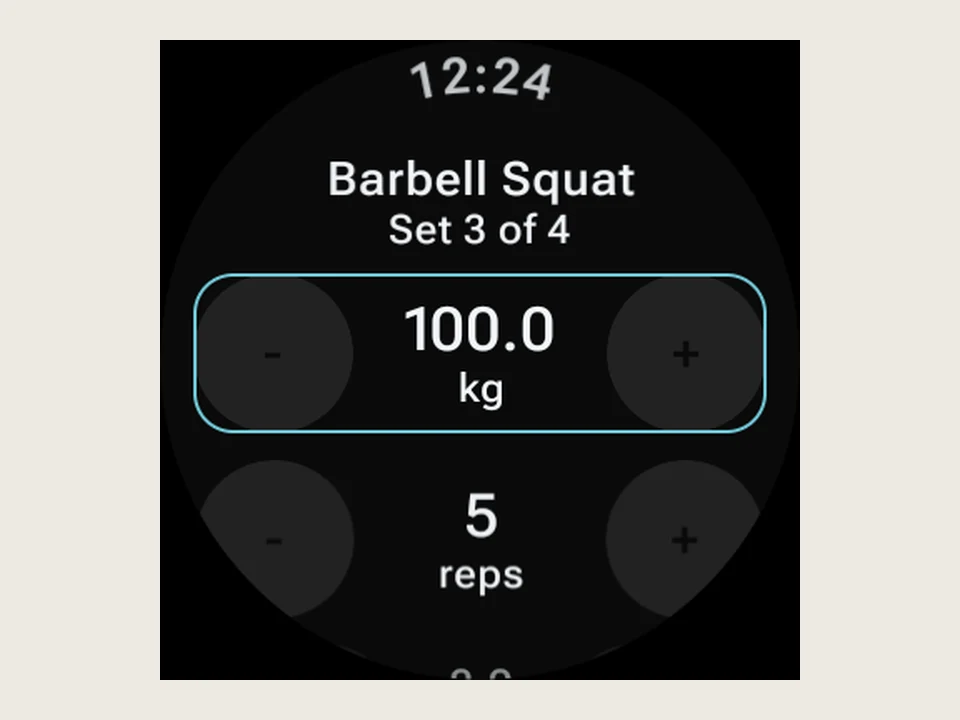
Real app capture
What this feature looks like with data
 Open full-size image ↗
Set logging on the watch
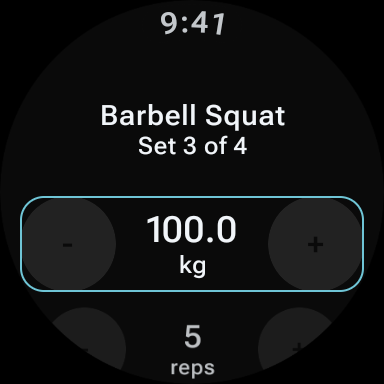
The watch shows set 3 of 4 at 100.0 kg and 5 reps, and each value has its own plus and minus buttons.
 Open full-size image ↗
The workout follows your wrist
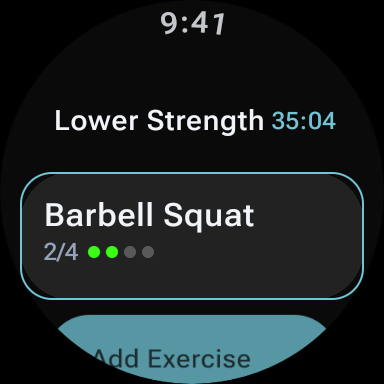
The watch shows the live Lower Strength session at 35:04, with Barbell Squat at 2 of 4 sets done.
What it is
Kinoku is a free gym tracker with a real Wear OS app. You can start a workout on the watch, log each set with a tap or the dial, see your heart rate live, time your rest, and record a run with the phone left at home. Your sets and runs sync back to the phone once the two are near, with no account.
Kinoku on Wear OS is a full watch app rather than a window onto your phone’s notifications. You can run a whole session from your wrist, and the watch holds the sets and the timers itself while it shows your heart rate live. The sets find their way back to the phone on their own once the two devices are near each other again.
What the watch handles
- Start a workout even when your phone is nowhere near you.
- Log sets with a tap or by turning the watch dial.
- Keep your heart rate with each set, so History shows the average and peak under every set you log on the watch.
- See your heart rate live during a workout, and keep the average and peak from each run.
- Track a run with pace, distance, and splits.
- Set a rest timer that buzzes your wrist when it runs out.
- Tap to start from a Wear OS tile, which is a quick screen you swipe to beside your watch face rather than something drawn on the face itself.
- Keep the session in view while you move between watch faces.
Steps and your recent runs stay on the wrist as well, and watch face slots can show them without opening anything.
One run, phone left at home
A long run with the phone left at home is the case this is built for. The watch records your pace, distance, and splits as you go, and it keeps your average and peak heart rate beside them. Walk back through the door and the finished session appears on the phone with nothing for you to press. None of that run needed the phone to be in the room.
Sync runs both ways
A workout you start on the watch turns up on the phone, and a workout you start on the phone turns up on the watch. The two catch each other up the moment they are close again, so training with the phone in a locker costs you nothing in the record.
The waiting is worth naming as the limit here. Until the pair meet, the session lives on the watch alone, which leaves the phone’s history a step behind for as long as you stay apart.
The same look on both screens
Pick one of the themes the watch carries and it follows your phone, so the two screens match rather than clashing. The watch app is not a stripped-down cousin wearing different paint.
Free
The watch app is free, and there is no second charge for logging one workout on two screens. Kinoku is Android only, so the pairing here is an Android phone and a Wear OS watch. That has been the shape of it since the watch app shipped, and it stays that way. To see how other gym apps handle the watch, our list of the best free gym apps for Wear OS quotes ten makers’ own pages.
Questions people ask
Is Kinoku's Wear OS app free?
Yes. The watch app is free and needs no account, and you pay nothing extra to log one workout on both the phone and the watch. Voice logging on the watch is part of Pro, the same as voice logging on the phone.
Can I log sets on the watch without my phone?
Yes. The watch holds the session itself, so you can start a workout, log sets and time your rest with the phone in a locker. The finished session appears on the phone once the two are close again, and until then the phone's history is a step behind.
Does the watch app track runs?
Yes. It records pace, distance and splits, keeps your average and peak heart rate beside them, and the run lands on the phone with nothing to press. Kinoku is Android only, so the pair is an Android phone and a Wear OS watch, and there is no Apple Watch app.
Try it for yourself.
Available on Google Play. Core access starts on the free tier.
Get on Google PlayRelated surfaces
Live pace, splits, a route map, and audio cues. Your run record is not uploaded to Kinoku; map tiles load when you view maps, and weather is a clear opt-in.
Daily steps, streaks, brisk minutes, and an hour-by-hour view of how you moved.
Kinoku reads and writes Android Health Connect data without passing it to a cloud. Period flow import is a Pro feature and read-only. Kinoku never writes cycle data back to Health Connect.