

Health Connect
Read your health data through Android Health Connect, on your phone. Cycle import is PRO and read-only, never written back.
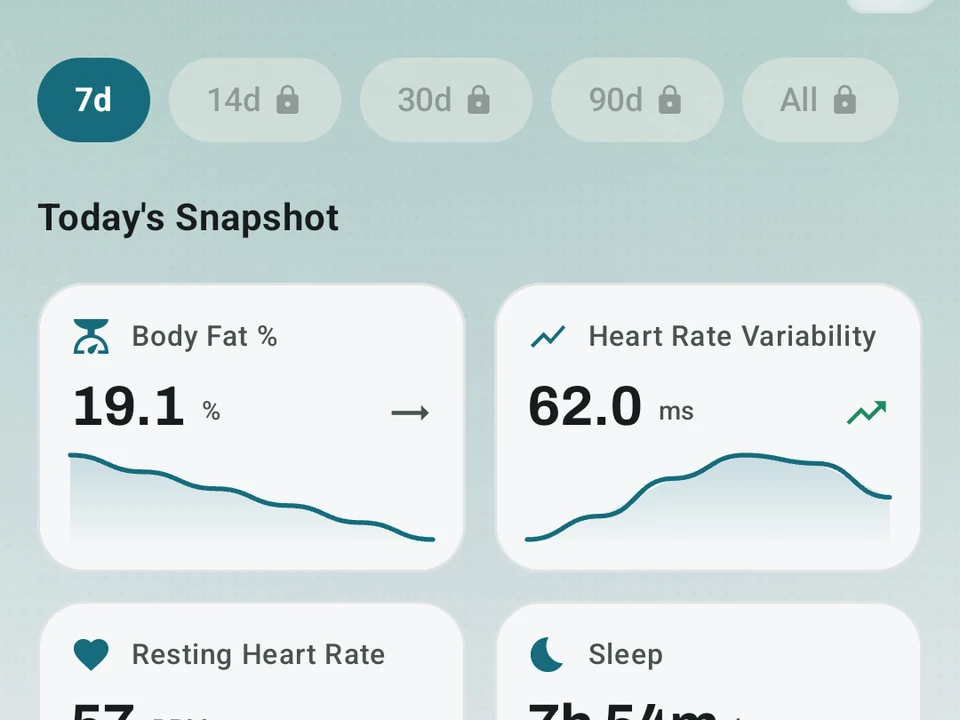
Real app capture
What this feature looks like with data
 Open full-size image ↗
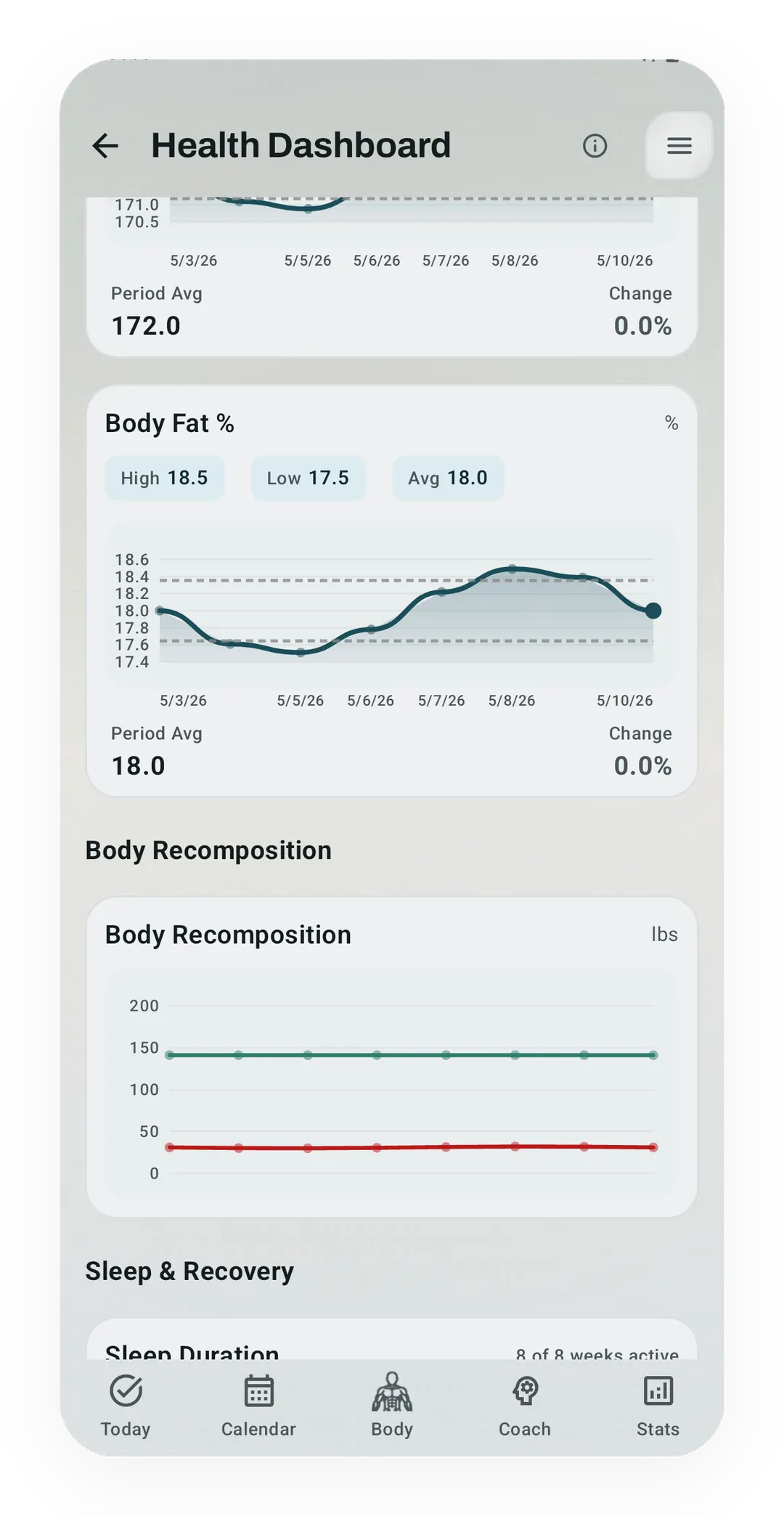
Imported health context
The Health Dashboard turns permitted Health Connect readings into trends while keeping the surrounding training record local.
Tier shape
How access changes by tier
Read steps, weight, body fat, sleep, resting heart rate, HRV, blood pressure, glucose, and water. Write finished exercise sessions and steps.
Opt in to read period entries from Health Connect into your cycle history. Kinoku never writes them back.
What it is
Health Connect is Android’s own store for health data, the one place where your sleep, steps, weight, and heart readings sit together for any app you allow to read. Kinoku reads what it needs from that store on the device, rather than shipping your watch data to a cloud first. No Kinoku server sits in the middle.
What Kinoku reads
You choose which of these Kinoku can read, one switch at a time, and all of them are free:
- Steps. Your daily activity baseline.
- Weight and body fat. Body trends over time.
- Sleep. A recovery signal that feeds your Kinoku Score.
- Resting heart rate. How calm your body is at rest.
- Heart rate variability (HRV). The gap between heartbeats, another recovery signal for Kinoku Score.
- Blood pressure, blood sugar, and hydration. Health context, when you track it.
What Kinoku writes back
Kinoku can write two types so other apps can see them:
- Completed workouts as exercise sessions, carrying the title, activity type, and start and end time. Your sets, reps, weights, rate of perceived exertion (RPE), and reps in reserve (RIR) stay in Kinoku.
- Steps recorded by Kinoku’s step tracker.
Menstruation import (PRO)
Kinoku can read your period entries from Health Connect into your cycle history, which is a PRO feature you choose to turn on.
It is read-only. Kinoku reads your cycle data, and never writes it back to Health Connect. Dedicated raw cycle records, generated cycle state, and your Cycle Tracking configuration live in a separate database excluded from future Android automatic cloud backup. User-created metrics remain eligible for Android system backup, while the dedicated database can travel in a manual Kinoku ZIP backup or a device transfer you start. See Cycle-Aware Training for how that works.
You stay in control
You pick what Kinoku may read and write, one type at a time, in Android’s Health Connect settings, and any of them can go back off later.
Why this matters
Your watch records your sleep, your phone counts your steps, and your scale tracks your weight, so without a shared store every app tries to be the one place for all of it and each one wants a login. Health Connect makes Android that shared place instead. Take last night’s sleep as the example: the watch writes it to Health Connect, Kinoku reads it on the phone, folds it into your Kinoku Score, and hands the reading back to you. There is no Kinoku account to make. No data goes to a Kinoku cloud or to a data broker.
The limit is the same one that makes it work. Kinoku can only read what some other app has already written to Health Connect, so a signal none of your gear records stays blank, and the score leans on the parts you do track.
The free layer
Every read on the list above is free, and so is writing completed exercise sessions and steps back out. Pro adds one opt-in extra, reading period entries into your cycle history, and Kinoku never writes those back. Which types Kinoku touches is your call at every tier, and the free reads stay free.
Try it for yourself.
Available on Google Play. The core here is free. Pro adds optional extras.
Get on Google PlayRelated surfaces
Once Kinoku has enough data, the Kinoku Score sums up your recent training, recovery, and health signals. Until then, it shows a learning state instead of a made-up number.
Daily steps, streaks, brisk minutes, and an hour-by-hour view of how you moved.
Full cycle, fertility, and pregnancy tracking, with phase context and training links. Dedicated raw records and generated cycle state are excluded from future Android automatic cloud backup, standard exports, share cards, and Kinoku servers. Your Cycle Tracking configuration lives in that same excluded database, while user-created metrics remain eligible for Android system backup in your Google account. A manual ZIP or user-initiated device transfer can carry the dedicated database.
A real watch app for workouts, runs, steps, tiles, and watch face data.