

Scenes
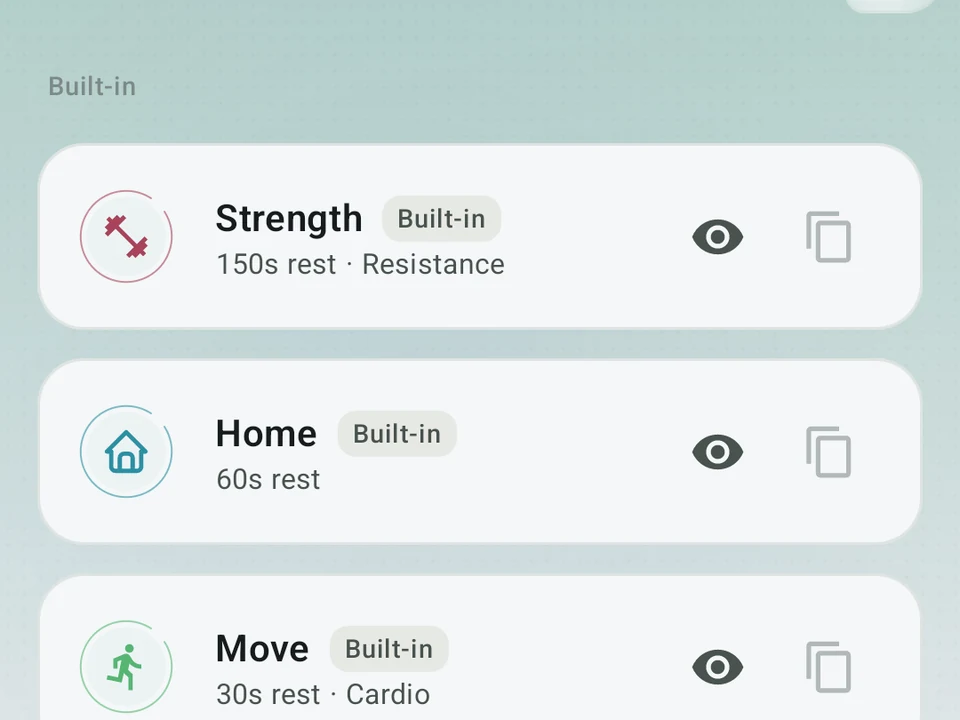
Set up workouts by type. Nine are built in for free. Build your own on Pro.
Real app capture
What this feature looks like with data
 Open full-size image ↗
A distinct training atmosphere
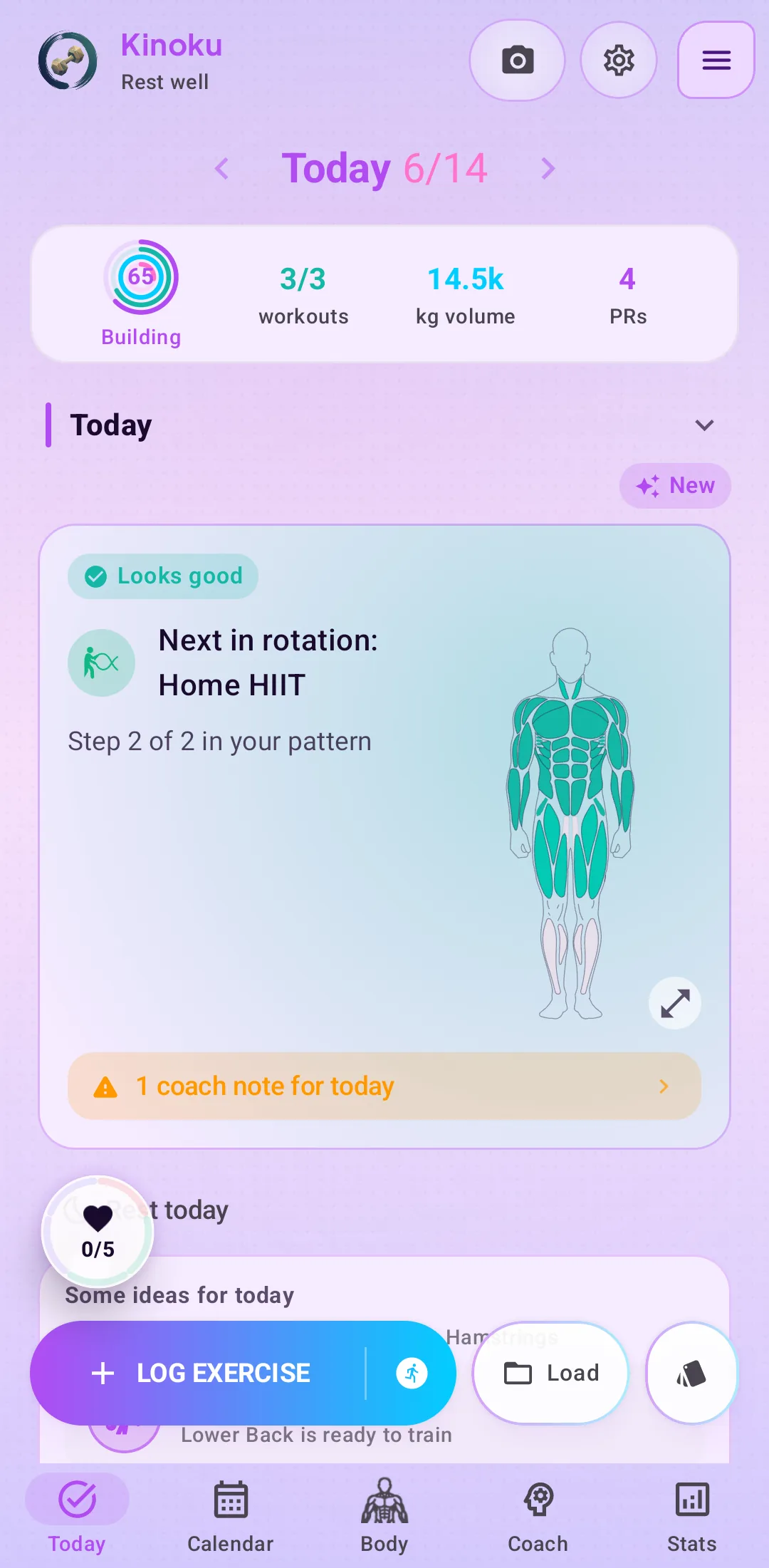
Scenes change the working Today surface, not just a color swatch; this expressive configuration shows the result in context.
Context-aware quick start
Each scene carries its own color, icon, rest timer, filters, and feel.
Tier shape
How access changes by tier
Nine come built in. Strength, Home, Move, Recover, Quick, Run, Pool, Walk, and Flow.
Build your own, with filters, timers, and icons.
What it is
A scene is a saved setting for one kind of workout, carrying its own color, icon, timers, and exercise filters. A heavy gym day and a quick session at home are not the same kind of training, so Kinoku lets them look and behave differently from the first tap.
What a scene can set
- Name, color, and icon, so the scene is easy to spot at a glance.
- Rest timer length, set to the gap that suits this kind of session.
- A target time for the session as a whole.
- Which exercises and equipment show up in the picker.
The nine built in
Nine scenes ship with the app and cost nothing: Strength, Home, Move, Recover, Quick, Run, Pool, Walk, and Flow. Building your own is a Pro feature.
Suppose you start a session in the Home scene. The picker opens on bands and bodyweight work rather than the barbell rack you cannot reach. The rest timer already sits at the gap you use at home, and the color tells you which mode you are in without reading anything. Starting that same session in Pool opens the picker on swim-friendly choices instead.
Why it helps
The first reason is that a blank screen is the slowest way to begin. Most sessions start from a short list of things you were always going to do, and a scene puts that list in front of you rather than asking you to find it again.
The second reason is that your week is not made of identical days. A recovery session and a strength session want different timers and different equipment, so giving each one its own starting point saves you the setup every time.
The third reason is that the record underneath never changes. A scene moves the starting point rather than the training log, so a set logged in Home counts in your stats, your volume, and your muscle map exactly like a set logged in Strength.
Where the nine stop
Nine scenes cover the common cases rather than every case. If you train something the built-in set does not describe, building your own scene sits behind Pro, and that is a real edge of the free tier rather than a rounding error.
The free layer
Every built-in scene is free: Strength, Home, Move, Recover, Quick, Run, Pool, Walk, and Flow. Pro lets you build your own, with its own filters, timers, and icons. Nine is the number that ships today, and the built-in list has grown before.
Try it for yourself.
Available on Google Play. The core here is free. Pro adds optional extras.
Get on Google PlayRelated surfaces
Unlimited routines, Smart Sync, Starter Packs, and follow-along links are free. Pro adds managed Rotation Groups that cycle through several routines.
26 themes with color and motion: 20 free and 6 Pro (Ironwood, Sakura, Emerald Foil, Kamon, Obsidian, Aurora).
Type or speak your sets in plain words when tapping each field feels slower than your workout.