

Photo Import
Scan a routine from a photo. Kinoku reads it into a routine on your phone, no typing and no upload.
Real app capture
What this feature looks like with data
 Open full-size image ↗
Two ways in, and what reads well
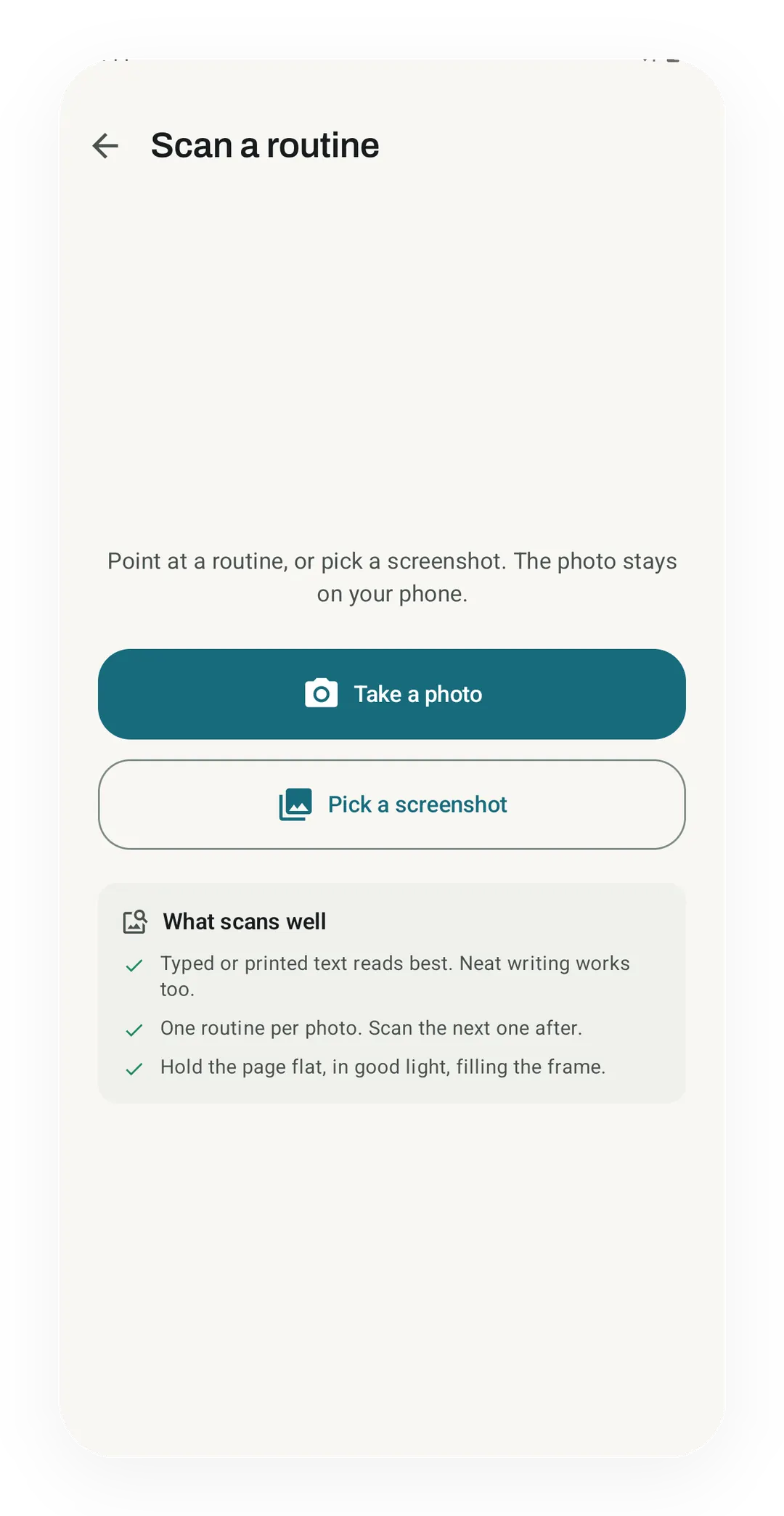
You can scan a photo or pick a screenshot, and the screen lists what reads best, like typed text and one routine per photo.
 Open full-size image ↗
Check it before it saves
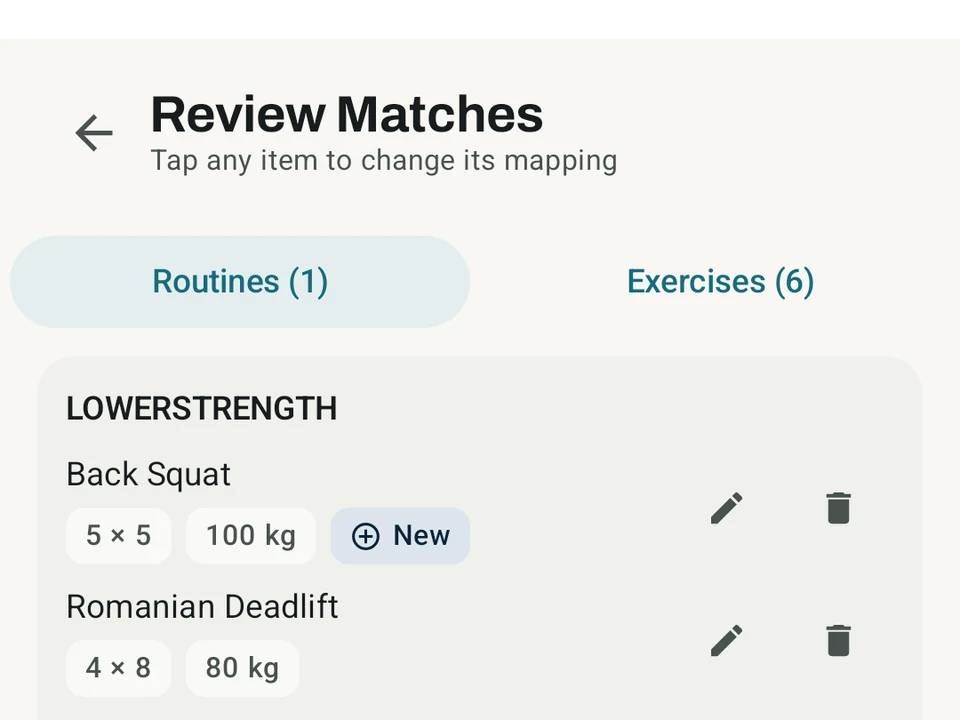
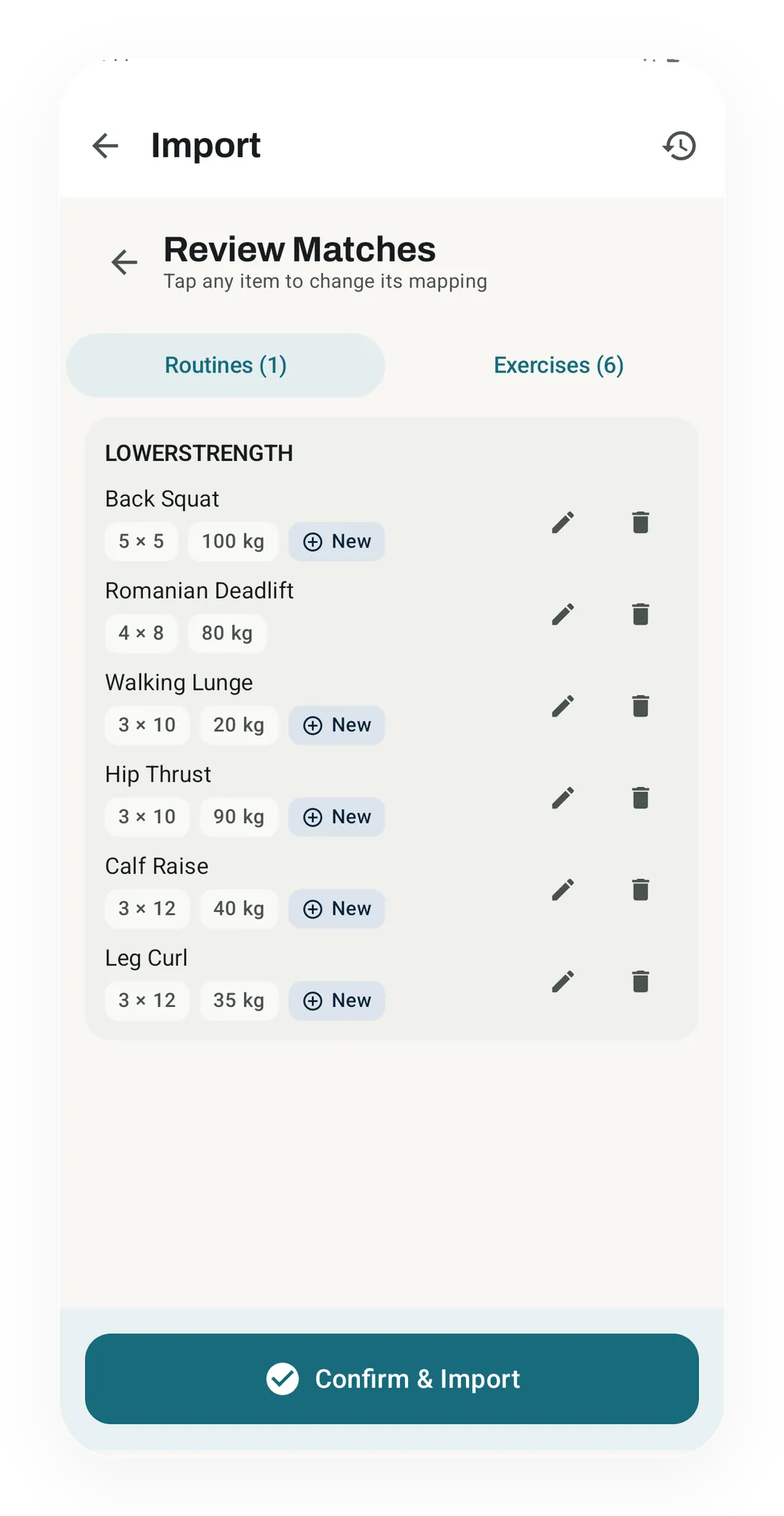
Every line shows what was read, and a chip says which exercises are new to your library.
What it is
Photo Import reads a training plan out of a picture and builds a Kinoku routine from it. Point the camera at a printed page, or pick a screenshot you already have. Kinoku pulls out the days, the exercises, the sets and reps, and any weights, rest times, or rate of perceived exertion (RPE) targets it can find. Every exercise is matched against your library, and anything Kinoku has never seen is created for you.
Your program already lives somewhere. It might be a coach’s PDF, a screenshot from another app, a list in your notes, or a card you wrote by hand at the gym. Typing all of it in again is the tax on moving to a new tracker, and this is the part that removes it.
One page, end to end
Picture the printed page a coach hands you, with the days down the left and sets, reps, and a weight on every line. Kinoku reads that page into a routine of the same shape, so each day becomes a day and each line becomes an exercise with its own sets. Lifts you already train link straight through to their history, while the ones you have never logged arrive as new entries in your library. Anything the reader was unsure of is marked before you save.
It stays on your phone
The photo is read on your phone and thrown away after. Your photo and the plan it holds are never sent to a Kinoku server, and there is no account and no login anywhere in the flow.
On phones that have it, Kinoku can also use the phone’s own built-in AI to read messier or handwritten plans. Downloading that model is your choice, and it runs on your device like the rest of the reader.
You check before it saves
Kinoku never guesses a weight into your routine. Where a number was unclear, or a set count had to be assumed, that value is marked. You catch it on the review screen rather than halfway through a session. Fix whatever looks wrong, then import.
Importing a routine writes no history and no records, so a bad scan costs you one edit rather than a hole in your training log.
What it reads well, and what it does not
Printed and typed plans read best, while handwriting is best effort, and the review screen exists mostly to catch what handwriting costs. The reader handles Latin letters today, so a plan written in Japanese, Korean, or Cyrillic script goes in faster as pasted text.
Once the routine is in, it behaves like every other routine you own, which means you can edit it, start it, and share it.
Why this is free
Getting your own program into the app is the first thing anyone does, so a charge at that step would be a charge on the front door. Photo Import is free at every tier, and the on-device reading path is free with it. The reader will keep getting better, and what it costs you stays where it is.
Try it for yourself.
Available on Google Play. Core access starts on the free tier.
Get on Google PlayRelated surfaces
Bring your Strava history with no login token. Choose the Strava archive ZIP once; Kinoku reads activities.csv and supported route files from it on your phone. Kinoku never touches Strava's servers.
Unlimited routines, Smart Sync, Starter Packs, and follow-along links are free, and so are Rotation Groups that cycle through several routines for you.
1,300+ built-in exercises with muscle data and unlimited custom moves are free. Pro adds custom form photos and assisted sorting.