

Strava Import
Move your Strava history into Kinoku from one file export. One-time, on your phone, no login to Strava.
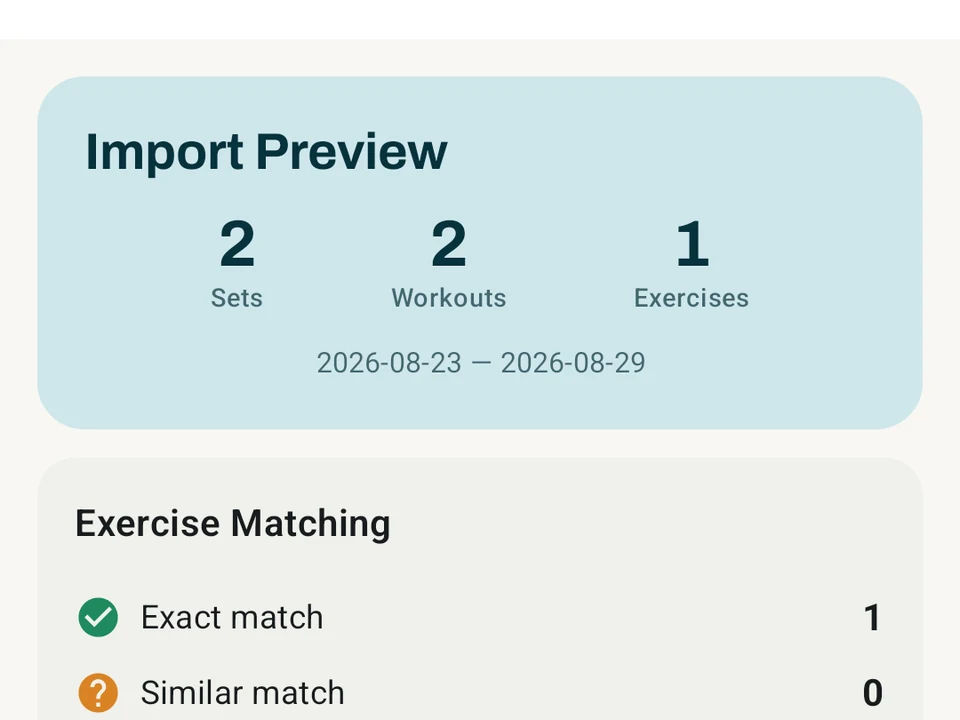
Real app capture
What this feature looks like with data
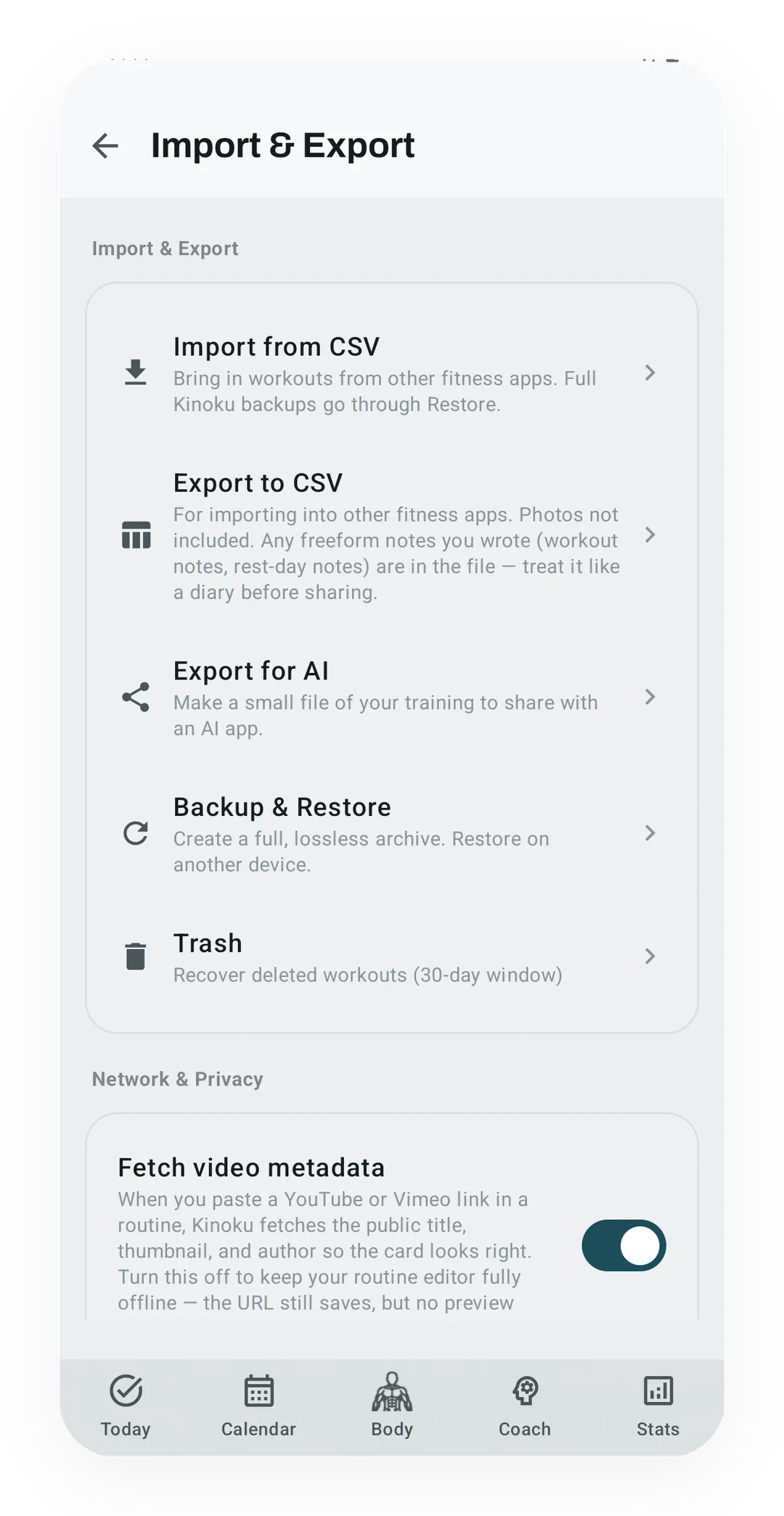 Open full-size image ↗
Import stays under your control
Workout-history import lives beside backup and export controls, with the resulting records stored in Kinoku's local database.
What it is
Strava Import is a one-time file read that moves your Strava history into Kinoku without a login. Strava lets you download everything it holds on you, and Kinoku reads those files once, on your phone, so there is no live link to Strava’s servers that Strava could later cut off. Years of runs sitting in another app should not be the reason you stay in it.
Suppose your archive holds six years of runs, a few rides, and the odd hike, which is the case this page works through.
What gets imported
A Strava export comes in two parts, a spreadsheet file named activities.csv and a folder of map files in .gpx format, one per activity. The map file stores the path you ran, second by second.
From the spreadsheet, Kinoku reads:
- Cardio workouts, so your runs, rides, hikes, and walks all come across.
- Distance.
- Elapsed time and moving time.
- Maximum heart rate.
- Average heart rate, where the row has it.
- Elevation gain.
- The activity name and any notes you wrote.
From each map file, Kinoku reads:
- Every point on your route, which is what lets it draw the map again.
- The time at each point, which is what rebuilds your pace.
- The height at each point, which is what draws your climb.
- Heart rate at each point, where the file carries it.
Once your six years are in, those runs feed every run screen, including Run Analytics, Zone Training, the Route Heatmap, share cards, personal record (PR) detection, achievements, and the running tab in Pro Analytics.
How to get your Strava export
Strava calls it a full download of your data, and you request it under Settings → My Account → Download or Delete Your Account → Request Your Archive. Strava then emails you a ZIP file holding activities.csv, one row per activity with the summary stats, and an activities/ folder with one map file per activity.
Download that ZIP and choose the file itself in Kinoku, without unzipping it first. The import runs in transactional chunks, so broken rows or route files are skipped or reported, and a chunk that fails late can leave the earlier chunks in place as a partial import that Import History can undo.
Why a file import rather than a live link
A live link to Strava sounds nicer than a file, and in practice it would mean four things.
- Kinoku would need a registered app on Strava’s side, with daily limits attached to it.
- Your run data would flow through a key that Kinoku holds on your behalf.
- Strava could withdraw that key at any point and break your imports with it.
- The link would have to live in a cloud service that never sleeps.
A one-time file import avoids all four, because you own the export and drop it in once, and from then on your history lives in Kinoku. The same reasoning is why Kinoku also reads files from FitNotes, Strong, Hevy, Jefit, RepCount, Liftin, and Fitbod. Owning your data is a feature rather than a slogan.
What happens after the import
Once your runs land, Kinoku works through a short list of follow-ups.
- Record detection. Old personal records show up as real events, sitting on their true dates.
- Achievements. Every run and streak award checks itself again against the fuller history.
- Kinoku Score. Cached scores are cleared so the next visit recomputes against everything you brought in.
- Run-derived steps. Step estimates from the imported activities are queued to rebuild after the app next starts.
Known gaps
- Rides recorded with a power meter often export as
.tcxrather than.gpx. Kinoku cannot read the route out of a.tcxfile yet, so those rides arrive with their distance, time, and heart rate but no map, and nothing is lost from the summary. - Progress photos are not part of any file import, from any app, and they ride along in the full backup instead.
- Segments, kudos, and comments stay out on purpose, because Kinoku does not copy Strava’s social feed.
- Training insights do not yet recompute straight after an import, and that fix is on the roadmap.
Common questions
Do I have to stop using Strava?
No, because the import reads a copy of your data and leaves your Strava account untouched, so you can keep posting there if you want to, and Kinoku never signs in to it.
What if one activity in the file is broken?
A malformed row or route file is skipped or reported while the rest keeps going, and a chunk that fails late still leaves the completed ones in place. Import History records the result and can undo the data that import created.
Will my gym sessions come across too?
Not from Strava, because its export covers cardio only. If your lifting history sits in FitNotes, Strong, Hevy, Jefit, RepCount, Liftin, or Fitbod, Kinoku reads those files as well, and you can build your own file using the layouts on the import format page, then run both imports.
Do compressed map files work?
Yes, because Strava sometimes ships route files gzipped as .gpx.gz, and Kinoku unpacks those as it reads them.
How far back does it go?
As far back as your export reaches, because Kinoku puts each activity on its real date, so the oldest run in those six years lands where it belongs in your history rather than on the day you imported it.
Related
- Backup & Import: the ZIP backup plus the other file imports.
- GPS Runs: how Kinoku tracks a run on its own.
- Run Analytics: where your imported runs go for review.
The free layer
The import itself is free, with no cap on how many activities you bring in, because leaving one app for another should not cost you anything at the door. Once your runs are in, the deeper run screens follow Kinoku’s usual split, so Run Analytics, Zone Training, the Route Heatmap, and the running tab in Pro Analytics are Pro. Your imported history stays yours on every tier. What Kinoku can read out of an old archive is bounded by what Strava wrote into it, and that is the one part neither of us can repair afterwards.
Still weighing the move? Kinoku vs Strava for GPS runs puts the two side by side, with every Strava fact quoted from Strava’s own pages.
Try it for yourself.
Available on Google Play. Core access starts on the free tier.
Get on Google PlayRelated surfaces
Lossless backup, open CSV and JSON import, Strava import, and a scoped Export for AI handoff.
Live pace, splits, a route map, and audio cues. Your run record is not uploaded to Kinoku; map tiles load when you view maps, and weather is a clear opt-in.
Offline run breakdown with splits, a fitness score from your runs, a pacing score, best efforts, race forecasts, and a compare card that stacks each run against your similar past runs.
Scan a routine from a photo. Point at a coach's program, a screenshot, or a handwritten card, and Kinoku reads it into a routine on your phone. Check what it was not sure about, then import. Nothing is uploaded.