

Muscle Impact (Post-Workout)
A body shape colored by this session's effort per muscle, with the top 3 muscles as pills. About this workout, not a stale average.
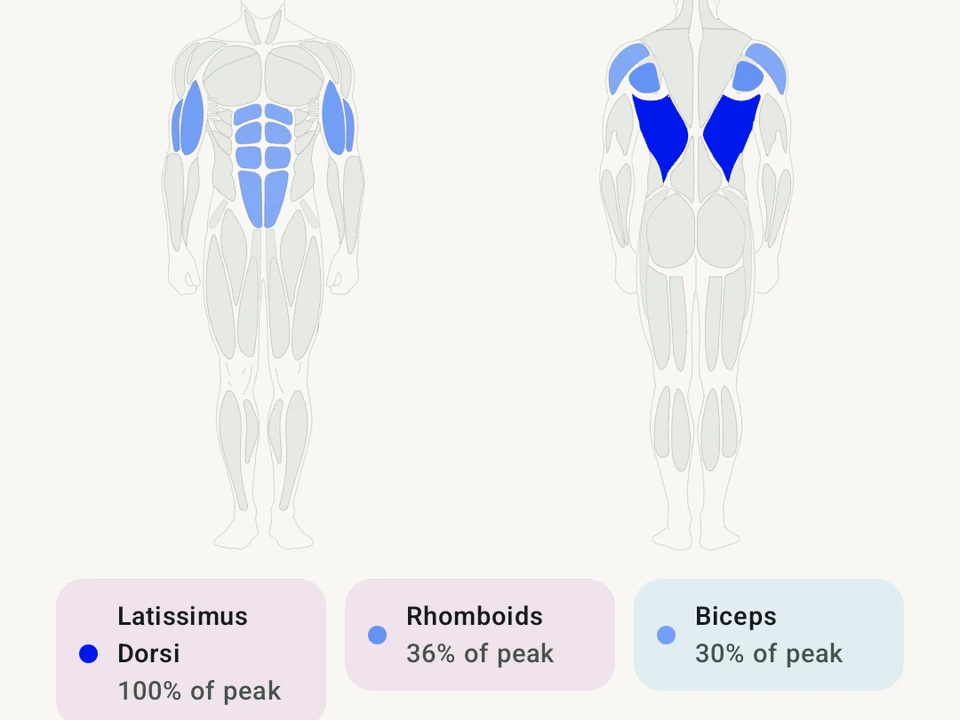
Real app capture
What this feature looks like with data
 Open full-size image ↗
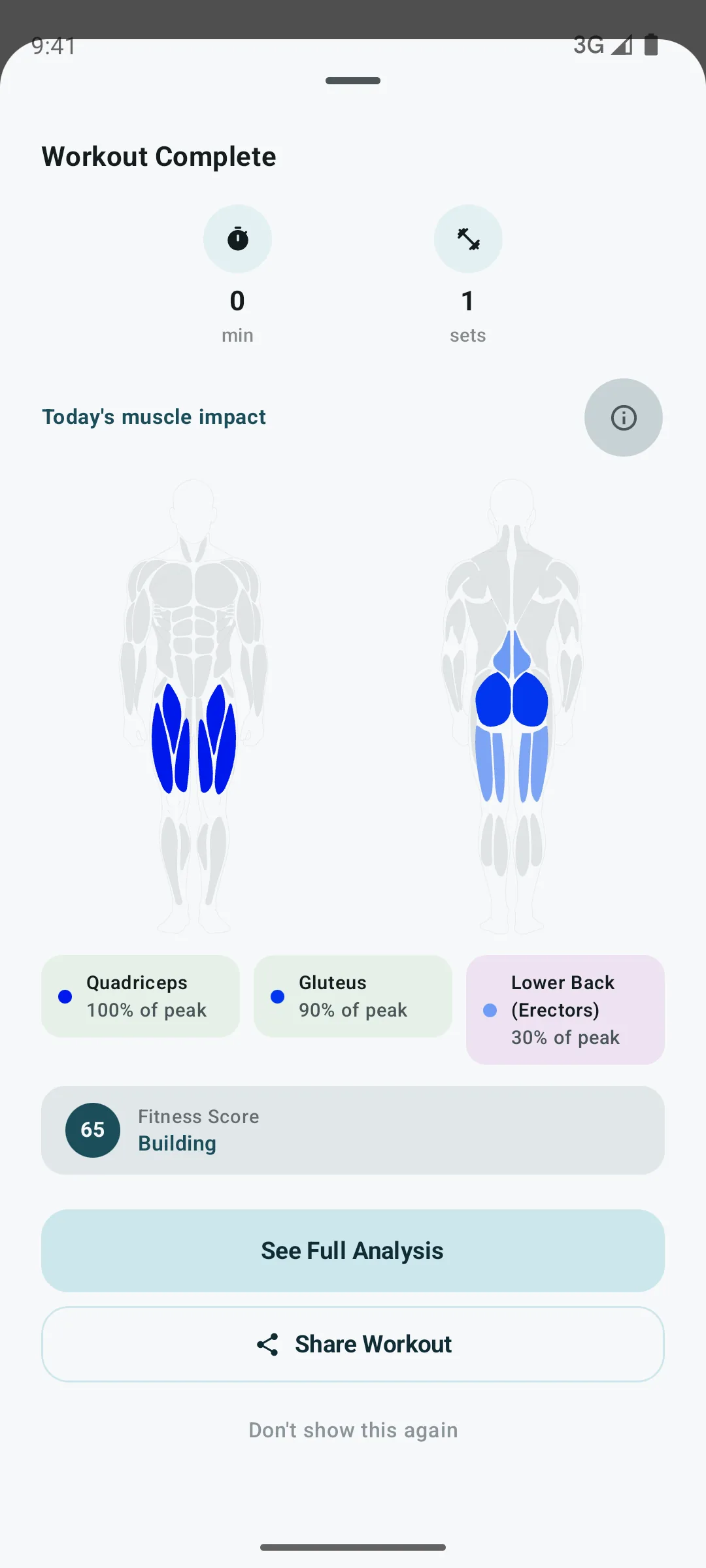
Post-workout summary sheet
Real capture: the silhouette heatmap and top-3 contributor pills, shown immediately after a session ends.
 Open full-size image ↗
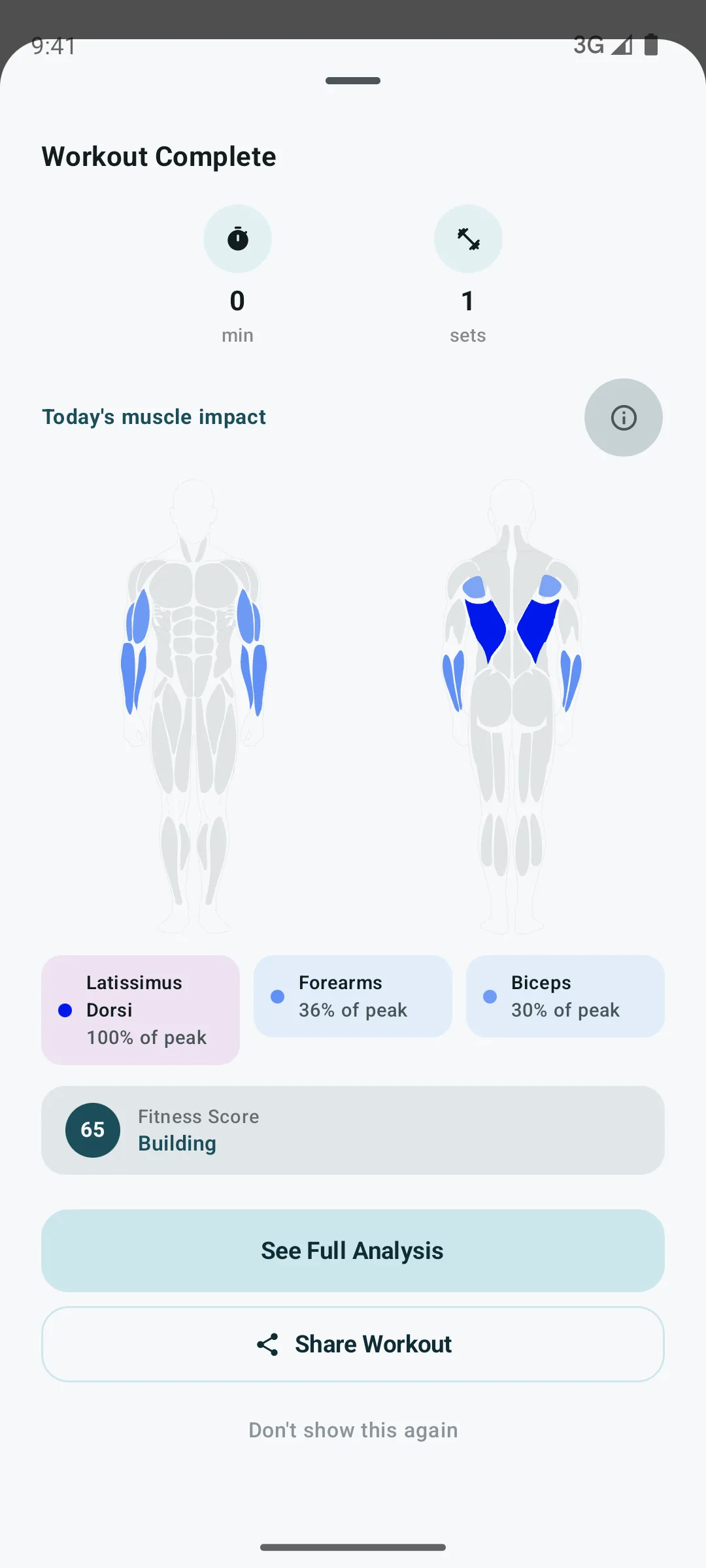
Pull session variant
The same card after a bodyweight pull session. Latissimus Dorsi at 100% peak, with Forearms and Biceps as secondary contributors.
What it is
Muscle Impact is the body shape on the post-workout summary sheet, colored by the effort you just put into each muscle. Beside it sit the top 3 muscles as pills, each carrying its share of the work. A push day might read like this:
Chest 100% · Triceps 33% · Shoulders 28%How it’s worked out
Those pills are the per-session version of the Muscle Map, so they cover this workout alone. Kinoku reads every set you logged in the session and blends four things:
- Volume: total reps times the real load per rep, since volume is how much work a muscle did. Bodyweight moves count your body weight too.
- Set type: Max Effort sets count 1.2 times, and drop sets count 0.8 times.
- Muscle data: each exercise carries its main and helper muscles from the exercise library.
- No warmups: warmup sets stay out of this heatmap. They go to the day’s warmup record on their own.
The hardest-hit muscle always reads 100%, and everything else shows as a share of that top muscle. The card then reads the same way whether one muscle did all the work or several shared it.
The pills are shares, not a verdict
One limit is worth holding on to. An easy push day and a punishing one can both finish at Chest 100%, because the scale is this session’s own top muscle rather than a fixed line. Read the pills for the shape of a session, and your volume history for its size.
What it replaced
An older version of Kinoku showed your last 7 days of muscle work here, which was a correct number in the wrong place. After a push day it still carried the pull work from earlier in the week. The card now answers one plain question, what did I just train, with a picture of this session.
Share card
Muscle Impact is one of the Hero Share Presets, the one keyed BODY_MAP, and Kinoku spots it for you. When a session has a clear shape, like one muscle that peaks or an even spread across several, the preset turns up in the share sheet with the body already drawn. One tap shares it, and the preset fills your share controls while leaving every one editable.
Why this is FREE
Seeing what you just trained is part of the basic training record, so a lifter who has finished a hard set gets to look at it without paying. The deeper math lives in Pro Analytics, home of the weekly muscle balance chart and the training frequency tool. Muscle Impact is the fast read you get the second you finish, and it stays free at every tier.
Related
- Muscle Map: your muscle work across the whole week
- Logging: the session flow that makes the data
- Share Cards: where the body-map preset lives
- Pro Analytics: long-range muscle balance
Try it for yourself.
Available on Google Play. Core access starts on the free tier.
Get on Google PlayRelated surfaces
Frequency and training-volume maps are free. Pro adds recovery estimates, readiness context, and exercise picks.
Every set, one tap. Track how hard each set felt, your rest timers, set types, and notes.
15 selectable looks plus Sticker export and 22 captions. After a session, Kinoku surfaces up to 6 looks that fit what happened.