

A week at a glance
I wanted Kinoku's calendar to tell me what I'd been doing before I opened any of its days. Looking across a week should give me some sense of the training in it, with the details there when I want them.
For me, that is glance value. A small day icon can help me recognize a familiar workout without opening it and reading through the exercises. Colour dots can carry a little more of the story while leaving room to see the days around it.
The calendar brings this idea together, but it runs through the way I think about Kinoku's styling. I want the things on screen to help me find my way through my own record. Being able to choose their appearance is part of that.
A small mark with a familiar meaning
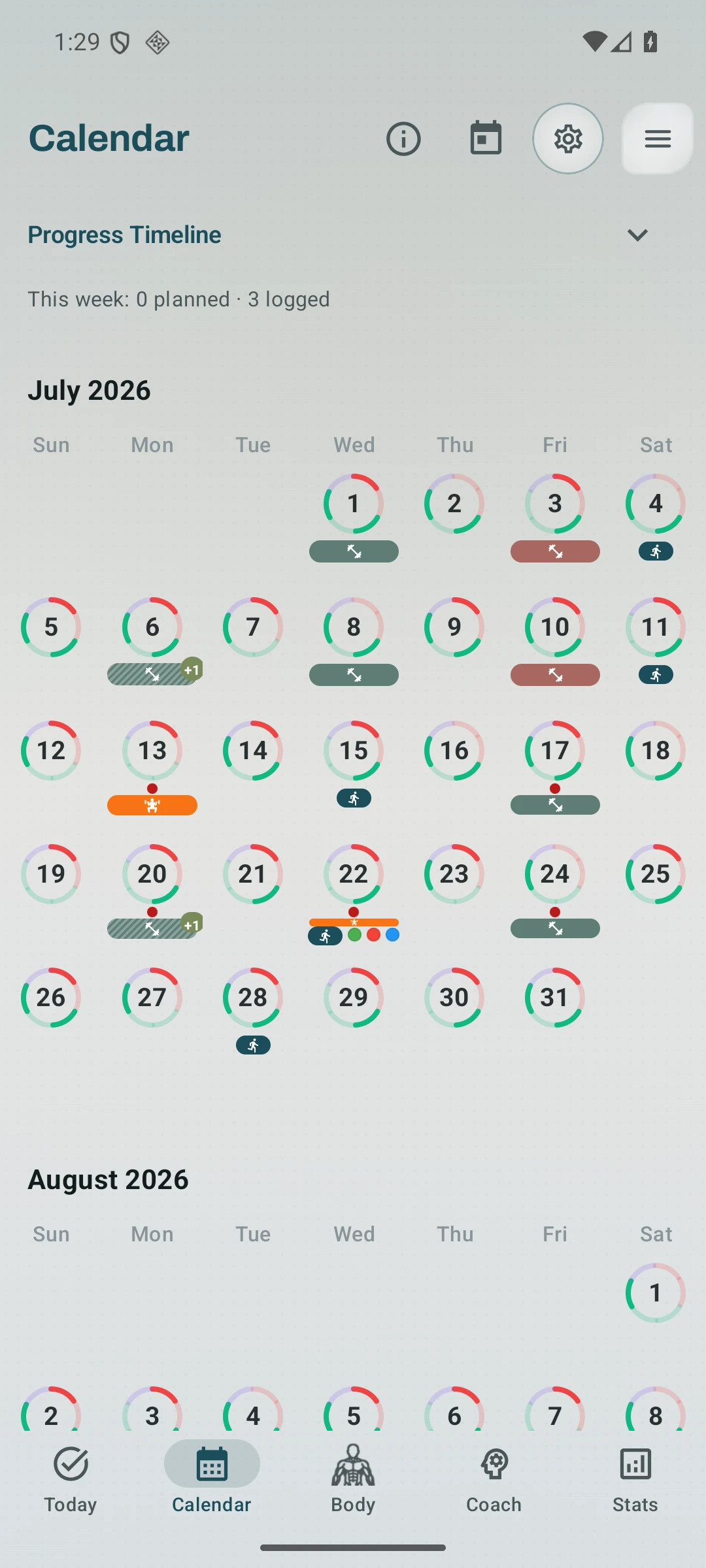
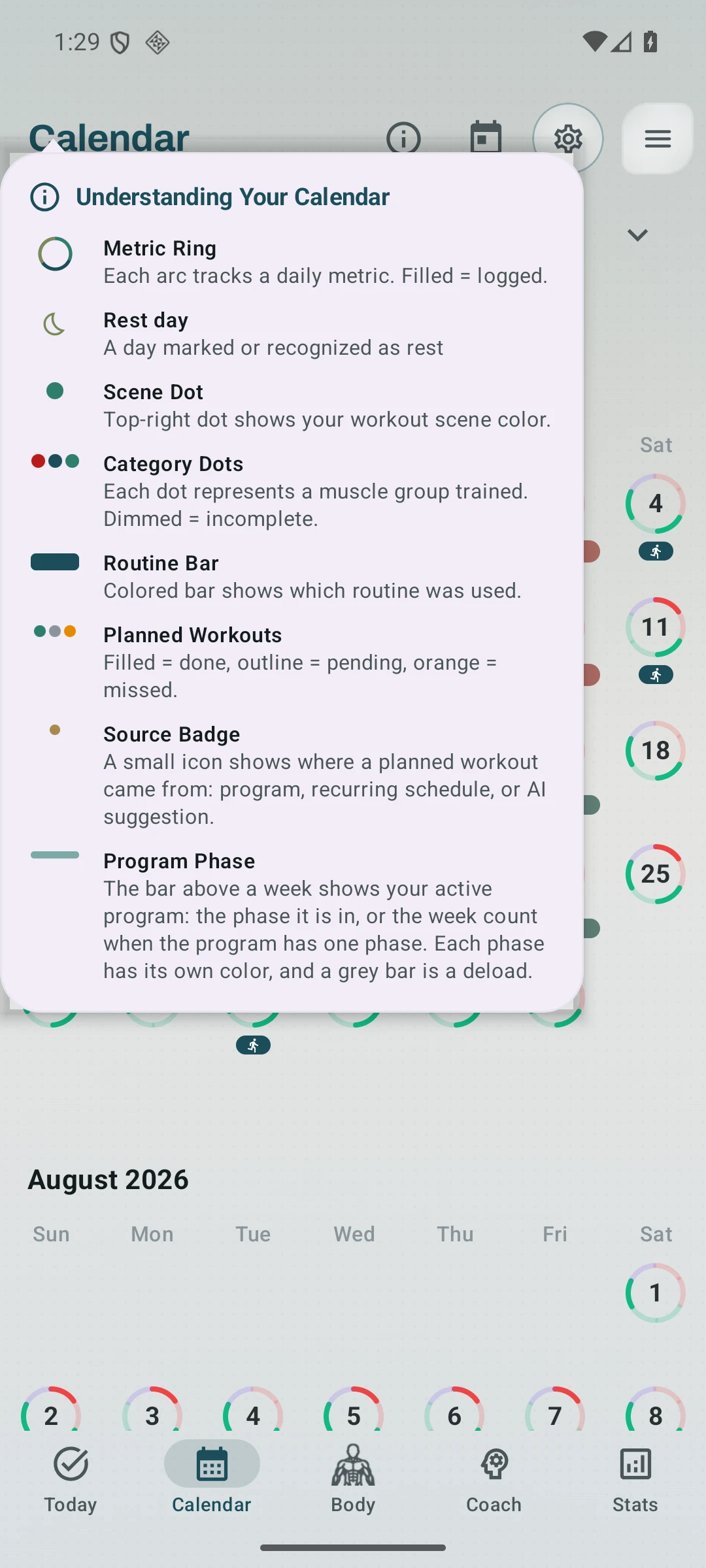
In the Calendar, a routine appears as a coloured bar with its icon. A run logged outside a routine has a smaller running symbol, so it can read as a run within a busy day. The marks give different kinds of training a shape you can pick out across the month.
Category dots add another kind of detail. They use the colours of the exercise categories, so a day of training can carry several dots. A dimmed dot marks incomplete work, which keeps a partly logged day from looking quite the same as a finished one.
There are other cues when the day has something to show. A dot in the corner carries the workout scene's colour, while arcs around the date track the daily metrics scheduled for that day. The calendar has a legend that explains these marks, including the separate signs for planned workouts.
Taken together, those cues let a small space hold more than the fact that something happened. My aim is for the shape of a week to become familiar as someone uses the app. Seeing a routine's icon return on different days can be enough to find the part of the month they were looking for.
Making the shorthand your own
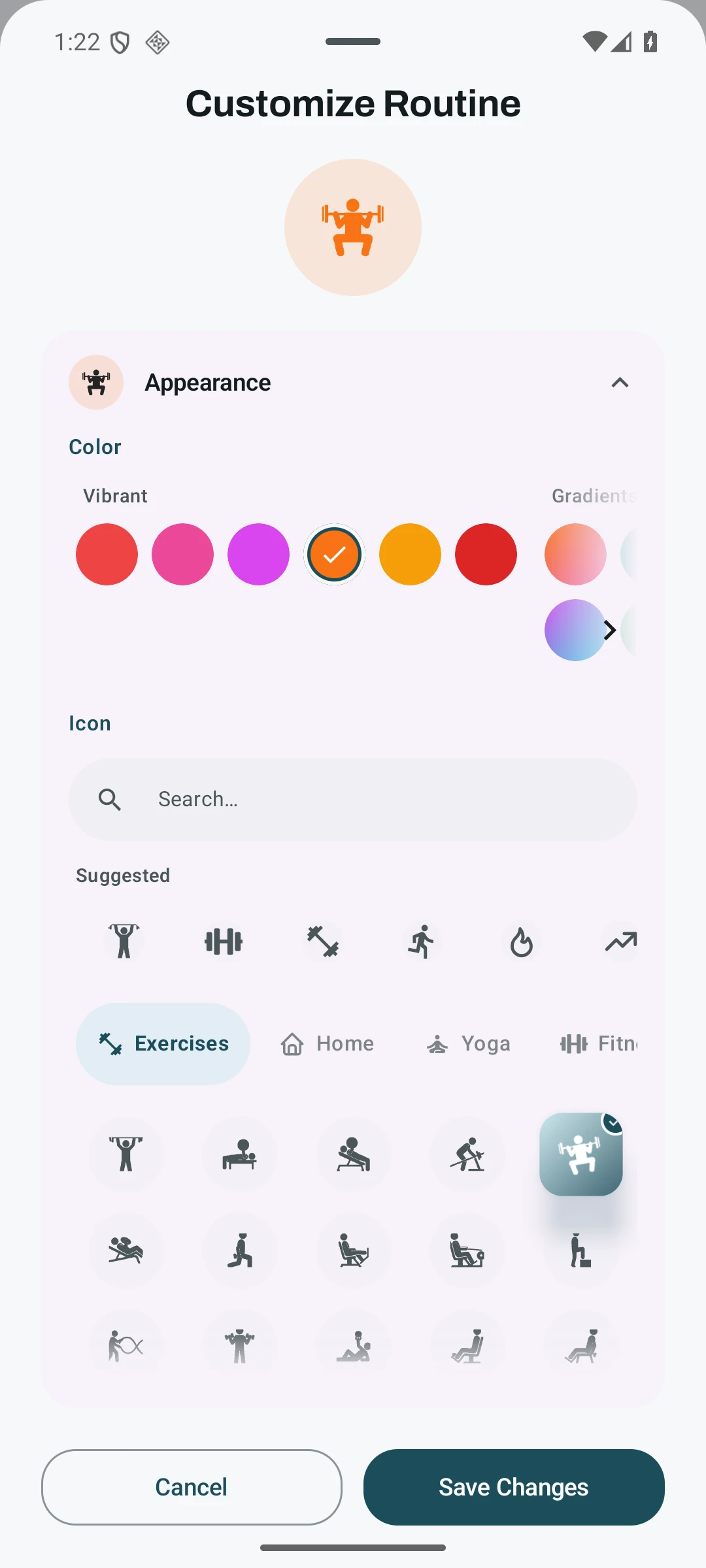
The colour and icon of a routine are choices you can make yourself. In the routine's appearance editor, the preview changes as you choose, and saving carries that choice into the calendar's routine bar. Both controls are available in the free app.
I care about that connection because customization can help make the record easier to recognize. If someone gives a routine a colour and symbol that make sense to them, those choices have a job each time the routine appears. They can become a familiar way of finding it among the other days.
It also leaves room for people to organize things differently. Someone might use related colours for similar sessions, while another person might care more about telling each routine apart. Those are ways to use the choices, rather than a colour code I expect everyone to adopt.
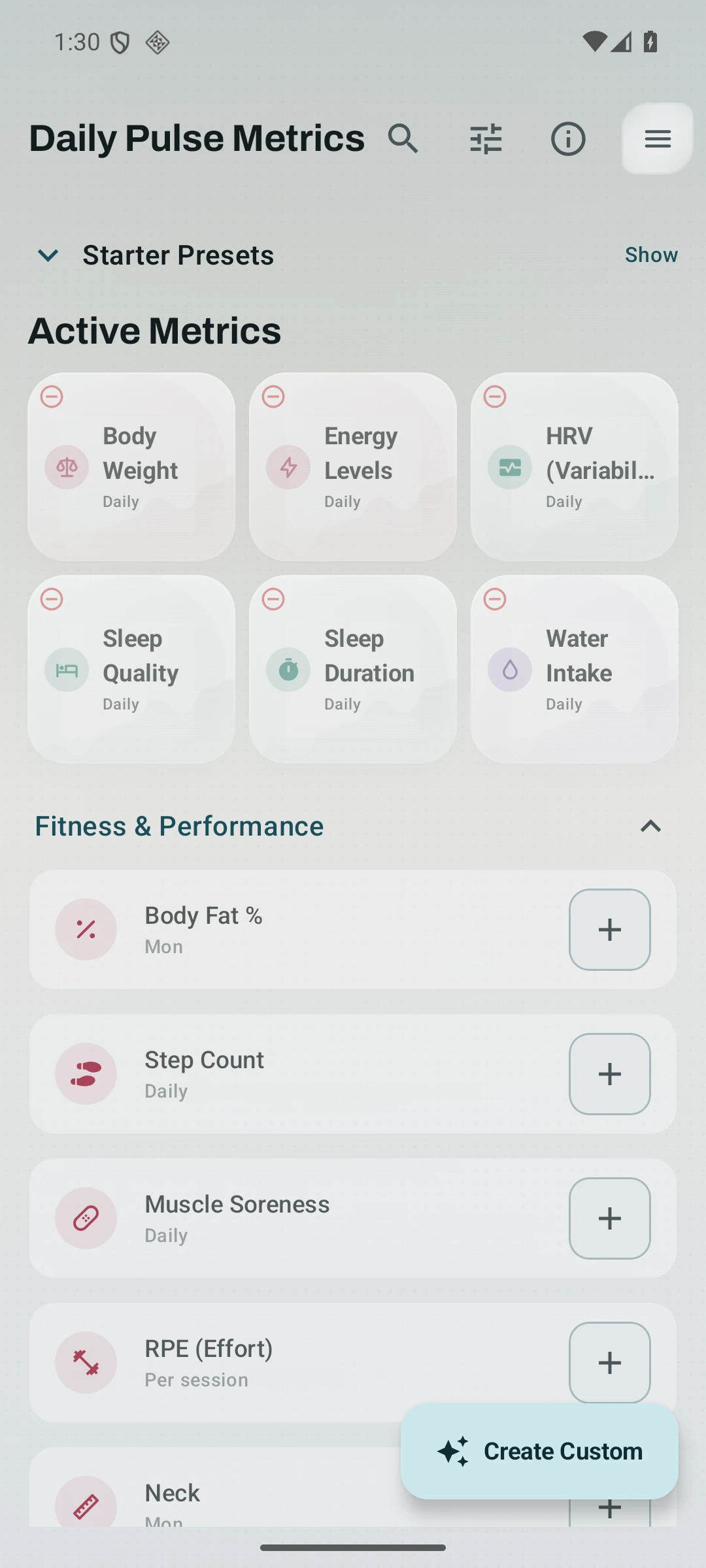
Exercise and metric editors also offer colour and icon choices. A familiar symbol beside a named metric gives another place to use that same idea: finding the thing you want among the things around it. The available controls vary by what you are editing.
Choosing these markers sits alongside the kind of customization I wrote about in the theme piece. Themes change the overall feel of the app. Choosing a routine's appearance gives something inside that app a personal meaning, which can stay familiar as you build a longer history.
Knowing when to open the day
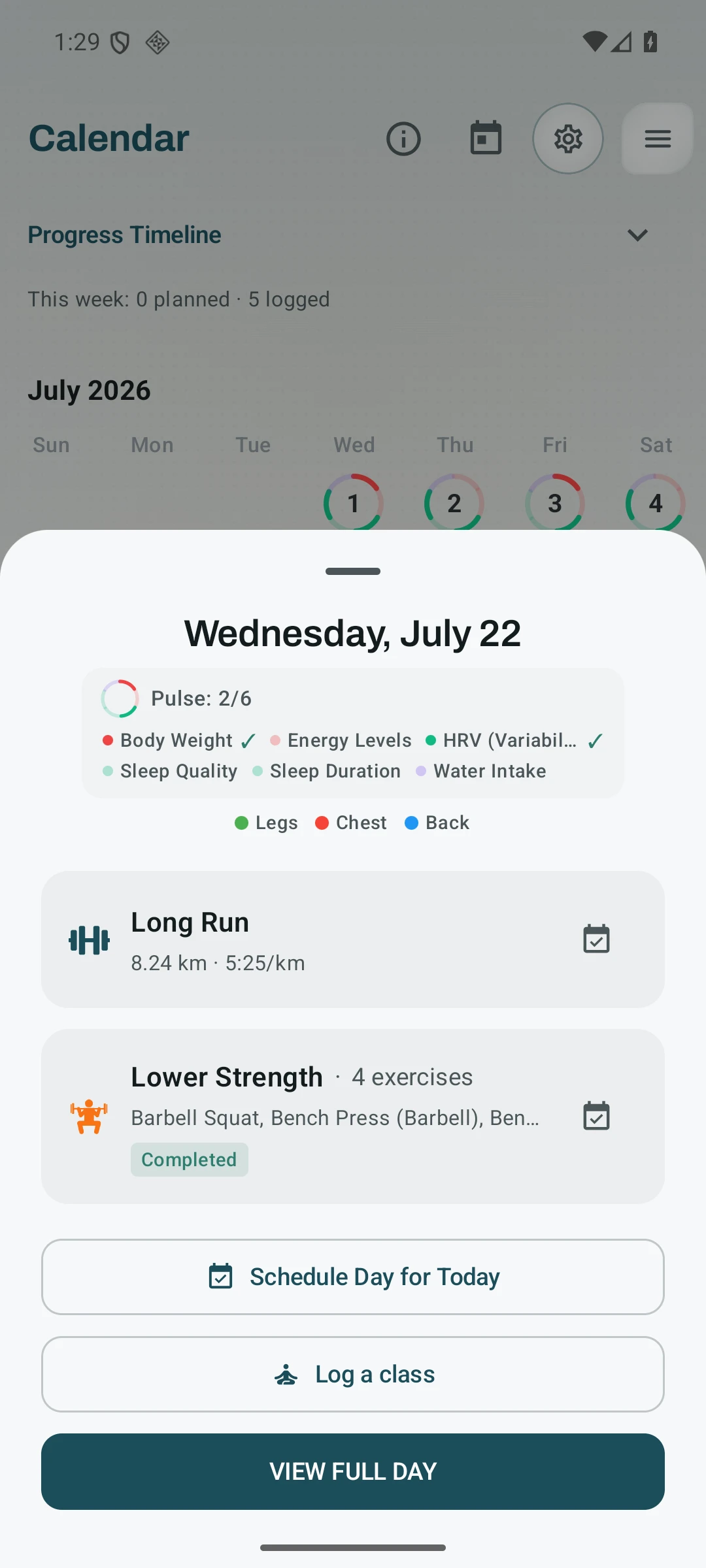
A useful glance still has limits. The small marks don't explain the sets you completed, how a session felt, or every activity on a crowded day. Opening the date brings back the names and full records, so the shorthand has a way back to the detail.
Colour also needs help from other cues. An icon gives a routine another point of recognition, and the legend gives unfamiliar marks an explanation. I see that as part of making the calendar readable, rather than expecting a new user to understand every dot at once.
The compact view still has rough edges. The extra-session count can clip in the Retro 8-Bit theme, so there is more work to do on how dense days fit. A small marker only earns its place if it remains readable.
The result I want is a calendar that gives me a useful first look and lets me choose where to spend more attention. The calendar page explains the planning tools that sit alongside this history. If you use the calendar, I'd like to hear which marks you recognize first and which still make you stop to think.
Related features
Plan workouts on one calendar, with no limit on how many plans you keep or how far ahead you plan. Pro adds repeating schedules (weekly, custom days, or every few weeks), drag-to-move, bring-to-today, repeat-day, and day copy.
Unlimited routines, Smart Sync, Starter Packs, and follow-along links are free, and so are Rotation Groups that cycle through several routines for you.
Track anything with toggle, scale, value, duration, time-range, and combined metrics. Every type is free, and there is no limit on how many you keep active.
Try Kinoku
Core tracking works offline. No mandatory account. No Kinoku-hosted training-history cloud.
Get on Google Play →