

What happens to my data if I cancel Pro or downgrade?
Nothing is deleted. Your training data lives on your phone whatever plan you are on, and only the Pro screens lock again.
Nothing is deleted. Kinoku keeps your training data on your phone, and where it lives has nothing to do with your plan. Every workout, routine, metric and progress photo you logged stays in place after Pro ends, whether you canceled, a trial ran out, or Pro time from Rewards expired.
What changes is access to the Pro tools. Screens such as run analytics or the Pro Analytics hub show their lock again, and the smart features stop making new suggestions. The free plan has no caps on your data, so you can keep logging as much as before.
You can save a full copy of your data at any time. Open Settings, then Import & Export, then Backup & Restore, or use the Export your data button near the bottom of the Subscription screen, which opens the same place. Backups are free on every plan.
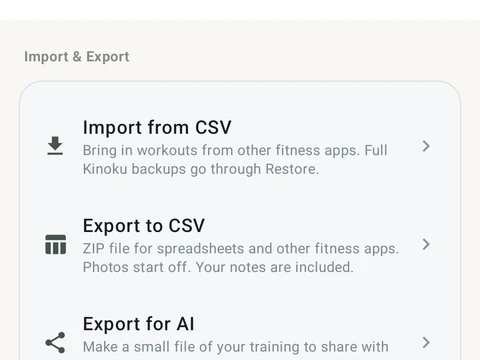
In the app
Backup & Import
Lossless backup, open CSV and JSON import, Strava import, and a scoped Export for AI handoff.