

Shoe Mileage Tracking
Track how far each pair of running shoes has gone. Get a heads-up before they wear out.
Real app capture
What this feature looks like with data
 Open full-size image ↗
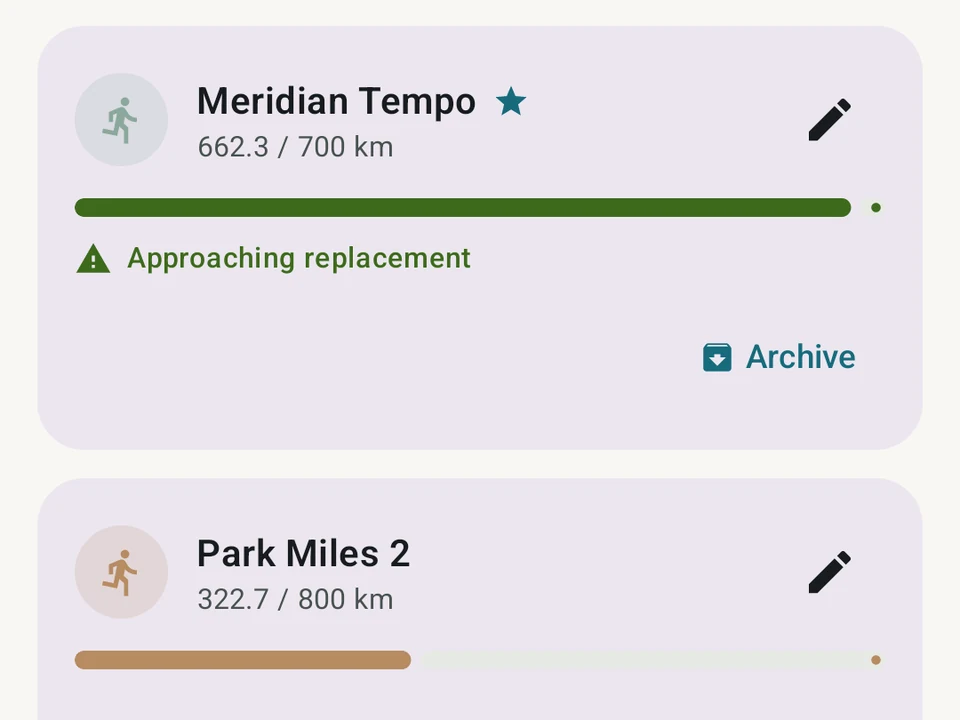
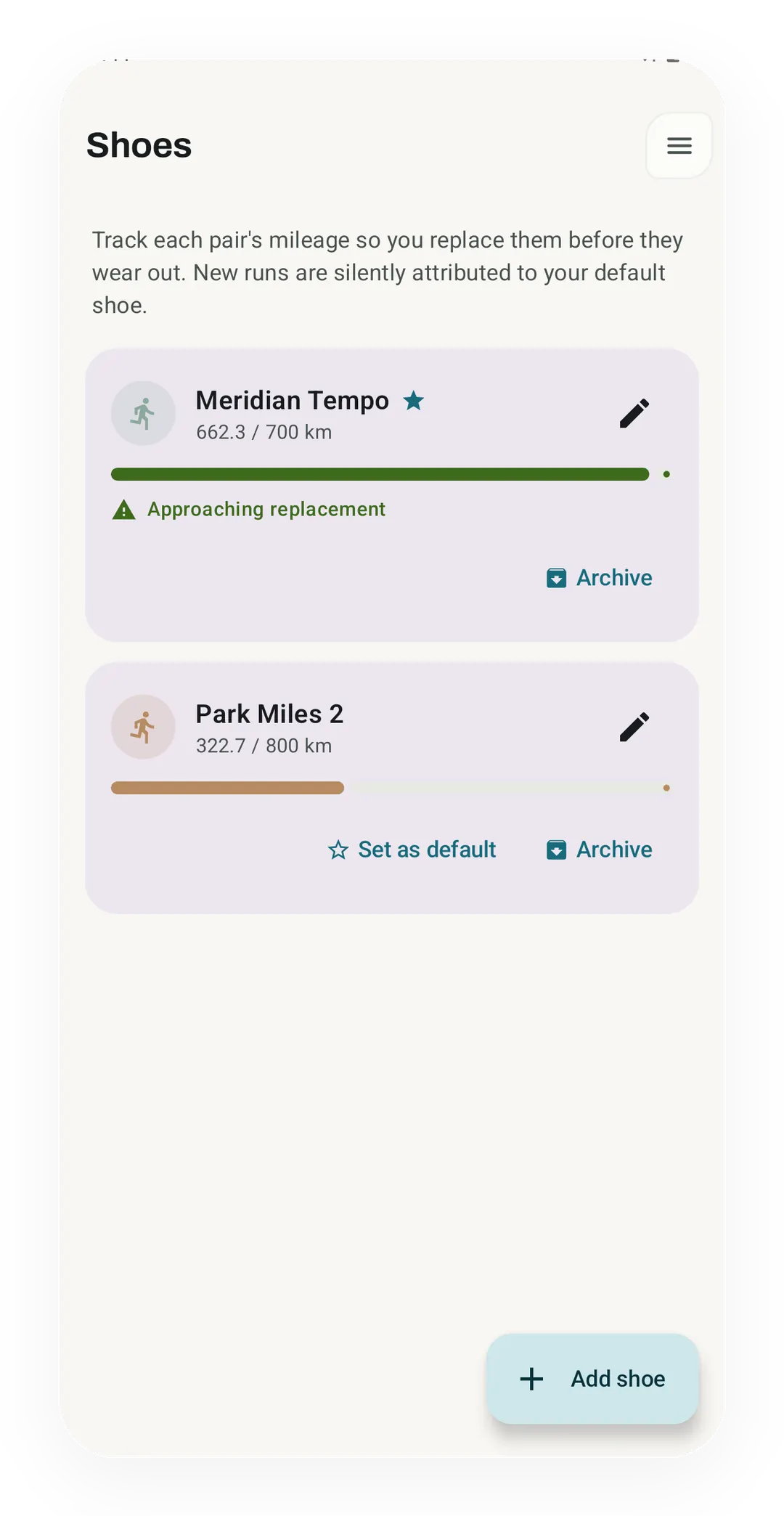
Mileage attached to the pair
Meridian Tempo, the default pair, has 662.3 of its 700 km and shows an approaching replacement note, while Park Miles 2 is at 322.7 of 800 km.
What it is
Running shoes change as their materials wear. Kinoku helps you track distance so you can inspect a pair on your own schedule. Add your shoes, choose a mileage reminder for each one, and let runs add up automatically.
Features
- Counts the miles for you. Pick a default pair. From then on, every new run gets added to that pair on its own. You do not have to pick a shoe before each run.
- Set your own swap-out goal. The goal starts at 800 km. You can set it lower for thin or trail shoes, or higher for thick daily trainers.
- Mileage reminders. Kinoku gives you a nudge at 80% (“Getting close”) and again at 100% of the goal you set. Mileage is context, not a diagnosis that a shoe is unsafe.
- Keep old pairs on file. Retire a pair you are done with. Its full mileage stays saved.
Your data stays yours
Your shoe data belongs to you. The full backup that moves your whole app to a new phone brings your shoe history with it. The mileage also goes into the CSV export, so you can take it to any other app.
Free, forever
Tracking every pair, its distance total, and the mileage reminders are free.
Try it for yourself.
Available on Google Play. Core access starts on the free tier.
Get on Google PlayRelated surfaces
Live pace, splits, a route map, and audio cues. Your run record is not uploaded to Kinoku; map tiles load when you view maps, and weather is a clear opt-in.
Offline run breakdown with splits, a fitness score from your runs, a pacing score, best efforts, race forecasts, and a compare card that stacks each run against your similar past runs.
Lossless backup, open CSV and JSON import, Strava import, and a scoped Export for AI handoff.