

How does the plate calculator work?
It shows which plates to load on each side of the bar. The calculator and the hint under the weight box are free, and plate settings need Pro.
The plate calculator shows which plates go on each side of the bar for the weight you plan to lift. It works for exercises that use a barbell, a Smith machine, a trap bar or an EZ bar (the bent curl bar).
On those exercises, a small hint under the weight box shows the plates for one side as colored dots. Tap the hint to open the full calculator, or pick Plate calculator from the ⋮ menu on the exercise screen. The full view draws the bar with its plates and lets you change the bar weight. Its Apply button puts the total into your set, and when your plates cannot make the exact weight, it says how far short the load is.
The calculator and the hint are free for everyone. Plate settings, where you pick the plates you own and how many of each, need Pro. You can hide the hint with the Plate Calculator Hint switch in Settings under Workout Experience.
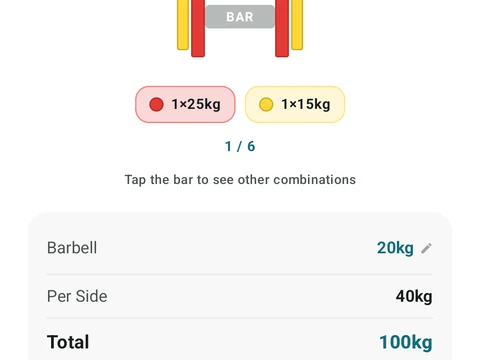
In the app
Plate Calculator
Load the bar fast with a visual plate layout. The calculator and bar-weight setting are free; Pro adds custom plate inventory settings.