

Can I create custom exercises?
Yes. Open the Exercise Library from the side menu and tap the + Exercise button. Custom exercises are free, with no cap on how many you make.
Yes. Open the Exercise Library from the side menu and tap the + Exercise button to open the editor. Give the move a name, then pick its type, the gear it uses and the muscles it works.
The editor also sets which boxes each set shows, such as weight and reps or distance and time. It has room for a few more details too, like how to do the move. Once you save it, your own move shows up next to the built-in ones in the library and in the list you pick from during a workout.
Custom exercises are free, and there is no cap on how many you can make. The library already holds more than 1,300 built-in moves, so the one you have in mind may be there under a slightly different name.
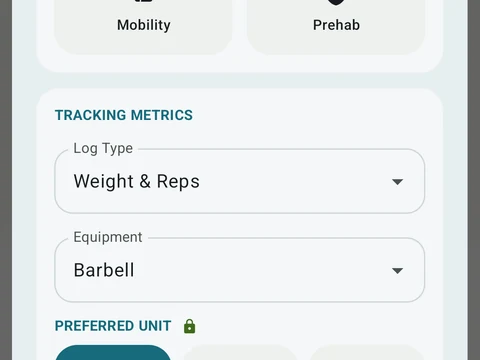
In the app
Exercise Library
1,300+ built-in exercises with muscle data and unlimited custom moves are free. Pro adds custom form photos and assisted sorting.