

How do I change what an exercise tracks, like its log type or count?
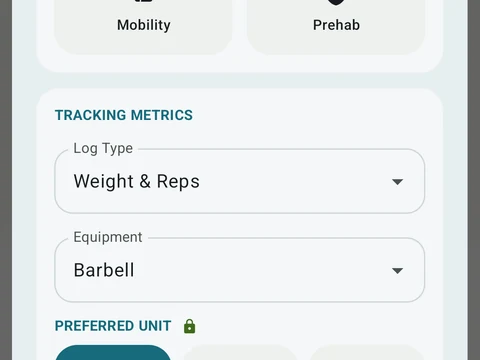
Open the exercise editor and pick a new Log Type under Tracking metrics. Cardio moves can also set a Count of reps, steps or floors.
Each exercise has a log type, which picks the boxes every set shows, such as Weight & Reps, Distance & Time, Reps Only or Time Only. You change it in the exercise editor.
- During a workout, tap the pencil at the top of the exercise screen, or open its ⋮ menu and tap Edit exercise.
- Outside a workout, tap the exercise in the Exercise Library.
- In the editor, the Log Type picker under Tracking metrics lists all twelve types.
Two of the types add a time box to a weighted move. Weight, Distance & Time fits a sled push, and Weight, Reps & Time fits something like wall balls done for time. With the weight filled in, a tick completes the set once either of the other two boxes holds a value.
On a cardio exercise that counts something, a Count picker under the log type sets what the number means: Reps, Steps or Floors.
When you switch, your saved numbers stay, and a box the new type does not show is only hidden. If the change reaches other parts of the app, a review called Before you save opens first. There you can update this exercise, or save your edit as a new one so past workouts keep the old version.
In the app
Exercise Library
1,300+ built-in exercises with muscle data and unlimited custom moves are free. Pro adds custom form photos and assisted sorting.