

How does voice logging work?
Voice logging is a Pro feature. Tap Speak on the exercise screen and say a set, such as 225 for 5 reps, then check the filled boxes and save.
Voice logging is part of Pro. It lets you say a set the way you would say it out loud, such as “225 for 5 reps RPE 8”, where RPE is your rate of perceived exertion, a score for how hard the set felt.
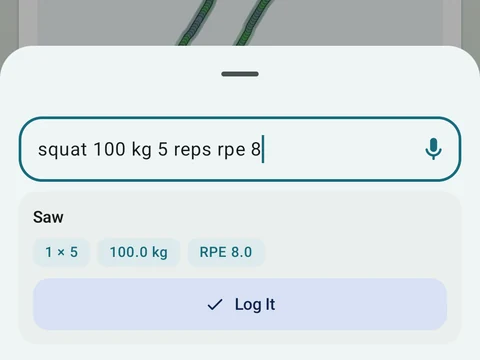
During an exercise, tap the Speak button to talk. A long-press on Log Exercise, or on any Add Exercise button, starts voice input too, and you can also log a set by voice from the workout notification. Your words show as a transcript, and the numbers fill the set boxes so you can check and change them before you save. Say “3 sets of 5 at 100” and the save button becomes Save 3 Sets.
A long-press on Speak opens two more choices. Type instead opens a box where you write the set in the words you would say, and Hide mic hides the button until you leave that exercise. The Voice Quick Log switch in Settings, under Workout Experience, keeps the Speak button off until you turn it back on.
Your phone turns speech into text, and it may use the internet for that when it cannot do it on the device. Logging sets by hand stays free for everyone.
In the app
Quick Log
Type or speak your sets in plain words when tapping each field feels slower than your workout.