

What is the AI Coach in Kinoku?
The AI Coach is a screen that ranks the biggest changes in your training history and shows them as signals. It runs on your phone, and part of it is free.
The AI Coach is the part of Kinoku that reads your training history and points out what has changed. Kinoku ranks the shifts that matter most, turns them into short signals, and lays them out on the AI Coach screen, which you open from the side menu. The work is pattern finding on your own phone, with nothing sent to a server, and each signal is there for you to weigh as you see fit.
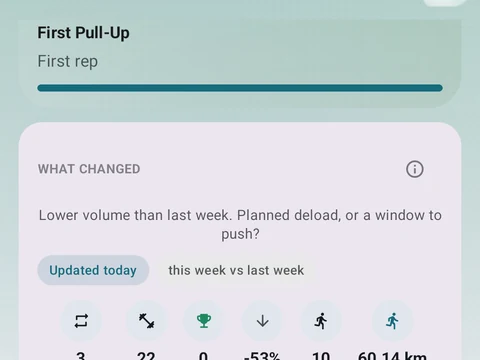
On the free plan the screen opens with a chart of your training form and a short read of today. Below it, a What changed card sums up your week, and that part does not need Pro. Pro adds the Top signals list, Lift intelligence for your recent lifts, Run intelligence, the Patterns detected section, and a suggestion for tomorrow’s session.
Early on, the screen says it is still learning from your first workouts, because the signals need some history before they mean much. A tap on a signal card explains why it appeared. Settings under Tips & coaching lets you hide or snooze tips, or switch off whole groups of them.
In the app
AI Coach
Coaching screens that run on your phone and explain what changed in your training and why it matters.