

One workout, three ways to log it
I came to Kinoku from FitNotes, and I was happy with that way of logging a workout. The session view showed my exercises and sets. When I wanted to enter something, I opened the exercise and used the controls there.
That is still the layout I prefer. The big buttons for increasing and decreasing values sit at the bottom of the screen, where I can reach them with one hand. When my heart rate is up and my fingers are tired, I find those controls easier to hit.
So adding inputs to the session screen started with thinking about what someone else might be used to. I figured people coming from some of the bigger workout apps would expect to edit their sets right there in the list. I wanted to offer that while keeping the look of Kinoku consistent with the rest of the app.
I ended up with three versions, and I like all of them for different reasons.
Three ways to arrange the same set
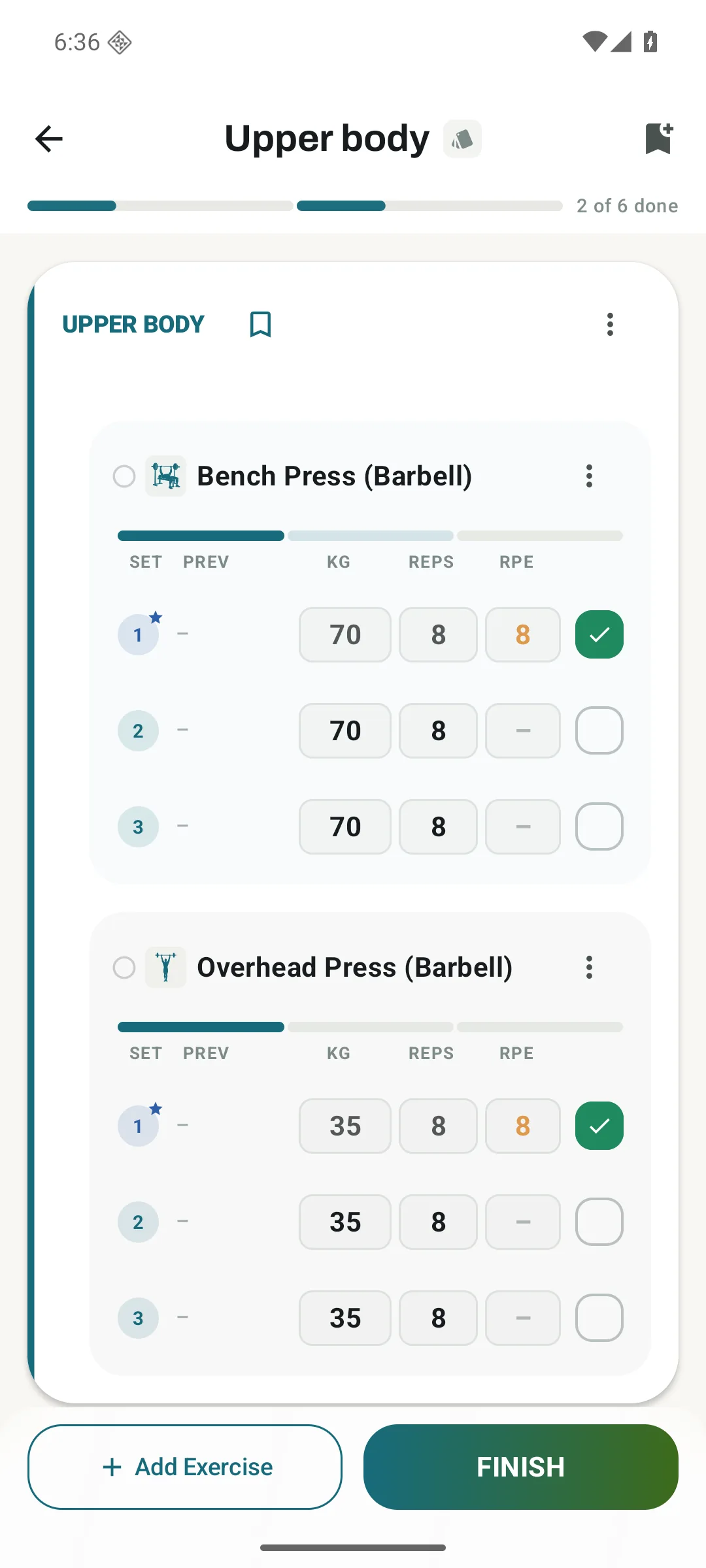
Tabular Grid is the columnar option. The headings give each value a place, and you can read down the sets to compare them. Previous performance sits alongside the numbers you are entering. If that is how you are used to reading a workout, it should feel familiar.
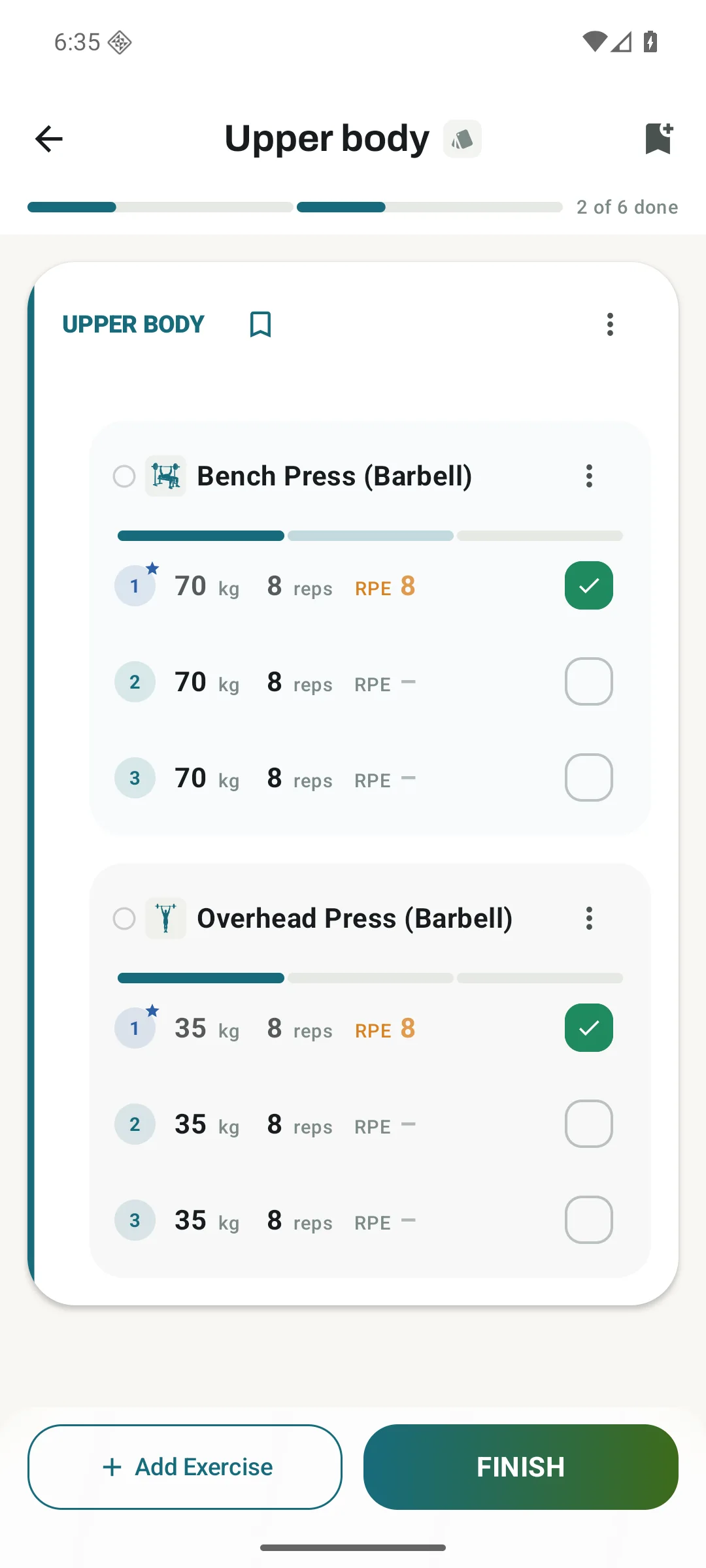
Clean Inline stays closest to the original session view. The numbers have very little framing around them, but you can tap to change them without opening the exercise. Of the three inline styles, this is my favourite. It is the cleanest to my eye, and I like how much information fits without putting a box around every value.
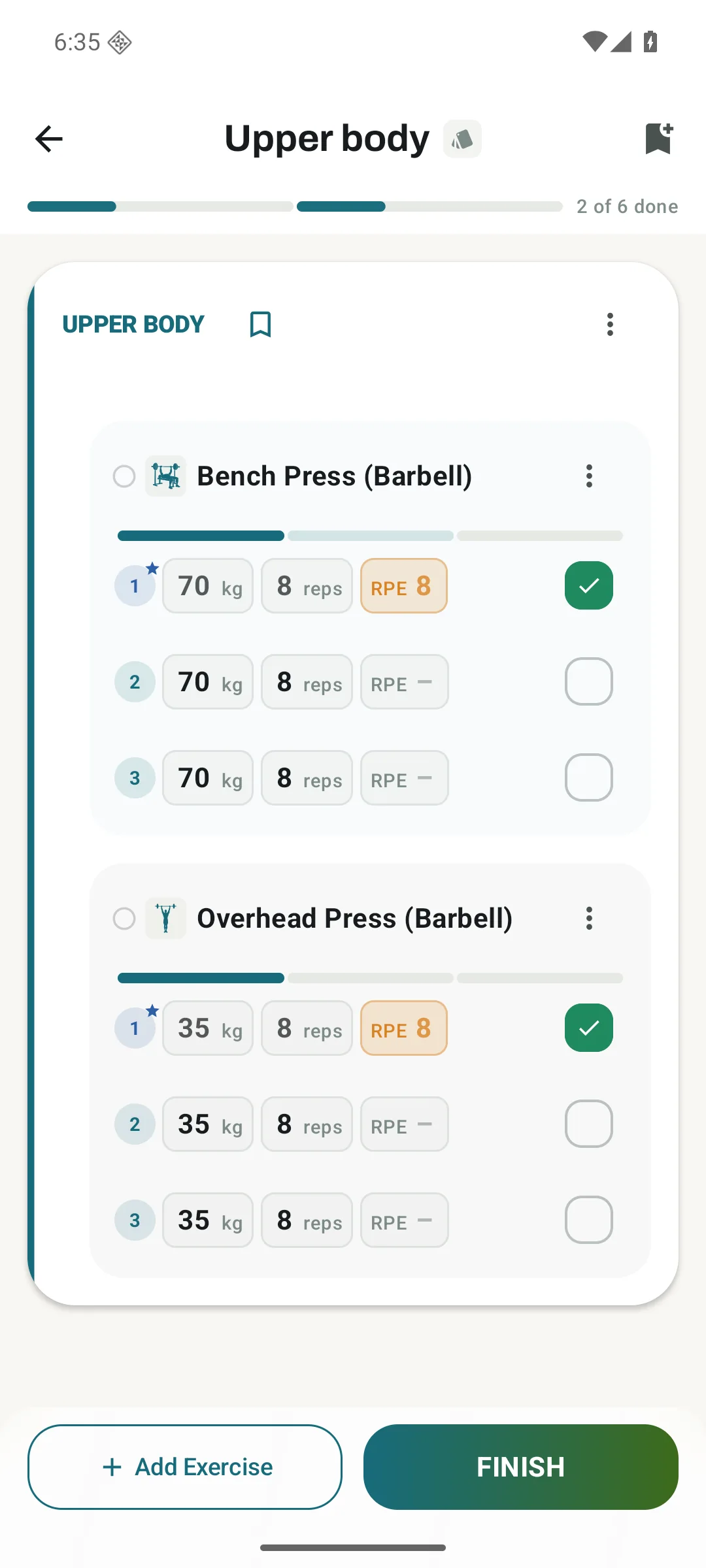
Then there is Compact Pills, which gives the values rounded fields. Material 3 (M3) is one of Kinoku's design pillars, and this version brings more of that into the set row. The inputs have a visible shape, so they are easier to pick out from the surrounding text.
The workout underneath is the same in each case. You are choosing how to see and enter your sets, and the familiar exercise screen is still available if, like me, you prefer doing your logging there.
The same workout, four views.
Choose a view to take a closer look.
Clean Inline
Simple numbers with little around them. Tap a value to edit it in place.
Compact Pills
Rounded fields make the editable values easier to pick out.
Tabular Grid
Column headings and aligned values let you read down your sets.
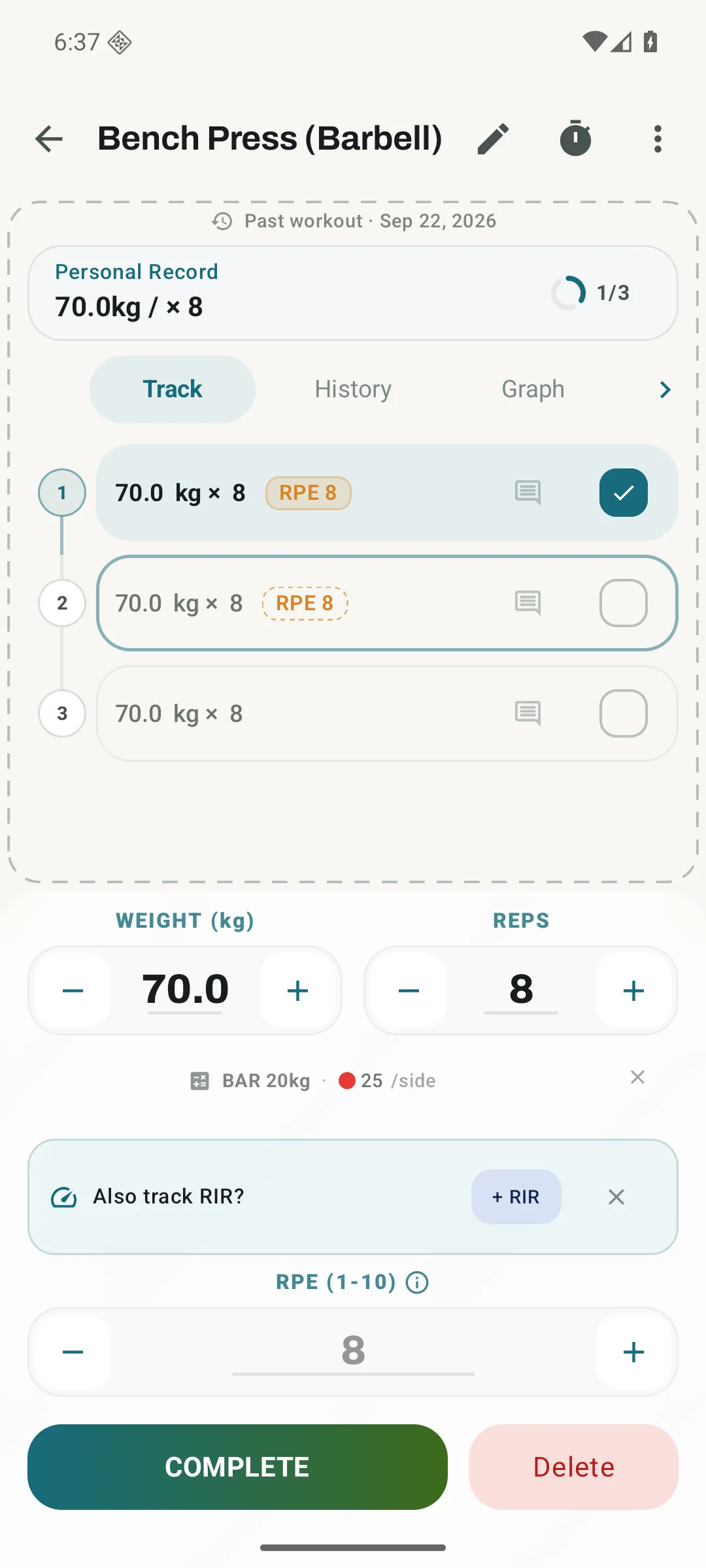
The exercise screen stays
Prefer one exercise at a time? The familiar set-entry screen still has its own place in Kinoku.
An app I expect to use for years
Customization was one of the things I wanted for Kinoku from the start. I think of a workout or running tracker as a long-term app, something I might keep using for years. Being able to make it comfortable for myself matters a lot to me.
I also know that plenty of people will never go looking through all these settings. There is work involved in building several versions of something, and I don't expect every option to earn that time back through more people choosing the app. Some people will be happy with the first layout they see and leave it there.
But if someone likes Kinoku enough to keep using it, I want them to have the option to make it fit them better. That could mean choosing how the app looks, or something as ordinary as deciding where they enter a weight. A set row is a small part of the app, but it is one you come back to throughout a workout.
My own preference is a good example of why I wanted to keep the choice. I have used all three new layouts and like them, but I am still most comfortable with the FitNotes-style screen. The controls suit how I use my phone at the gym, and I am used to them. Someone else may feel exactly that way about a table of editable sets.
I think familiarity accounts for a lot of this. People will naturally gravitate towards the option that feels closest to what they already know, and I am happy for that to be the reason they choose it.
All three inline layouts, along with the separate exercise screen, are part of Kinoku's free logging features. The set-logging guide shows the same sample workout in each view and explains how to switch between them.
Related features
Every set, one tap. Track how hard each set felt, your rest timers, set types, and notes.
Unlimited routines, Smart Sync, Starter Packs, and follow-along links are free, and so are Rotation Groups that cycle through several routines for you.
Charts per exercise, PRs, your best one-rep estimate, volume trends, and date filters. Every exercise type gets a chart that fits it: Best, Total, and Avg Time for holds, Best and Total Reps for rep work, and Best and Total Distance for distance work, not just weight charts.
Try Kinoku
Core tracking works offline. No mandatory account. No Kinoku-hosted training-history cloud.
Get on Google Play →