

Is my cycle and fertility data private?
Cycle records stay on your phone in their own database, which Android's automatic cloud backup leaves out. Kinoku does not send them to its servers.
Kinoku keeps your cycle records in a file of their own, away from your workouts. That file also holds your fertility and pregnancy logs and your Cycle Tracking settings. The insights drawn from them live there too, and the Android cloud backup leaves the whole file out.
Kinoku does not send these records to its servers, and it never writes them to Health Connect. If you turn it on, Kinoku can read period entries from Health Connect, which is a Pro feature. The records stay out of the main CSV export, share cards, Your Story and photo overlays, and a Wear OS watch never receives them.
Two paths you start yourself can carry the cycle file: a manual Kinoku backup, and an Android transfer to a new phone. Export cycle data, in the Cycle Tracking part of your Profile, makes a ZIP file of just your cycle records. Custom metrics you make stay with your workouts, so Android backup can copy them.
Delete all cycle data, in the same place, wipes your periods, symptoms, temperatures, fertility signs and pregnancy logs. It also wipes the insights built from them and the one-time prompts, and sets trying to conceive (TTC) or pregnancy mode back to normal tracking. Health Connect import stays on, but a period that began on or before the day you deleted can never come back in. Later ones can, and your other settings stay as they were.
One limit is worth knowing. An Android backup made before an update moved these records to their own file cannot be changed after the fact.
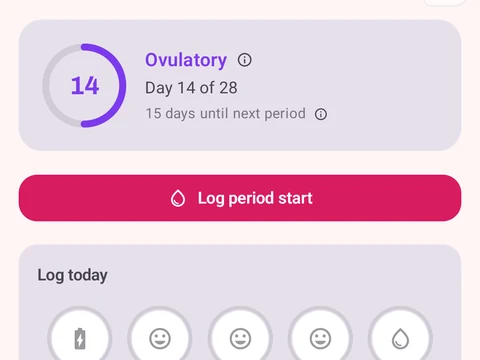
In the app
Cycle Tracking & Fertility
Full cycle, fertility, and pregnancy tracking, with phase context and training links. Dedicated raw records and generated cycle state are excluded from future Android automatic cloud backup, standard exports, share cards, and Kinoku servers. Your Cycle Tracking configuration lives in that same excluded database, while user-created metrics remain eligible for Android system backup in your Google account. A manual ZIP or user-initiated device transfer can carry the dedicated database.