

How does cycle tracking work?
Turn on Cycle Tracking in your Profile, log your last period and usual cycle length, and Kinoku shows phase estimates and a daily symptom log.
Cycle Tracking stays off until you switch it on. Open Settings, tap Profile, and turn on Cycle Tracking in its own section. A short setup asks when your last period started and how long your cycle and period tend to last. You can change those numbers later under Edit cycle parameters.
Once it is on, Cycle Tracking shows up in the side menu. There you can log periods, rate each day for energy, mood, cramps, bloating and flow, and see which phase you are likely in. The Training Calendar also shows the phases next to your workouts, and a switch called Show cycle phases on Training Calendar hides them if you would rather not see them.
Logging, predictions and the phase calendar are free. Pro adds two things: reading period entries from Health Connect, and insights that link your training to your phases once you have logged three full cycles.
Your cycle records sit in their own database on your phone, apart from your training data. Android’s automatic cloud backup skips that database, but a manual Kinoku backup or a phone transfer you start yourself can carry it.
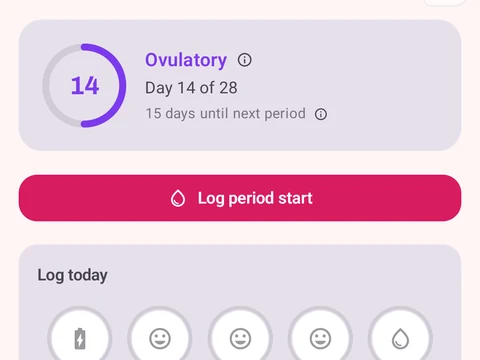
In the app
Cycle Tracking & Fertility
Full cycle, fertility, and pregnancy tracking, with phase context and training links. Dedicated raw records and generated cycle state are excluded from future Android automatic cloud backup, standard exports, share cards, and Kinoku servers. Your Cycle Tracking configuration lives in that same excluded database, while user-created metrics remain eligible for Android system backup in your Google account. A manual ZIP or user-initiated device transfer can carry the dedicated database.