

What does trying-to-conceive (TTC) mode do?
Trying to conceive mode puts fertility first, with a Best days to conceive card on the Cycle Tracking screen and the fertility inputs open on each day.
Trying to conceive, or TTC, is a mode you choose for when getting pregnant matters more to you than training patterns. You turn on the Trying to conceive switch in the Cycle Tracking part of your Profile. Kinoku first shows a short notice to confirm, which says the app is not a medical device and is not a form of birth control.
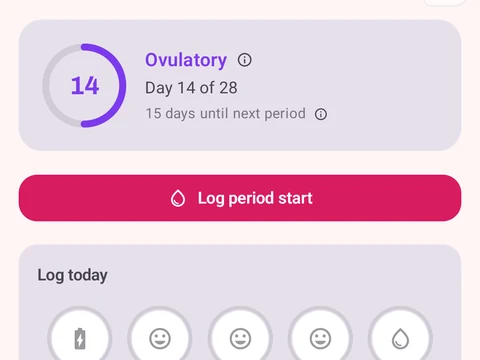
With the mode on, the Cycle Tracking screen shows a Best days to conceive card. It lists your fertile window and your peak day, with the method behind the dates and how sure it is. When you tap a day on the cycle calendar, its Fertility part opens right away, ready for basal body temperature (BBT), luteinizing hormone (LH) test and cervical mucus entries.
TTC mode is free. Turning it off, or confirming a pregnancy, sets the mode back to normal tracking. The notice also suggests seeing a doctor or nurse if you have been trying for 6 to 12 months.
In the app
Cycle Tracking & Fertility
Full cycle, fertility, and pregnancy tracking, with phase context and training links. Dedicated raw records and generated cycle state are excluded from future Android automatic cloud backup, standard exports, share cards, and Kinoku servers. Your Cycle Tracking configuration lives in that same excluded database, while user-created metrics remain eligible for Android system backup in your Google account. A manual ZIP or user-initiated device transfer can carry the dedicated database.