

How does pregnancy mode work?
When you log a positive pregnancy test and your period is more than a week late, Kinoku asks once whether to switch to pregnancy mode, which shows a due date.
Pregnancy mode starts with a question, and Kinoku never turns it on by itself. Say you log a positive pregnancy test and your period is more than a week late. A one-time prompt then asks, Are you pregnant? Tap Yes, I’m pregnant to switch modes, or Not now to keep tracking as before.
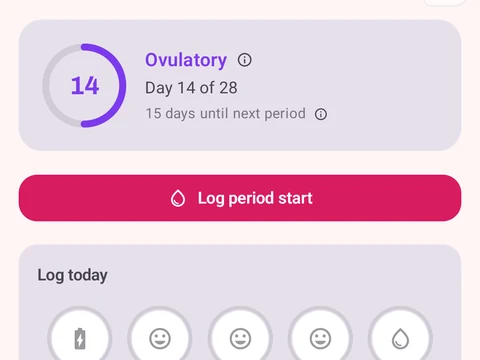
In pregnancy mode, cycle phase guesses pause and the phase colors leave the Training Calendar. The Cycle Tracking screen shows a Pregnancy card with your due date, counted as 280 days after the first day of your last period. The card also shows the week you are in, out of 40.
You can leave the mode at any time with No longer pregnant, and then pick Delivered, Pregnancy loss or Other. Kinoku keeps the pregnancy record in your history unless you delete all cycle data from your Profile. The app does not replace prenatal care, and the card says so as well.
In the app
Cycle Tracking & Fertility
Full cycle, fertility, and pregnancy tracking, with phase context and training links. Dedicated raw records and generated cycle state are excluded from future Android automatic cloud backup, standard exports, share cards, and Kinoku servers. Your Cycle Tracking configuration lives in that same excluded database, while user-created metrics remain eligible for Android system backup in your Google account. A manual ZIP or user-initiated device transfer can carry the dedicated database.