

How do challenges work in Kinoku?
Tap New Challenge on the Challenges screen, then pick one of 41 templates or build a custom goal. Kinoku tracks progress from what you log.
A challenge is a goal with a target, and Kinoku fills in your progress from what you log. Open Challenges from the side menu and tap New Challenge to set one up.
The Choose a Challenge sheet lists 41 templates, grouped by kind: beginner, strength, volume, consistency, cardio, endurance and composite. Pick one to fill in the form, then change the target or dates if you like. Custom Challenge starts from a blank form instead.
Under What to Track, a challenge can follow a metric, one exercise, your workout sessions or one routine. Then you pick how progress counts:
- Total Sum adds a number up over time, like total volume.
- Log Count counts how many times something happens, like the number of sessions you log.
- Streak counts days in a row. Weekly Streak counts weeks in a row that meet your weekly workout goal, so it works only when that goal is set.
- Hit Value is done once you reach a best, like a set target weight on the bench press.
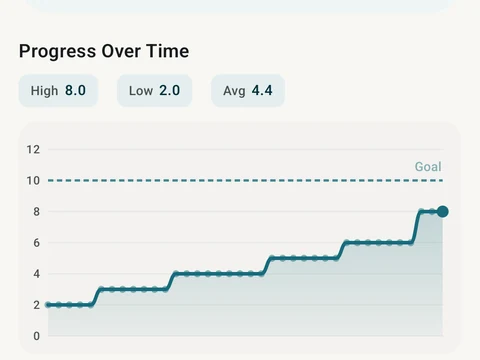
Most of this is free, including every type above and 35 of the templates. Pro adds Combined goals, which join several sub-goals in one challenge, plus the six templates marked with a lock. Pro also adds the Insights tab and the pace and projection charts on a challenge’s own page.
In the app
Challenges
41 templates across many data sources, with deeper detail as your tier goes up.