

Does my photo leave the phone when I scan a plan?
No. Kinoku reads the photo on your phone and deletes the picture it took once the plan is read. Nothing goes to a server, and the AI help runs locally too.
No. When you use Scan a plan, Kinoku reads the text in the photo on your phone. A photo you take with the camera for the scan is deleted once it has been read, and a screenshot you pick stays in your gallery as it was. Neither the image nor the plan in it goes to a Kinoku server, and you never need an account for any step.
The optional AI help for photo scan, which helps with messy or handwritten plans, also runs on your phone. The first time you turn it on, your phone may download the model through Google Play services. That download brings a file down to your phone and sends nothing up.
The routine you save from a scan becomes part of your normal app data, the same as a routine you typed in. So if Android system backup is on, that routine can be copied with the rest of your eligible app data.
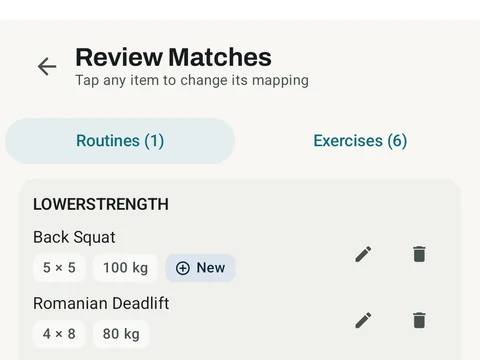
In the app
Photo Import
Scan a routine from a photo. Point at a coach's program, a screenshot, or a handwritten card, and Kinoku reads it into a routine on your phone. Check what it was not sure about, then import. Nothing is uploaded.