

What does Skip in progress tracking do?
It takes one lifting exercise out of the checks that follow your strength over time, which suits warmups, stretches and rehab moves.
Skip in progress tracking is a switch that takes one lifting exercise out of the checks that follow your strength over time. It suits moves you do for other reasons, such as warmups, stretching or rehab work, where a flat weight is the plan and a “stall” would only be noise.
With the switch on, a few things change for that exercise.
- Lift Progress stops checking it for gains or stalls.
- Strength charts that estimate a one-rep max leave it out.
- Your sets, volume and muscle map still count it, and Kinoku still marks new records on it.
The switch sits in the exercise editor under Tracking metrics. You open the editor with the pencil on the exercise screen, or by tapping the exercise in the Exercise Library. The switch shows only for Resistance exercises, because cardio, mobility and prehab moves are already outside these checks.
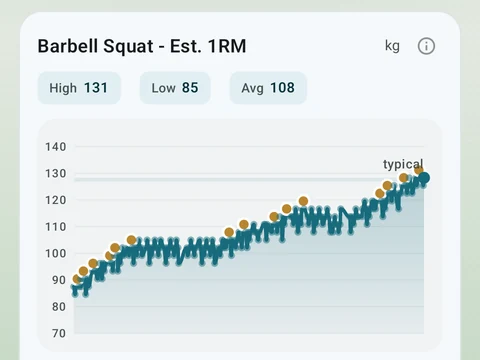
In the app
Lift Progress
Open a lift in Stats and a plain label says if it is progressing, holding steady, or slipping, with a flat-zone band on the chart. The label is free. Pro adds ideas for a stuck lift (options, never orders), an all-lifts dashboard, and a Coach card. It stays quiet when the data is thin.