

How do I use Kinoku on my Wear OS watch?
Install the Kinoku watch app from Google Play. On the watch you can log workouts, count steps and track GPS runs that sync back to your phone.
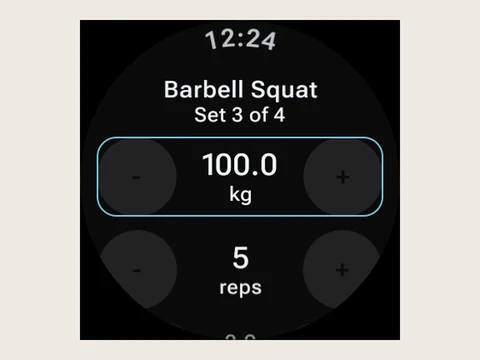
Kinoku has a watch app for Wear OS, which you install from Google Play. From the watch you can log workouts, count steps and track GPS runs, and they sync back to your phone when it is in range.
The watch has three tiles. One starts or continues a workout, one shows today’s sets, this week’s workouts and your streak, and one shows today’s steps. Complications are the small readouts on a watch face, and there are seven to pick from: your streak, the workout in progress, your last workout, today’s sets, workouts this week, today’s steps and your last run.
Runs from the watch reach your phone with the route, splits and heart rate zones. Watch steps merge with phone steps without counting twice. Gym sets you log on the watch keep their average and peak heart rate, and History shows both under each set.
After 3 hours with no new set, the watch stops tracking your heart rate and posts a Tracking paused notice, but your workout stays open. The watch app is free, while voice input on the watch is part of Pro, the same as voice logging on the phone.
In the app
Wear OS
A real watch app for workouts, runs, steps, tiles, and watch face data.