

Kinoku 1.7: Your Story and free next-set suggestions
Watch a year of training turn into stars, try free next-set suggestions, or trim a run after a late stop. The phone and watch changes in Kinoku 1.7.
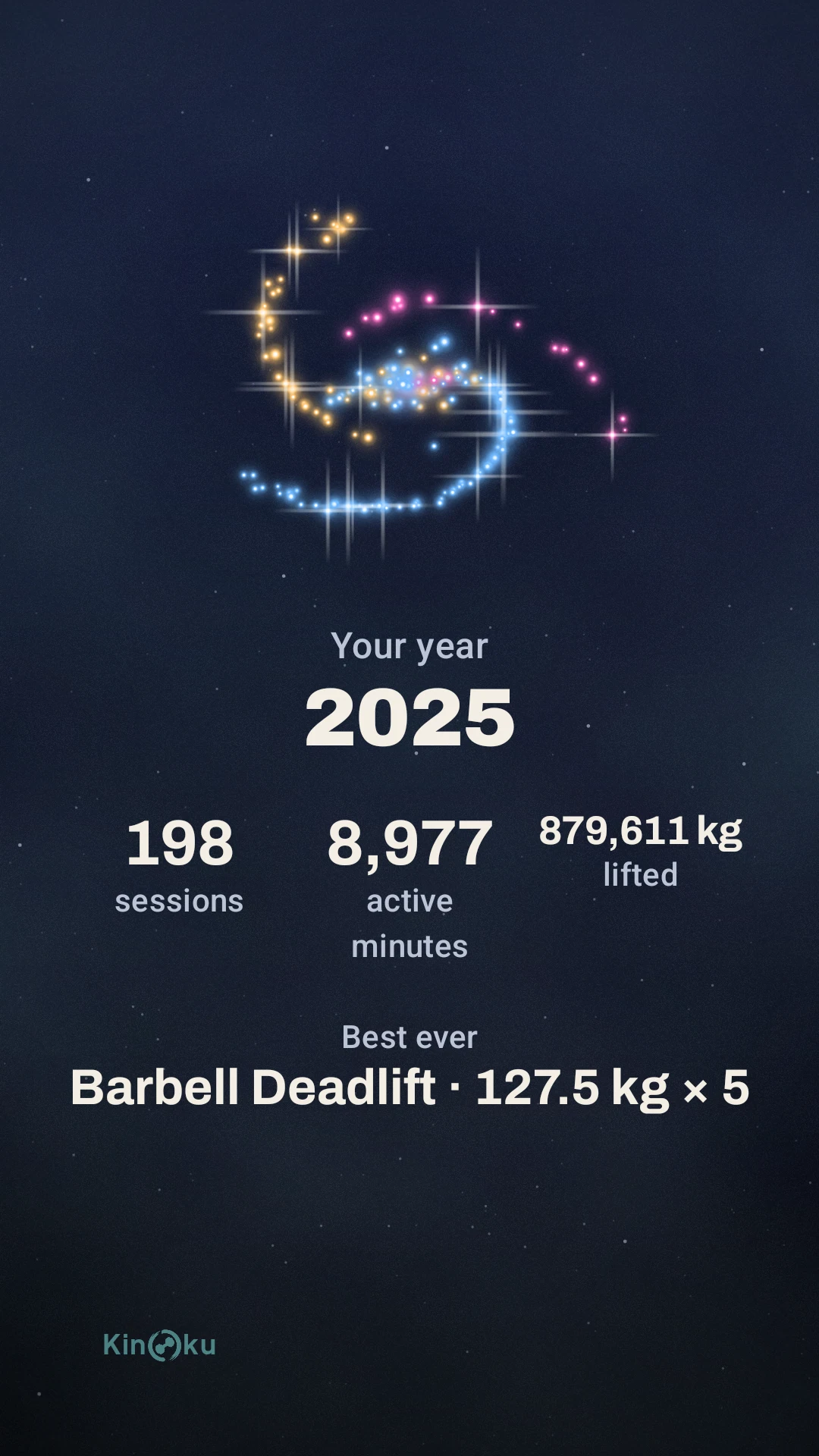
You might remember the heaviest lift you made last year, but can you picture all the sessions it took to get there? In Your Story, every session becomes a star, and each month or year has a different sky. Open Your Story in the side menu, pick a cover and watch the stars trace the shape of your training.
Hold a card to pause, or tap the edge when you want to skip ahead to the next one. The last card lets you save a picture of your totals and best moment or share a short film. This month, last month, this year and last year are free, and Pro opens older years in Your Story.
When to add weight to the next set
Say you train a lift in sets of 8 to 12. With free next-set suggestions on, Kinoku helps you build reps at the same weight until every working set reaches 12. That is the point where the next target moves up in weight and back down in reps.
You can turn on Progression suggestions in Settings under Automations and leave individual lifts out if you want. Tap the small number above a set value to see why it changed or to undo it. Pro adds Adaptive, which learns your pace, and lets you set your own rules.
When the run ended before the clock
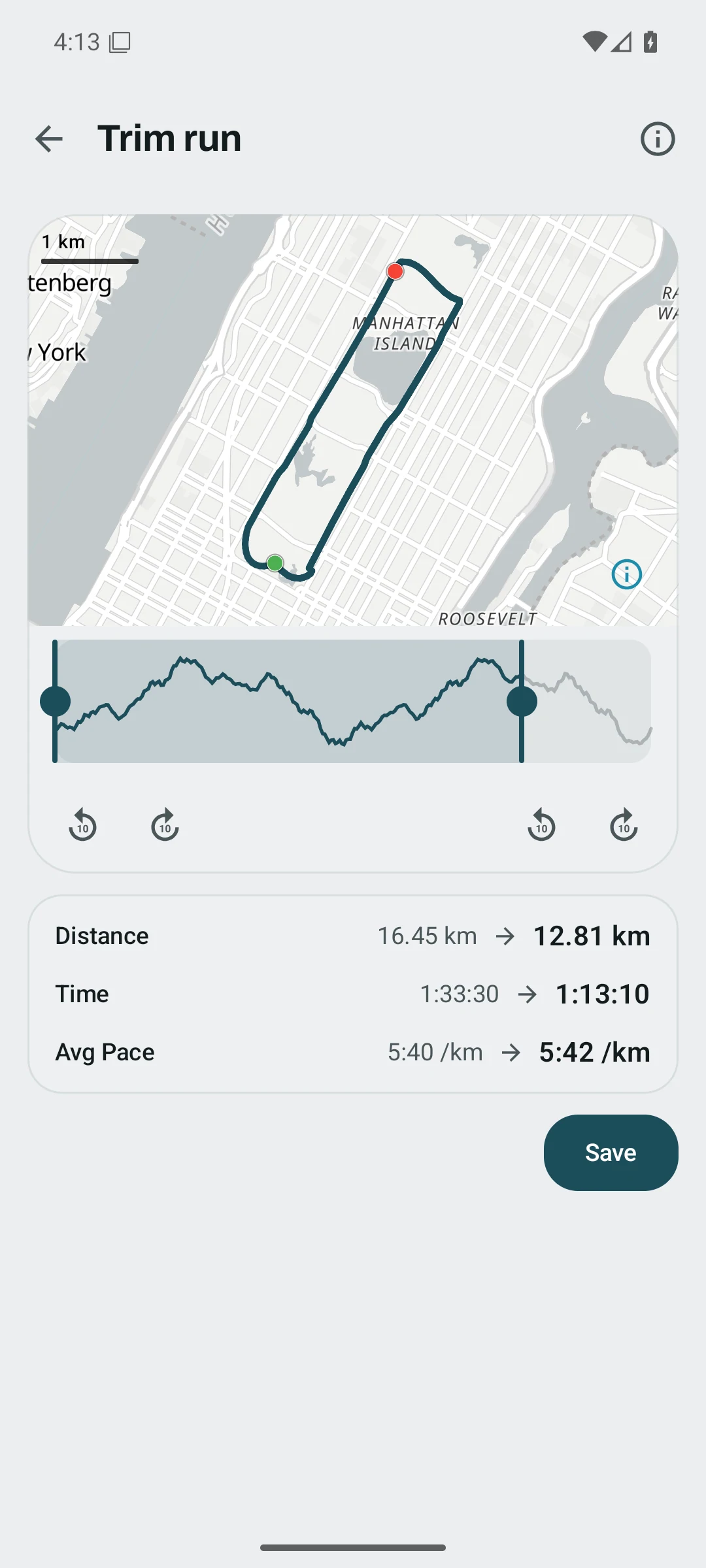
A walk back to the car can pull down the pace of a whole run. Open the finished run, pick Trim and slide the end back to where you stopped. You can check the new time and distance before you save, and restore the full run later.
For routes you want to move between apps, Kinoku can import timed GPX tracks and save your own runs as GPX files. First 5K adds a free nine-step path to the Skill Board, with one-minute runs and walking breaks to start.
One more set on the watch
Kinoku 1.7.0 is on Google Play for Android phones, and the Wear OS update will follow. If you finish the last set and still have one more in you, Repeat logs a set with the same weight and reps. If you tapped Complete too soon, Undo opens that set again so you can finish logging it.
The update also fixes skipped weeks in repeating Pro plans and duplicate workouts when you import the same file again. You can find the rest of the phone and watch changes in the full release notes.
Inside Kinoku
The app surfaces behind this story
 Open full-size image ↗
A year in one picture
The closing share card for a sample year puts a 127.5 kg deadlift below the stars from 198 sessions.
 Open full-size image ↗
Trim a late stop
In this sample run, moving the end back changes the distance from 16.45 km to 12.81 km before you save.
Related features
Watch your month or year of training as a short story. This month, this year, last month and last year are free. Pro opens the earlier ones.
Open a lift in Stats and a plain label says if it is progressing, holding steady, or slipping, with a flat-zone band on the chart. The label is free. Pro adds ideas for a stuck lift (options, never orders), an all-lifts dashboard, and a Coach card. It stays quiet when the data is thin.
Live pace, splits, a route map, and audio cues. Your run record is not uploaded to Kinoku; map tiles load when you view maps, and weather is a clear opt-in.
Eight free paths, from your first pull-up to your first 5K. Edit the routines and follow your progress from the sets and runs you log.
A real watch app for workouts, runs, steps, tiles, and watch face data.
Plan workouts on one calendar, with no limit on how many plans you keep or how far ahead you plan. Pro adds repeating schedules (weekly, custom days, or every few weeks), drag-to-move, bring-to-today, repeat-day, and day copy.
Try Kinoku
Core tracking works offline. No mandatory account. No Kinoku-hosted training-history cloud.
Get on Google Play →