

What if I didn't track my bodyweight in the past?
Old sets stay as they were. To add your body weight to past sets, long-press a set on the exercise's History tab and type what you weighed.
Kinoku leaves sets from before you tracked your body weight as they were, because it cannot know what you weighed six months ago and will not guess. A set gets its real load only when you complete it while Kinoku knows your weight, from your profile, a Body Weight entry in Metrics, or Health Connect.
You can fill in the gaps by hand. Open a bodyweight exercise, go to its History tab and long-press a set. The Bodyweight at time of set dialog asks what you weighed then, and you can use that number for just this set, the whole workout, the 30 or 90 days ending there, or all of your history.
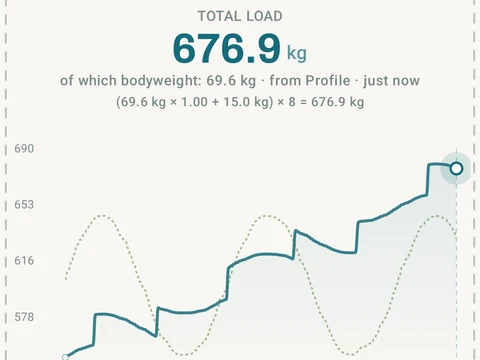
After you save, the Total Load chart and your muscle volume use the weight you gave for those sets. Clear in the same dialog takes the value off again.
In the app
Bodyweight Total Load
Pull-ups, push-ups, and dips get real per-rep load from body-movement math, not just reps times one. The load math, snapshots, and Total Load chart are free; Pro scales the volume charts in Stats Analysis to your body weight.