

How do classes count on the muscle map?
A logged class updates recovery, frequency and last trained for the muscles you tag. It adds no volume, because a class has no sets or weight.
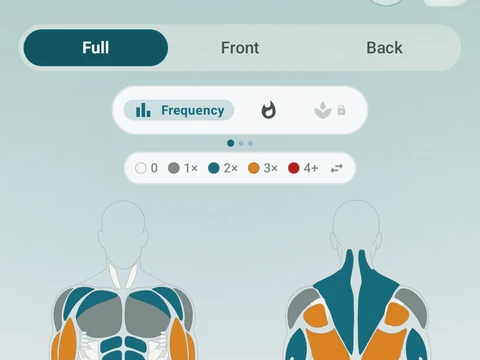
When you log a class, you tag the muscles it worked. Those muscles then show up on the Muscle Map’s Recovery and Frequency views, and their Last Trained date moves to the day of the class.
Volume, the Intensity view and weekly set targets stay lifting-only, because a class has no sets or weight to count. The class still lands on your calendar and in your history, and it counts toward streaks and achievements.
The intensity you pick under How hard did it feel?, Easy, Medium or Hard, sets how hard the class worked each tagged muscle. A Hard class keeps those muscles in the recovering state on the map for longer than an Easy one.
In the app
Muscle Map
Frequency and training-volume maps are free. Pro adds recovery estimates, readiness context, and exercise picks.