

Can I permanently delete a workout right away without waiting 30 days?
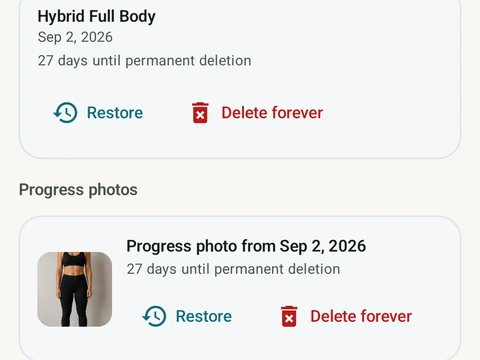
Yes. In Trash, tap Delete forever on a row, or Empty trash to clear everything. Once you confirm, the data is gone at once and cannot be restored.
Yes. Open Settings, then Import & Export, then Trash. Each row has a Delete forever button, and Empty trash clears every item at once. A dialog first warns that this cannot be undone, and once you confirm, the data goes right away.
Deleting forever takes the workout and everything tied to it:
- its sets, and the route and run analysis for a run.
- the muscles you tagged for that session.
- its personal record (PR) events and metric links.
- links from planned workouts, and the copy Kinoku wrote to Health Connect.
The same cleanup runs as for the 30-day purge, so nothing is left half deleted. After that, the workout can only come back from a backup ZIP made before you deleted it. A restore swaps everything else in the app for that older copy too. Progress photos in Trash can be deleted forever the same way.
In the app
Trash & 30-day Undo
Deleted workouts and progress photos go to Trash for 30 days. A restored workout rewinds your program max, resyncs Health Connect, and updates bet progress.