

What are scenes in Kinoku?
A scene is a starting point for a workout, such as Strength, Home, Run or Pool. It can set a rest timer, a time goal, your gear and an exercise filter.
A scene is a preset you pick when you begin a workout. Each one can carry a color and an icon, a default rest timer, a duration target in minutes, the equipment you have in that place, and a filter for the exercise picker by exercise type and mechanic. Kinoku comes with built-in scenes such as Strength, Home, Run, Pool, Walk and Recover, so a scene can stand for a place you train or for a style of session.
When you tap a scene on the New Workout sheet, a Pick a Routine sheet opens. It lists the routines you linked to that scene first, then suggested matches based on how much of their equipment the scene has. You can also choose Start Empty for a session with no routine.
The built-in scenes are free, and you can hide any of them from the sheet or change their order. Creating your own scene, or copying a built-in one as a base, needs Pro, but every built-in scene works the same on both plans.
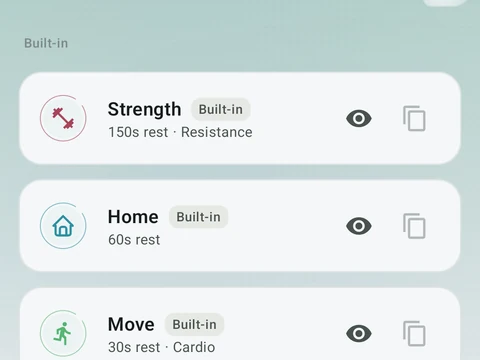
In the app
Scenes
Workout contexts with built-in presets, quick-start feel, and custom scenes on Pro.