

What is Run Studio?
Run Studio shows one GPS run on a big map with pace, heart rate and elevation charts you can drag along. The screen is free, and replay and compare are Pro.
Run Studio is a close-up view of one GPS run. It puts the route on a big map and lines up charts for pace, heart rate and elevation underneath. Drag along a chart and a marker moves along the route, so you can see where on the course each change happened.
You can open it in a few ways. The run summary has a Run Studio button on its map, and a run’s own screen has an Open Run Studio icon at the top. Run Studio in the side menu asks you which run to open first.
Turn your phone sideways, or tap the expand icon on a chart, to get one big chart with a small map beside it.
The screen, its charts and the sideways view are free for every run. Pro adds four things:
- The replay, which plays the run back along the map.
- Notes you pin to a point on the route.
- Sharing the replay as a video.
- Compare, which lines this run up against another one and shows where you gained or lost time.
On the free plan the replay button and Compare carry a lock and open a short preview. Run Studio does not work on a very short run, and it points you to the run summary instead.
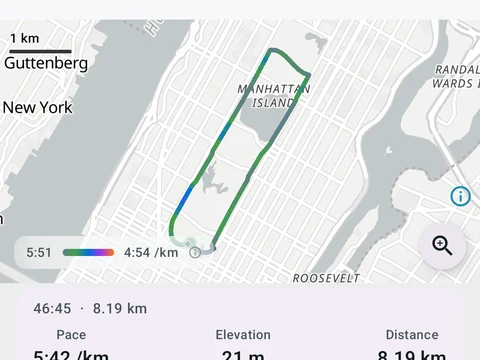
In the app
Run Studio
A deep look at one run. Pace, heart rate, and climb on linked charts you can pinch to zoom. Tap the route to jump to that moment, and read marks for your peaks, fastest splits, and fatigue points. The whole screen is free. Pro adds replay, ghost-compare against another run, your own notes, and still-frame MP4 export.